TM - Adding New Documents
Last updated: April 21, 2026
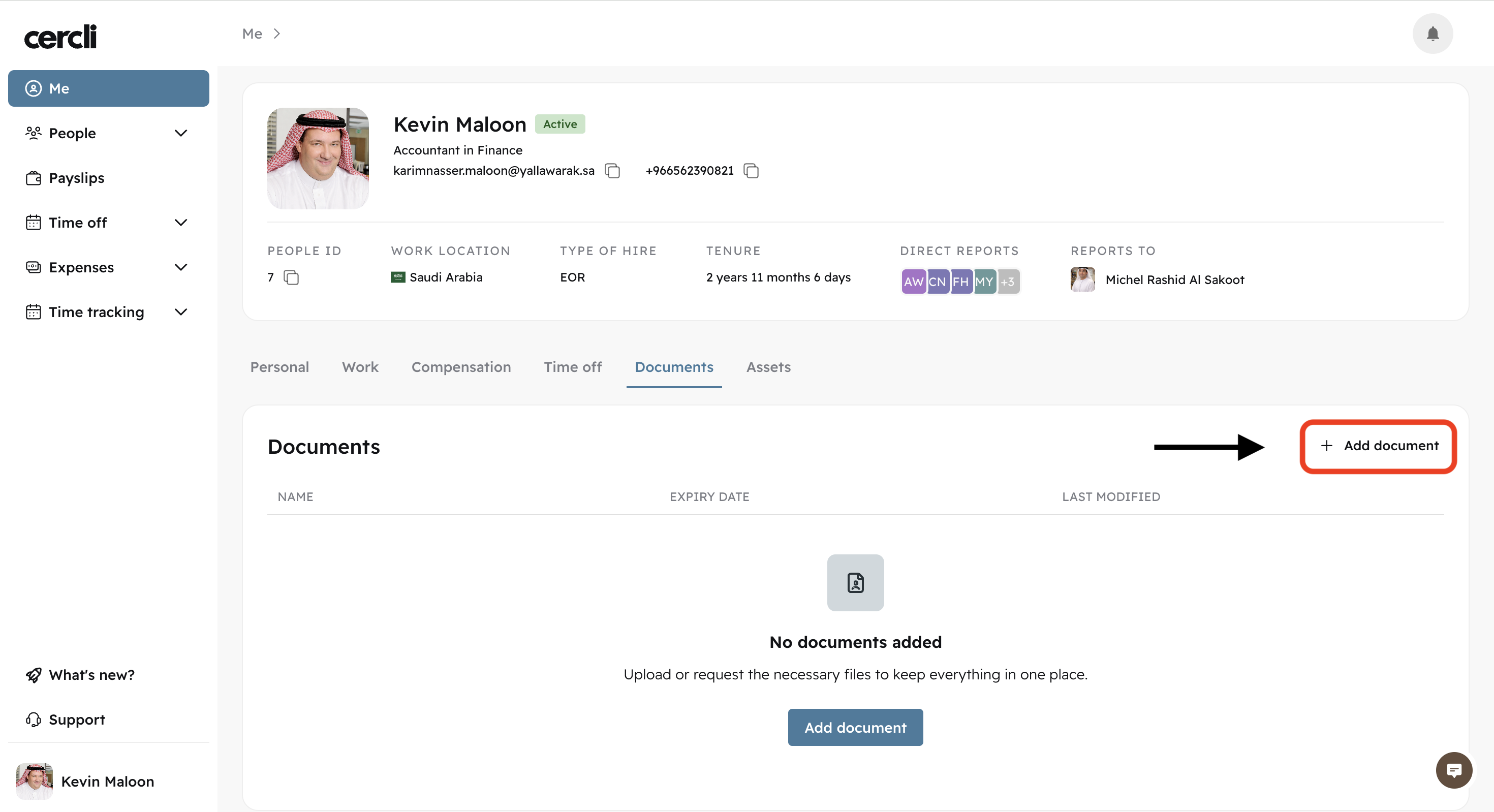
After the HR manager has created the document, team members will now be able to add it on their profile by clicking Add document from their Documents tab on the Me section.
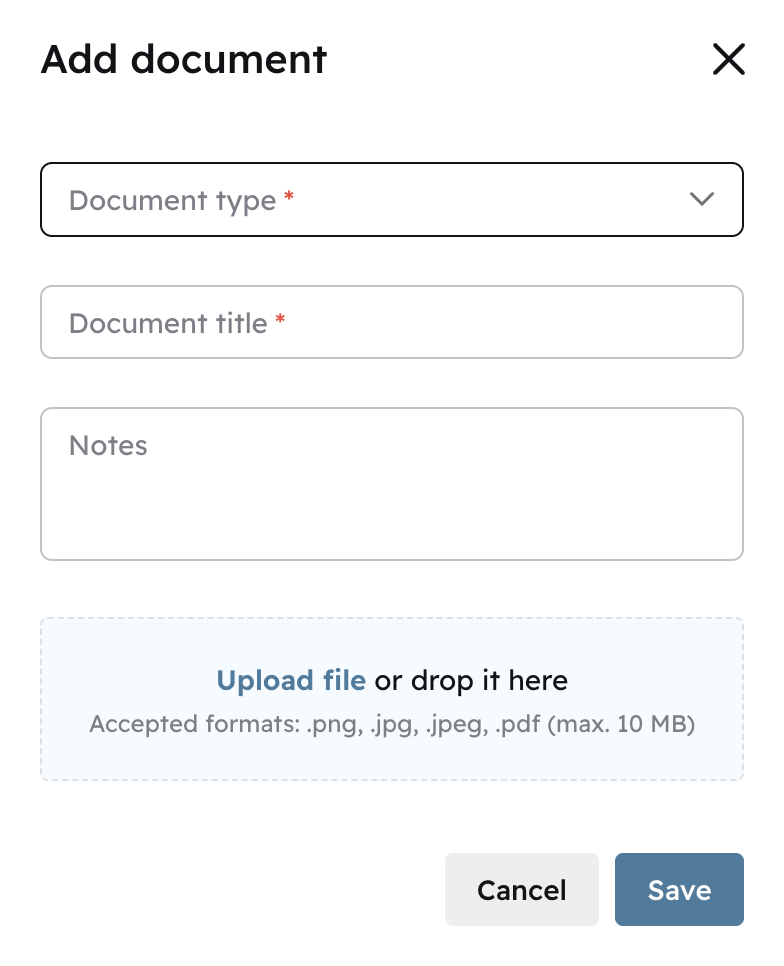
Select the document name from the Document type dropdown. You can search for the exact document name by typing it. Give it a title, and upload that document.
Ex: If the Document type is Passport. Name it "Team Member Passport" and upload your Passport image.
Click Save to add it to your profile.