TM - How to Find My Payslips
Last updated: April 17, 2026
Payslips show up differently depending on the team member's type of hire.
EOR and Direct team members can find Payslips on the left side bar and click on it.
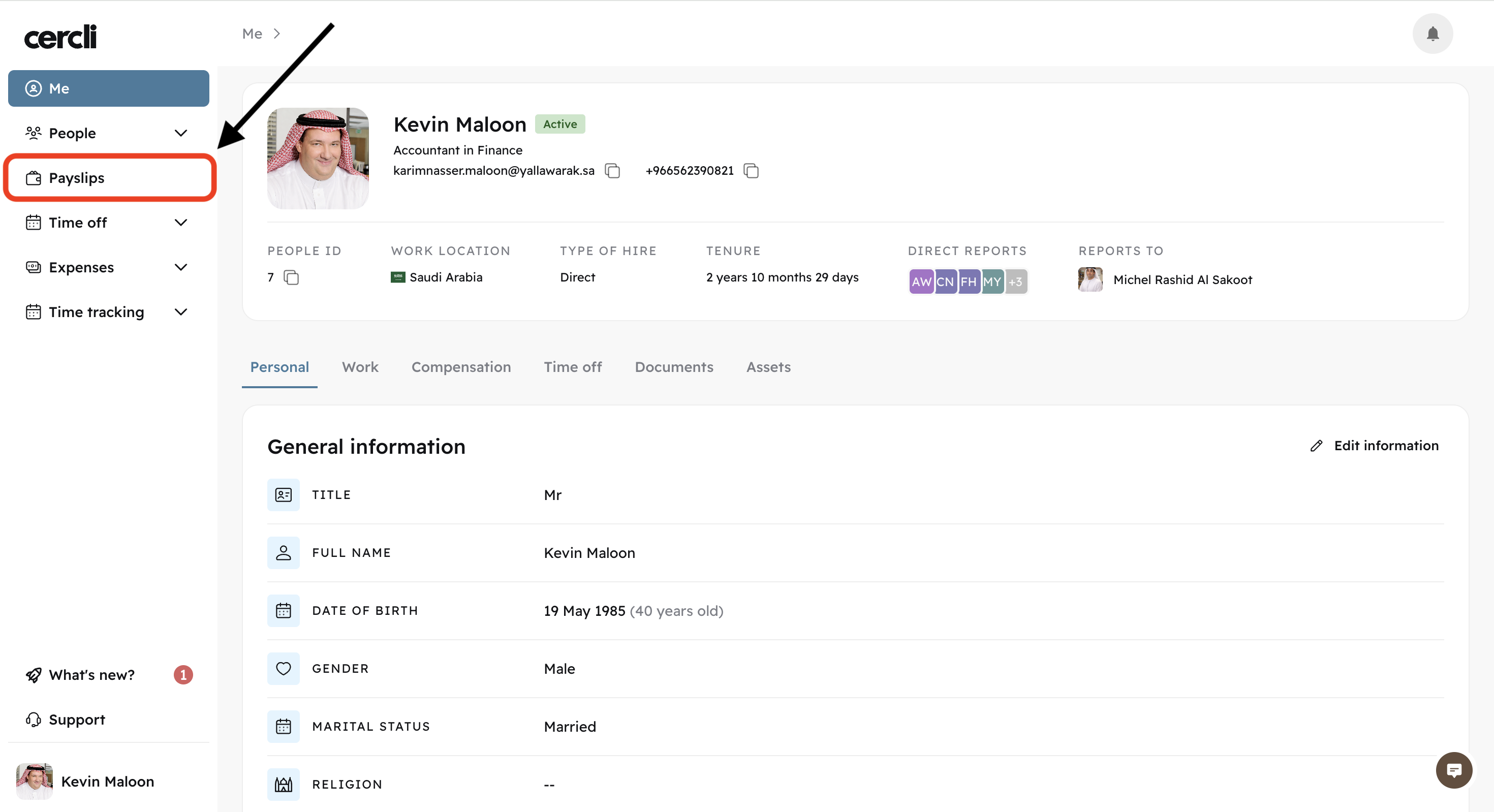
Contractor team members will not see Payslips. Instead, they will find "Invoices"
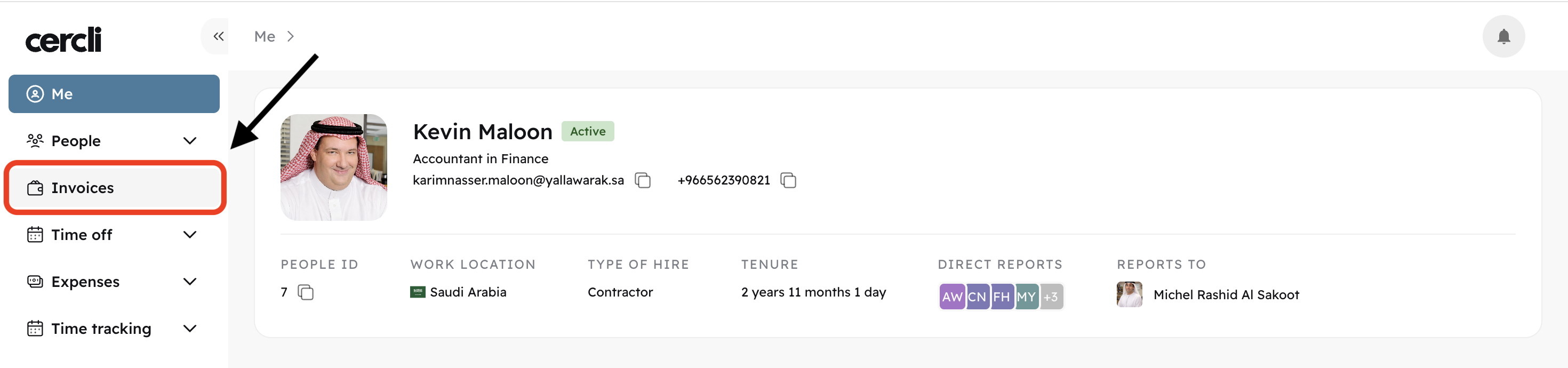
How to download payslips/invoices
For Direct and EOR team members, after clicking on "Payslips" they’ll see the download icon on the right hand side.
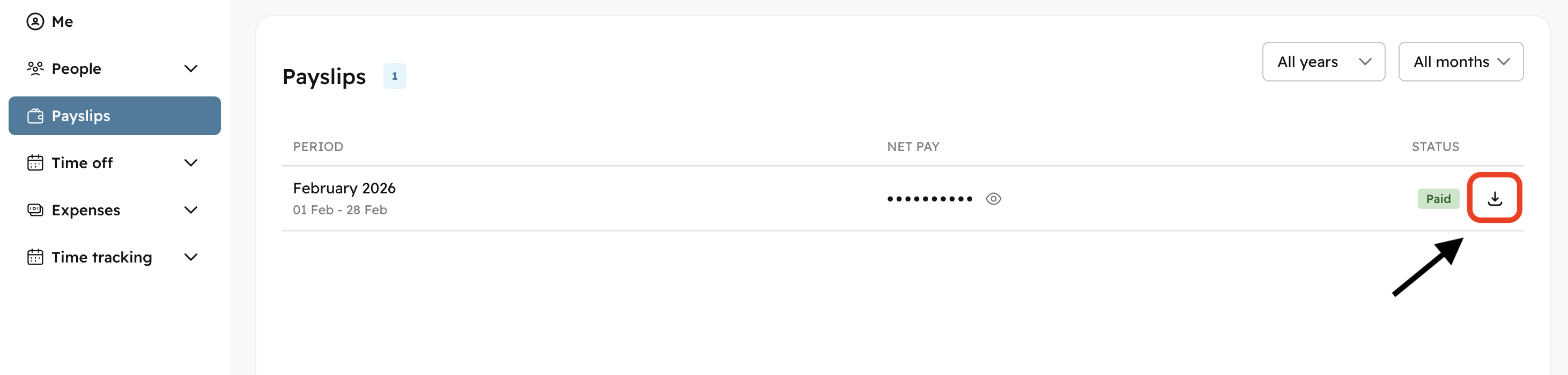
Contractor team members can do the same clicking on "invoices"

When can I find my payslips
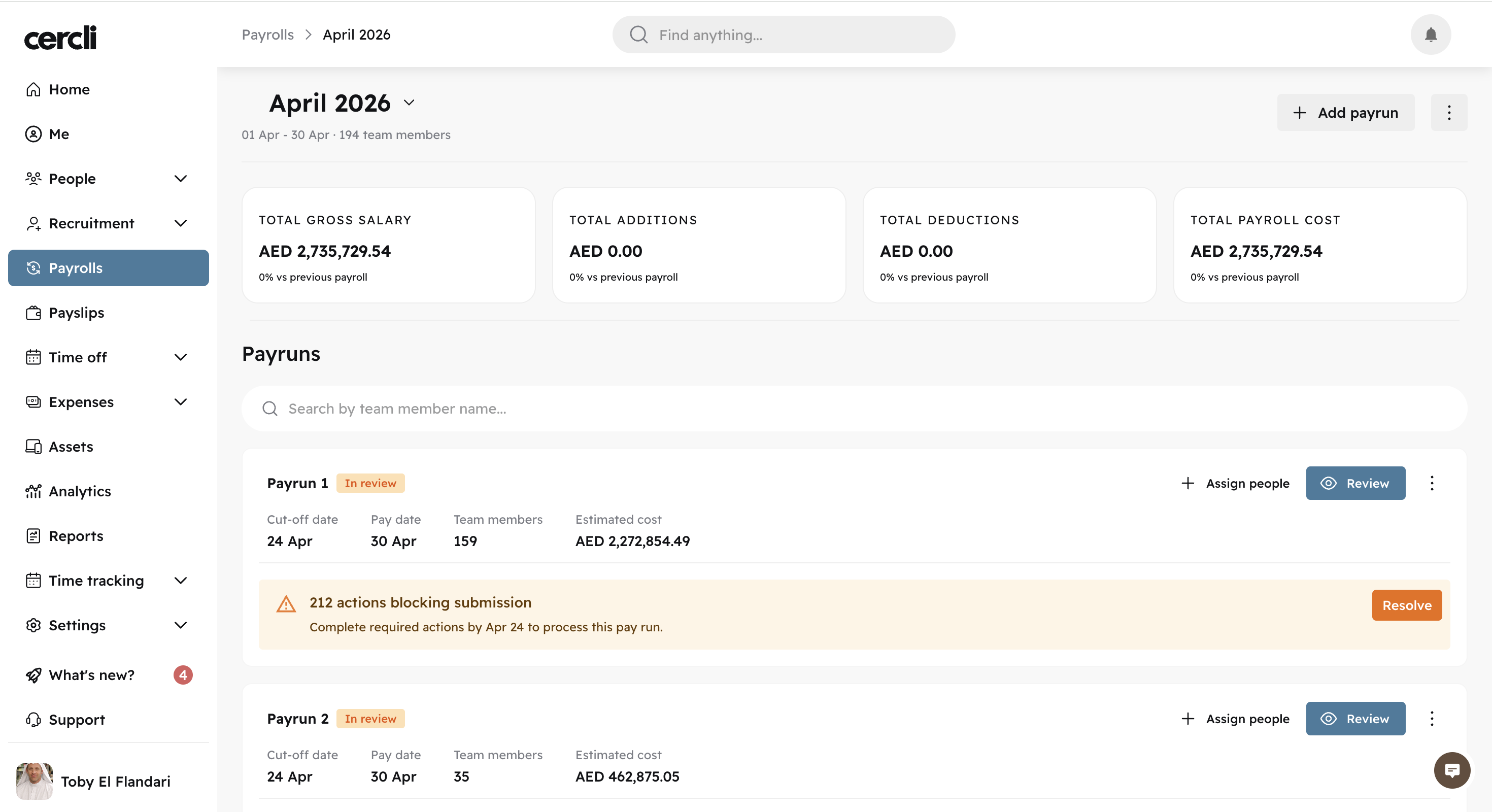
Payslips become available once payroll has been submitted and processed.
You can ask your HR manager for the payroll status.
As an admin, you can see the image below shows "In review", hence no payslips are available.
When will the payment be made?
You can expect the payment to be made on the established pay date by your HR Manager. You can check the exact pay date in your HR policy or reach out to your HR team for confirmation.
You can expect the payment to be made on the date pay date is set for. There isn’t an exact time as timings depend on bank processing.