Admin - How to Create New Documents
Last updated: April 21, 2026
Depending on team members' location or entity, there will be several documents you may need to create for them.
For instance, a new joiner in the UK will need to upload a P45 or Starter Checklist, hence this document will have to be created in Cercli.
TLDR 🍿
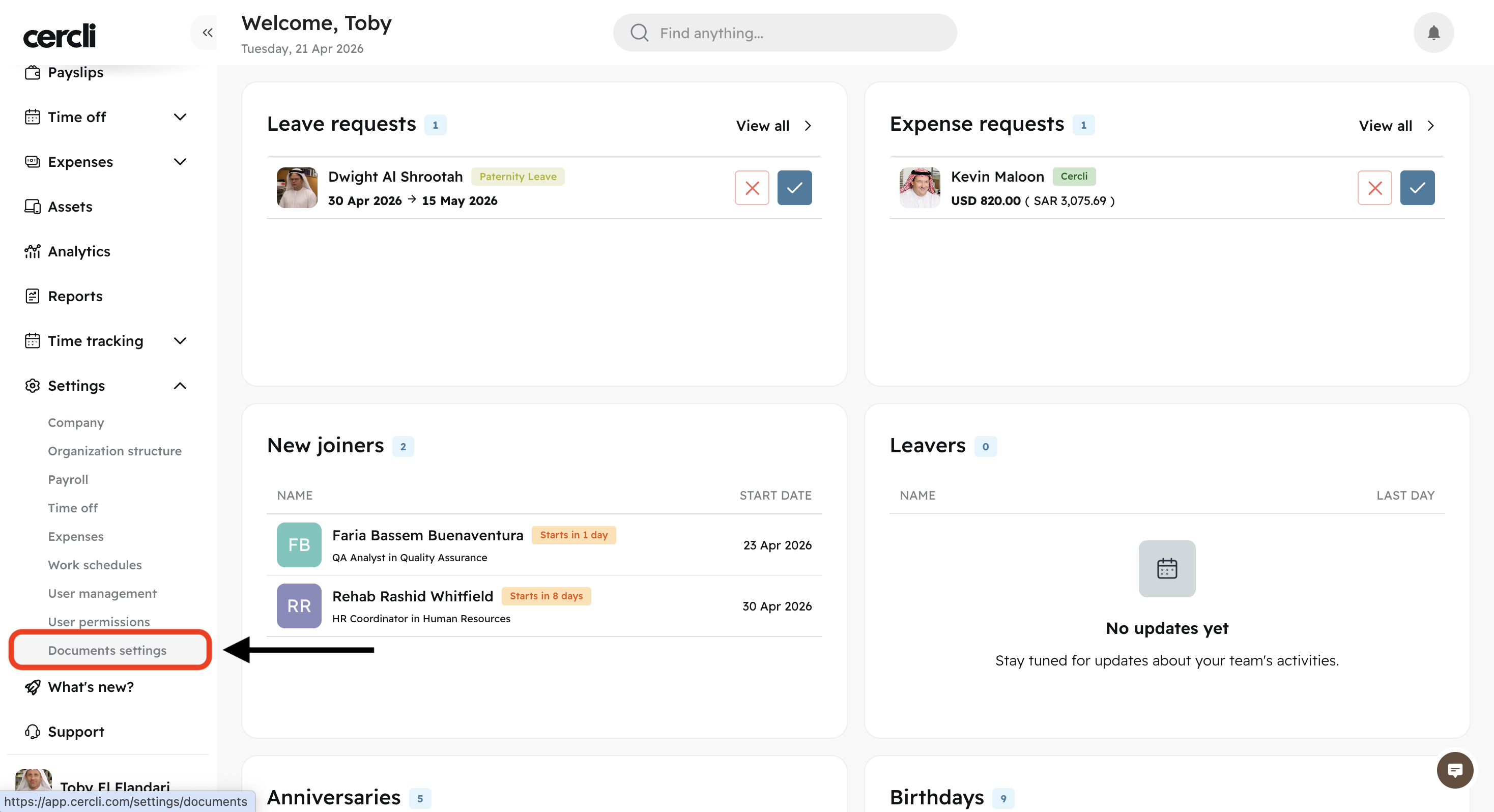
On your left navigation bar, locate Settings and click on Document settings
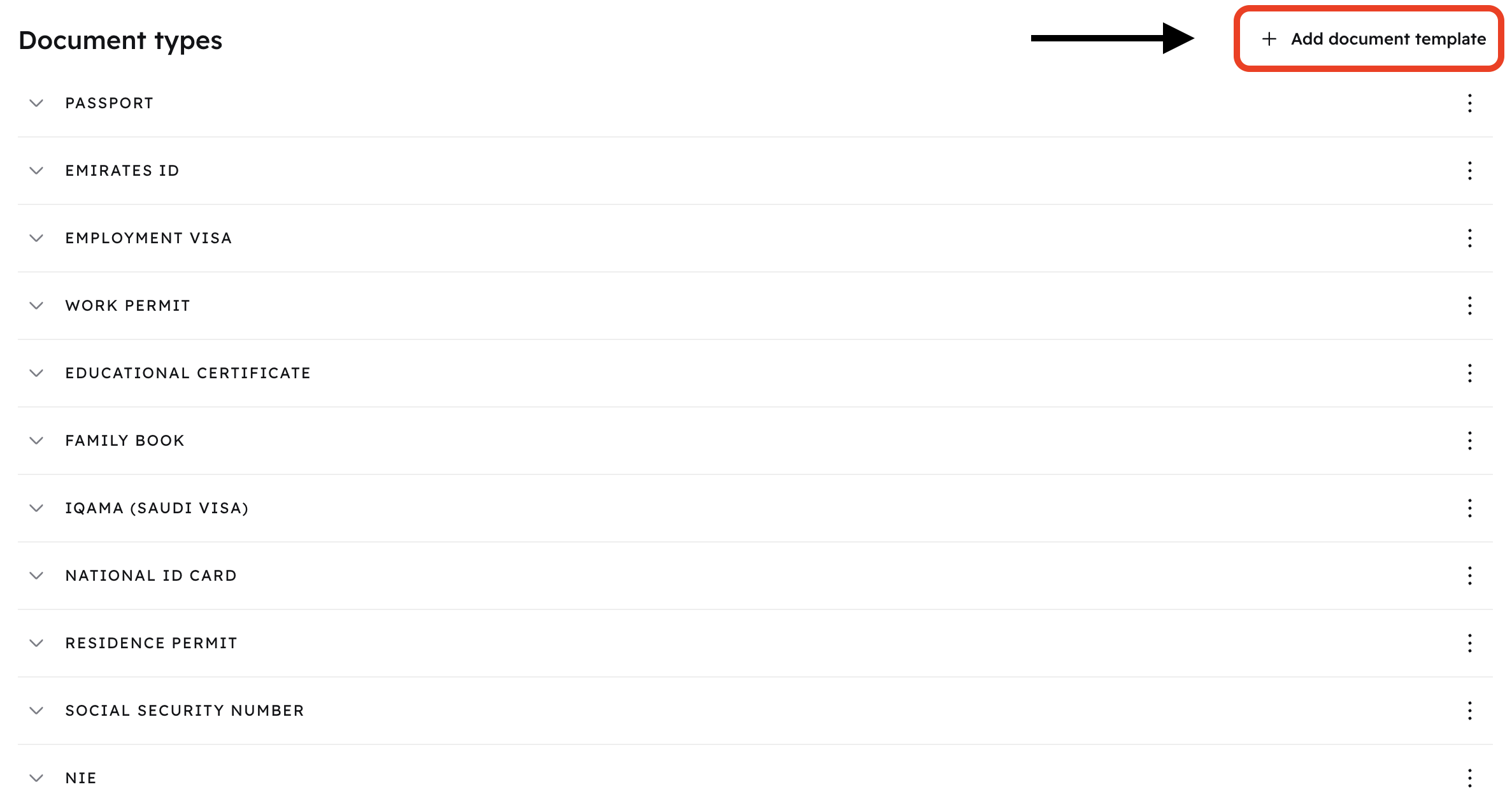
You will find a list of all document types available at the moment. These are the documents team members can upload.
Whenever you need team members to upload a different document that is not available, you can create it. Click on Add document template
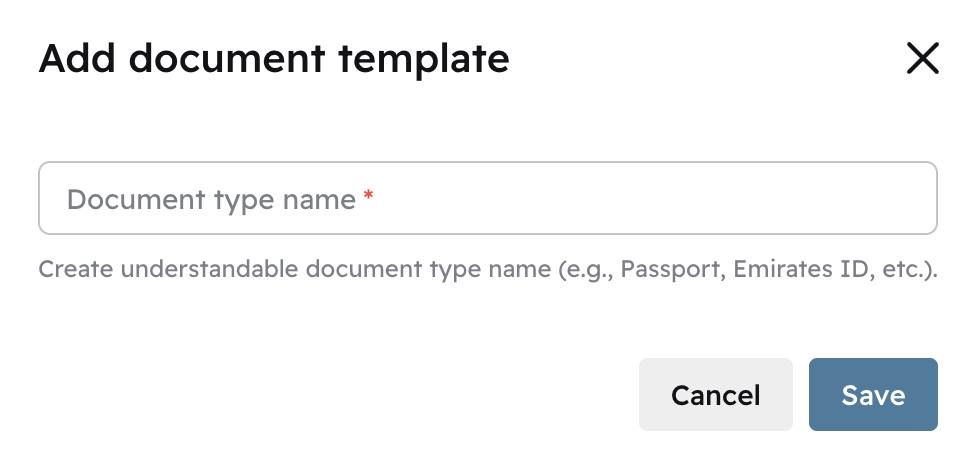
Simply name the document, and it will be ready to use after clicking Save
You will find this new document at the bottom of the list. Team members will now be able to use it on their profile
Refer to this article: