Admin - How to Set View Only Payroll Permission
Last updated: July 1, 2026
TLDR 🍿
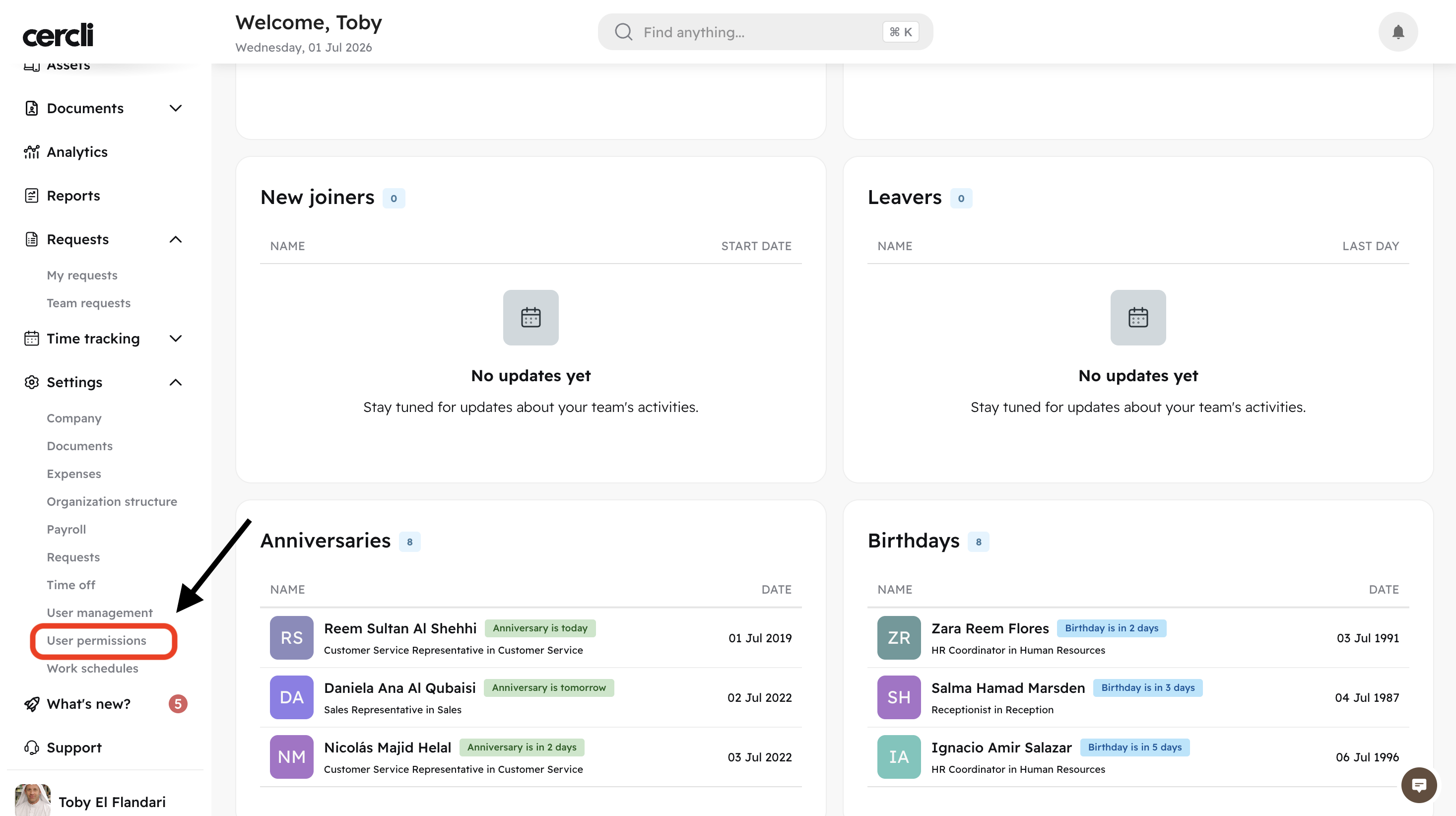
Go to Settings - User permissions (You can also use the Command + K OR Control + K shortcut)
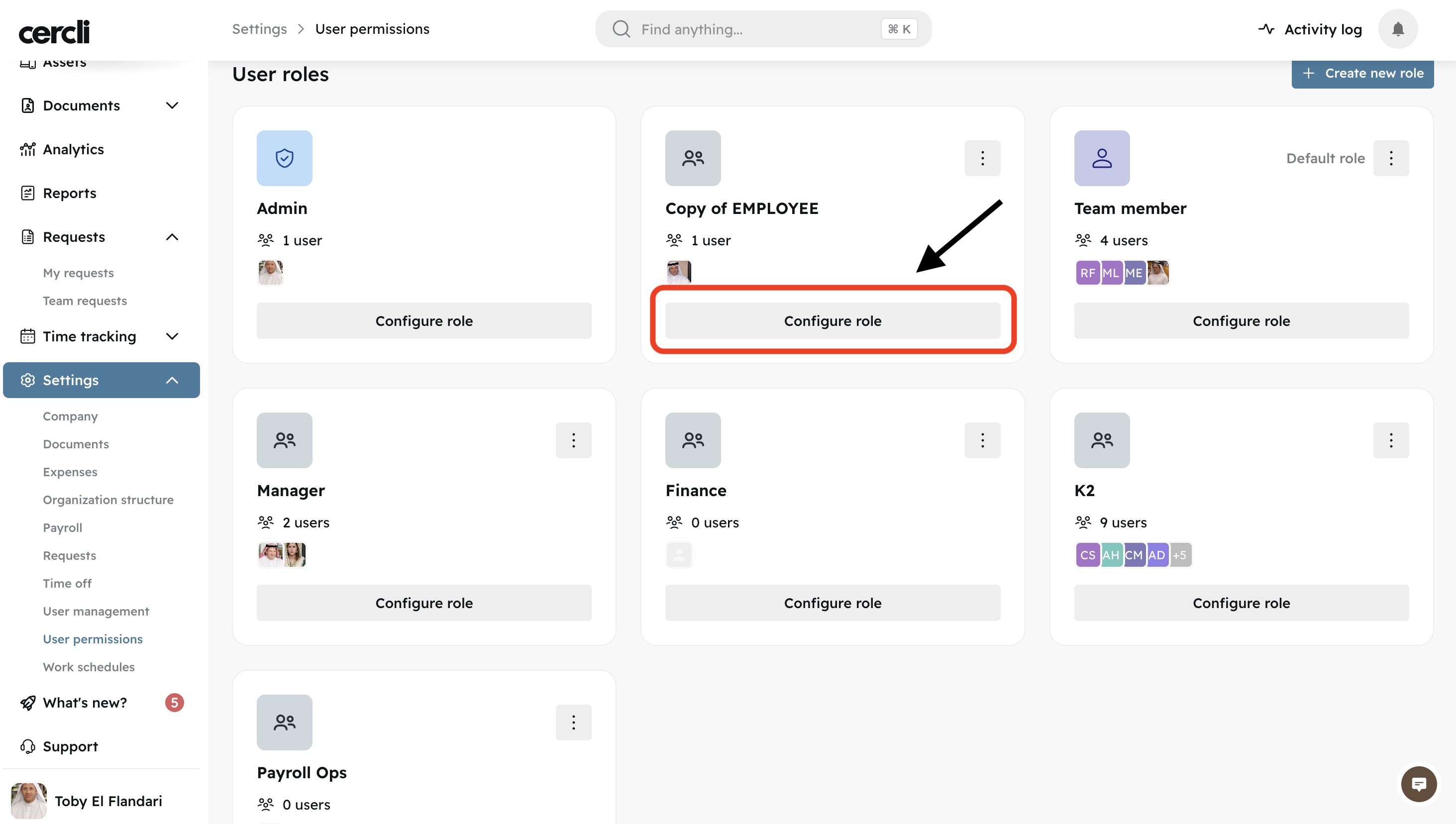
Click on Configure role for the role you'd like to set view only payroll to.
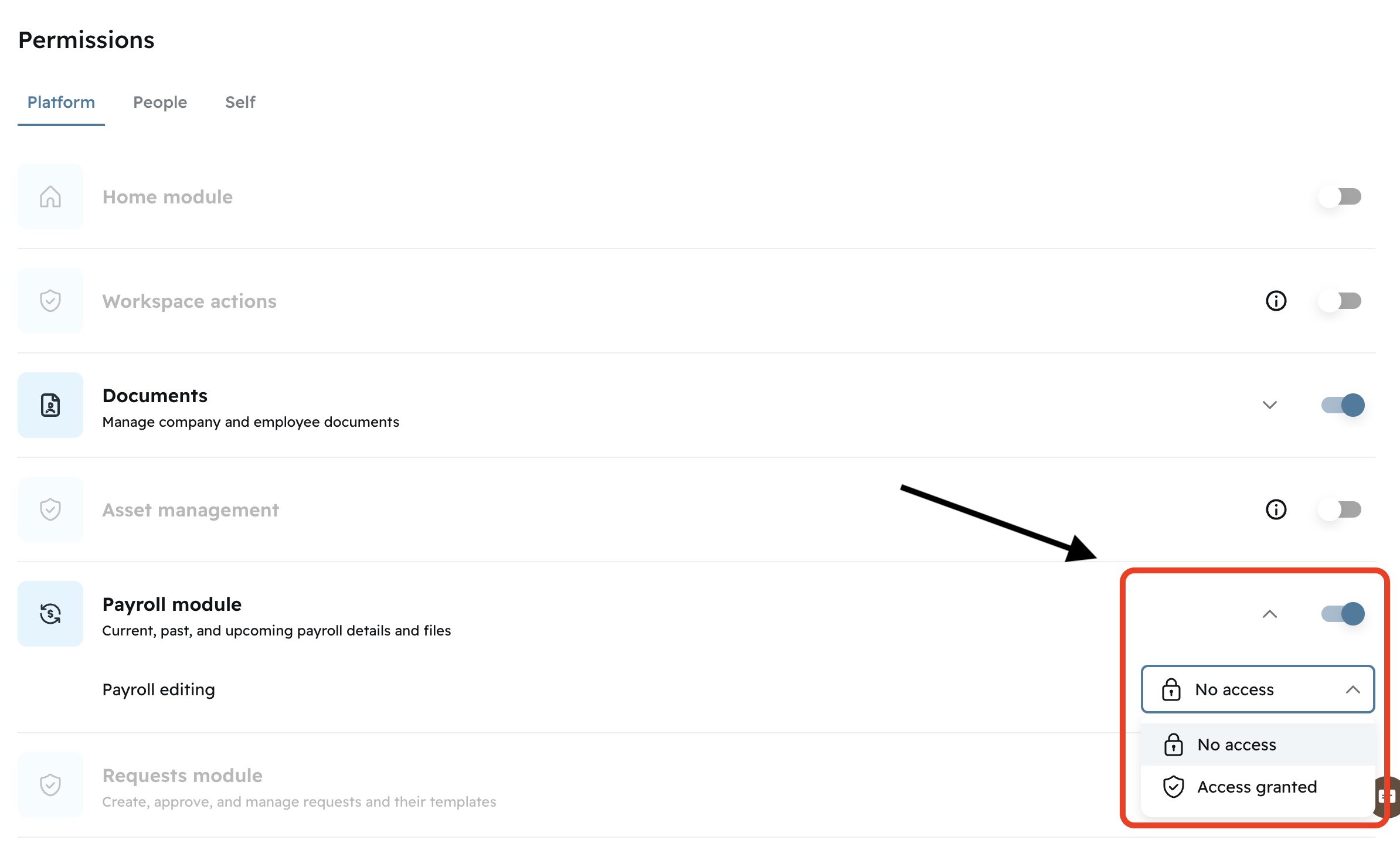
Find the Platform tab and scroll till you find Payroll module . Turn the Toggle switch on, and select No access . (If you would like the role to be able to edit payroll, select Access granted).
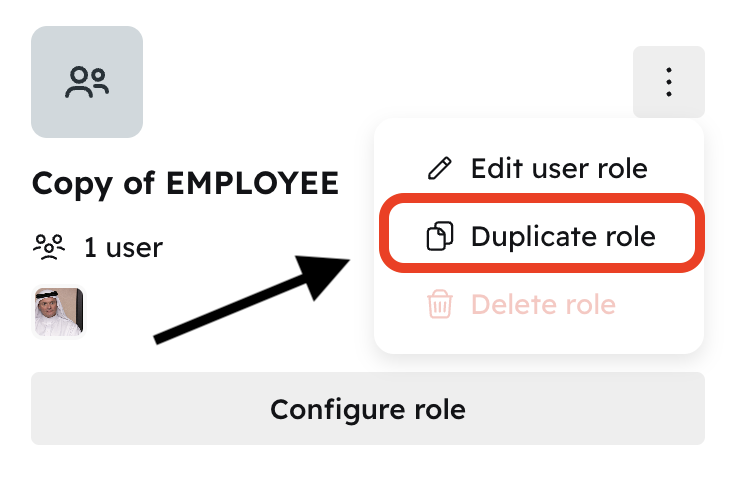
On the User role page you can Duplicate the role instead of having to setup permissions from scratch. Click on the three vertical dots and select Duplicate role .