TM - How to View Your Time Off Balance
Last updated: April 20, 2026
TLDR 🍿
Team members can view their time off balance by going to Time off on the left side bar.
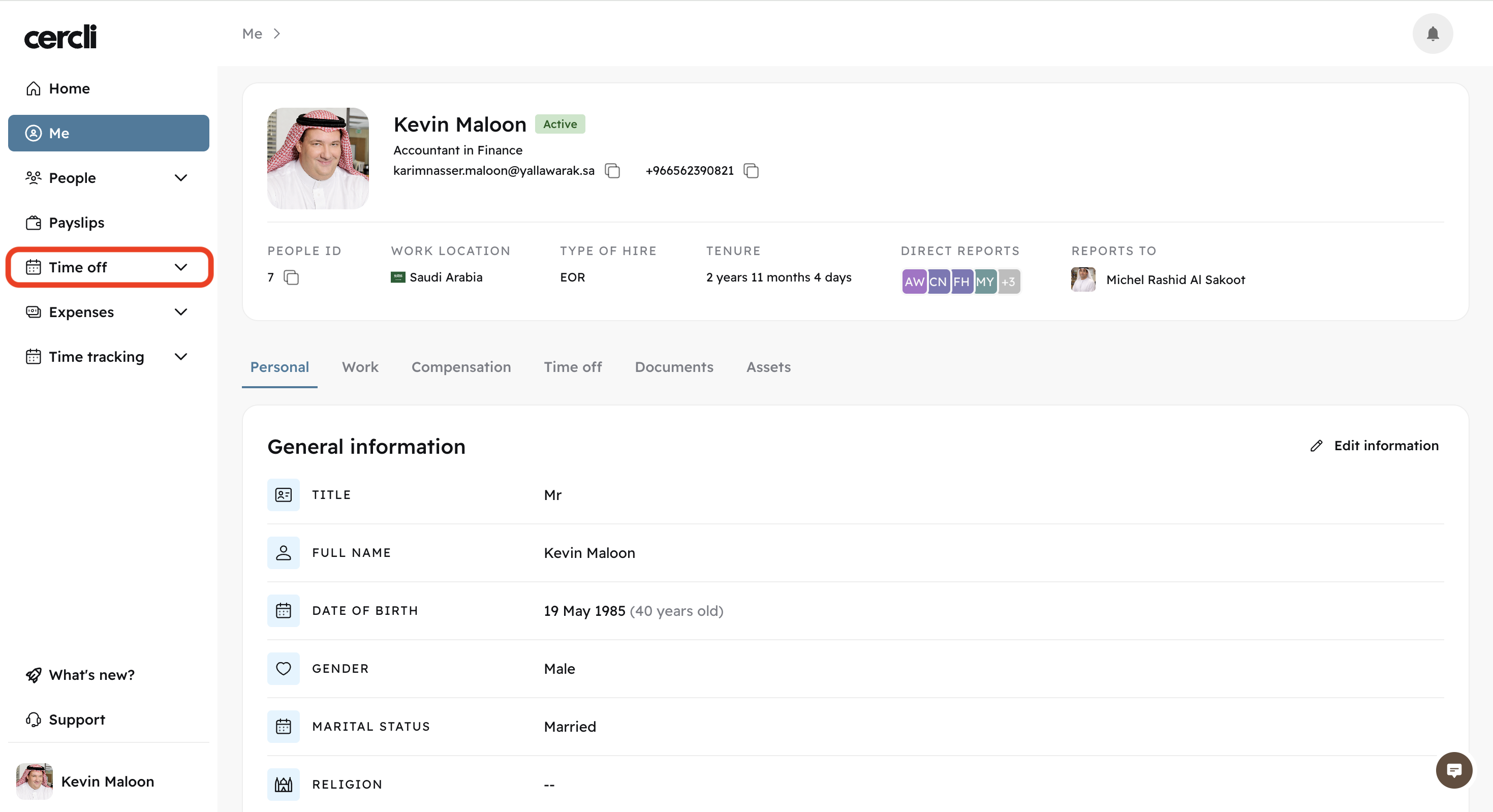
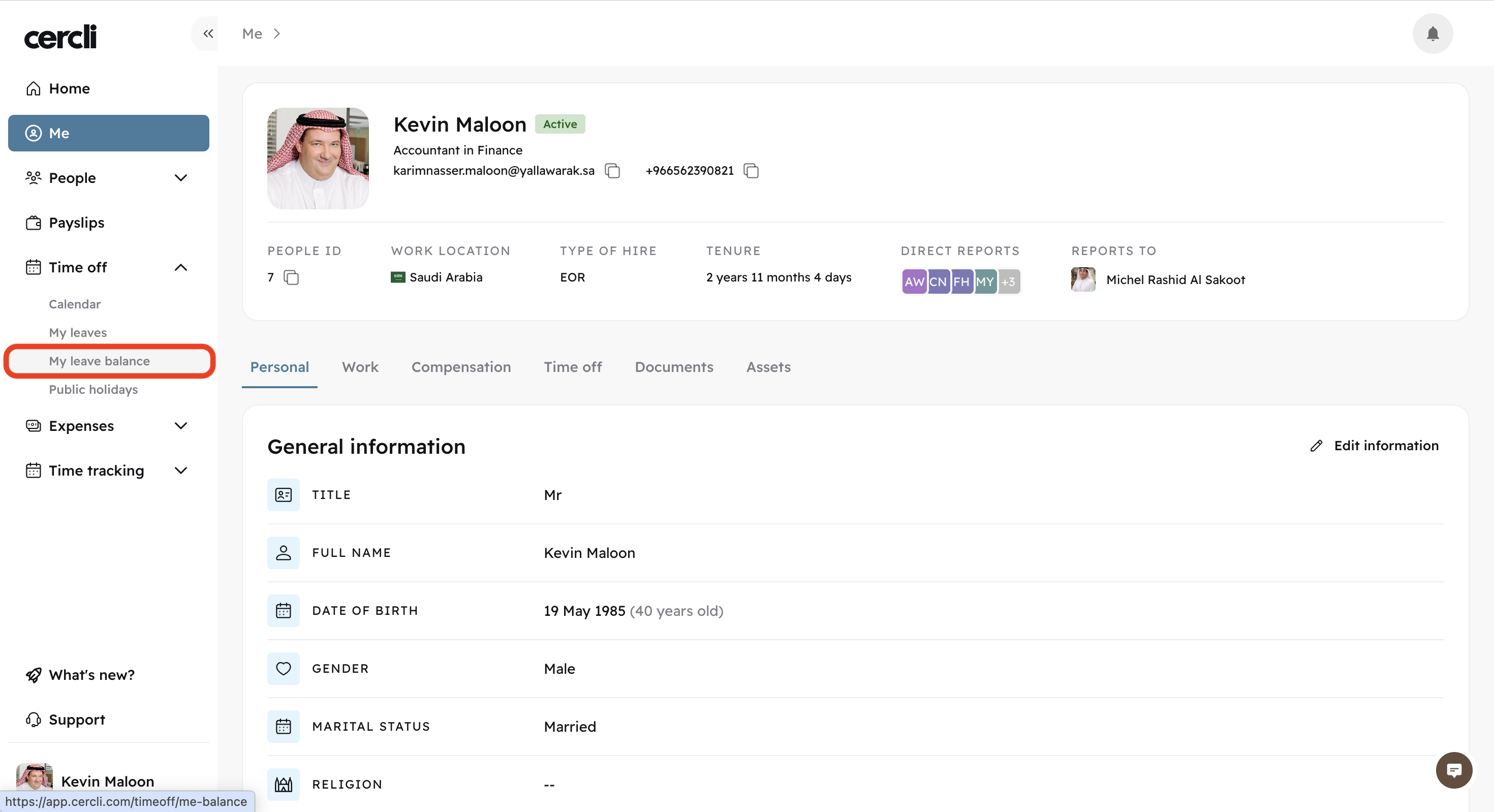
After clicking Time off, a dropdown of options will appear. Click on My leave balance
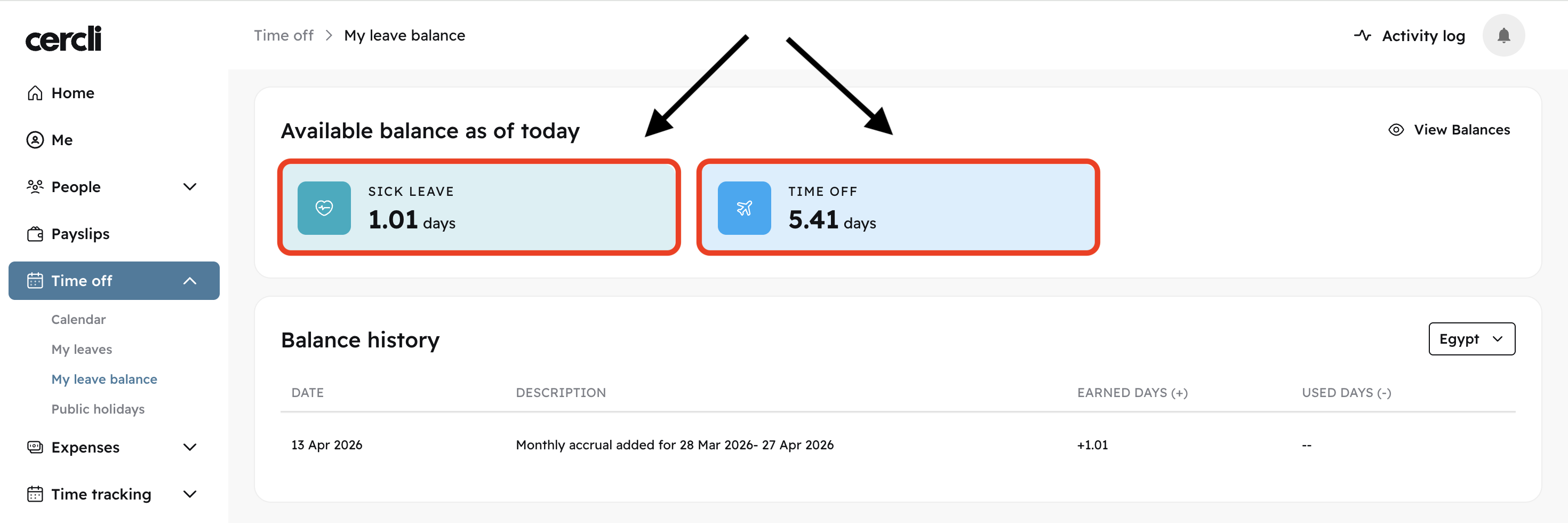
Click on either of your leave categories to view their balance
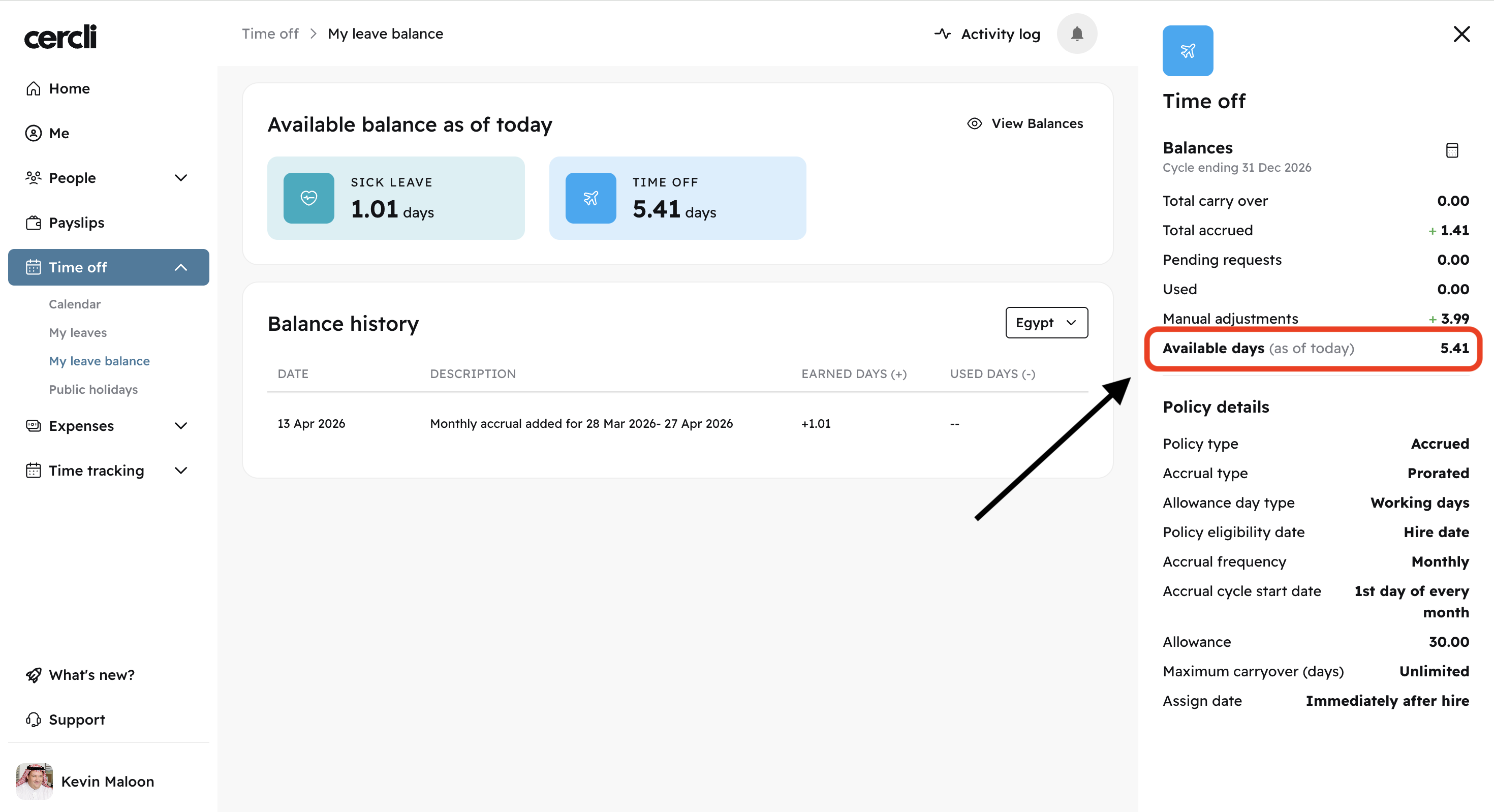
You will see a right sidebar pop up. You can view your Available days and additional details on the right.
It is important to have the correct user permissions. If you cannot see this, ask your HR Manager.