How to Connect Your LinkedIn for Outreach
Last updated: September 14, 2026
What you'll do:
Link your own LinkedIn account to Cercli so you can message sourced candidates without leaving it.
When you'd do this
Before your first outreach message. Everything Cercli sends goes out as you, from your own LinkedIn account, so it has to be connected first. You'll also come back here if messages stop sending and the account needs reconnecting.
Before you start
The LinkedIn account you actually recruit from. Messages arrive from that person, and replies come back to it.
Your LinkedIn login to hand, since you'll sign in during the connection.
Steps
Go to Outreach → Preferences in the sidebar. Or click on "Connect" button on a banner represented in navigation bar.
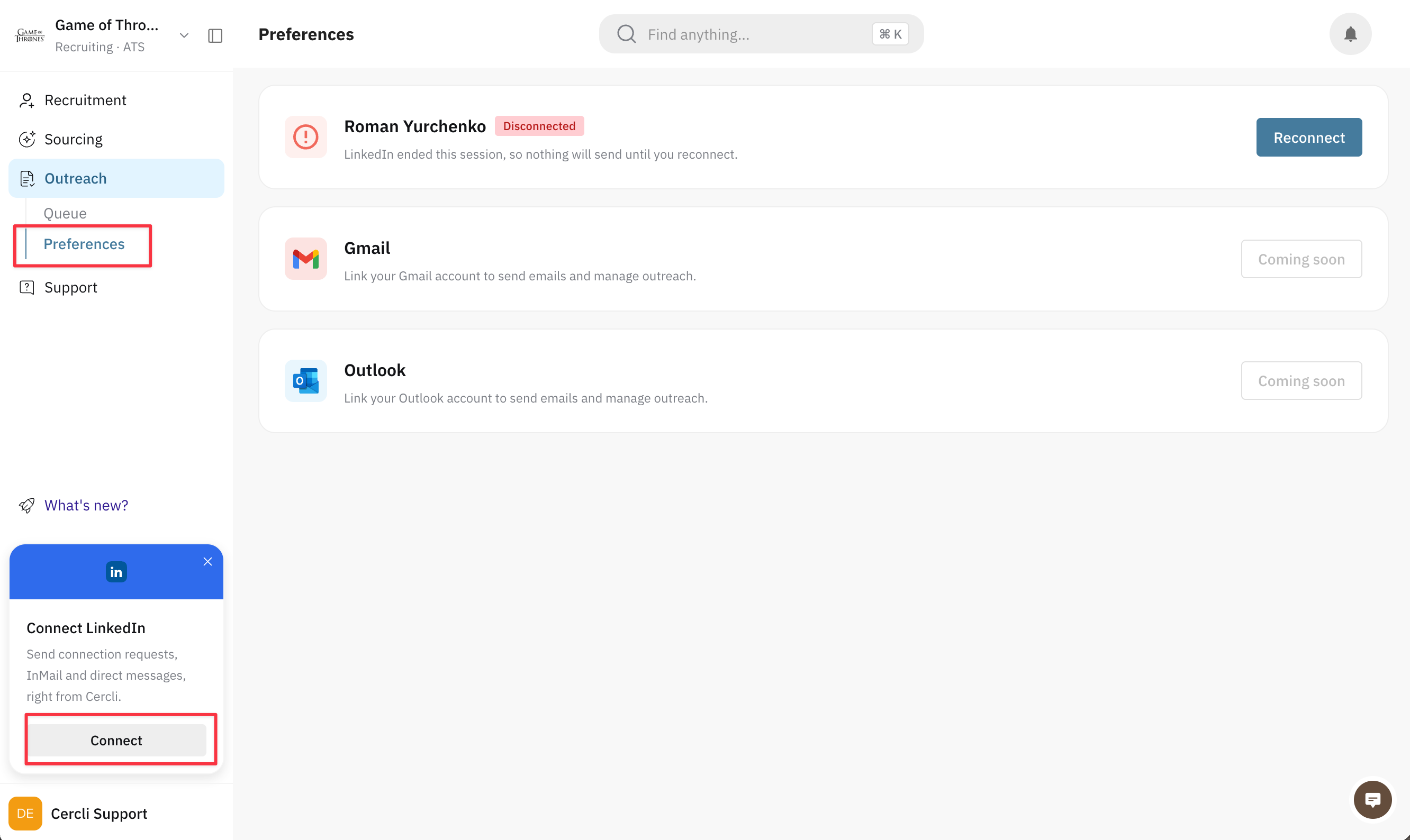
Find the LinkedIn account card and click Connect LinkedIn.
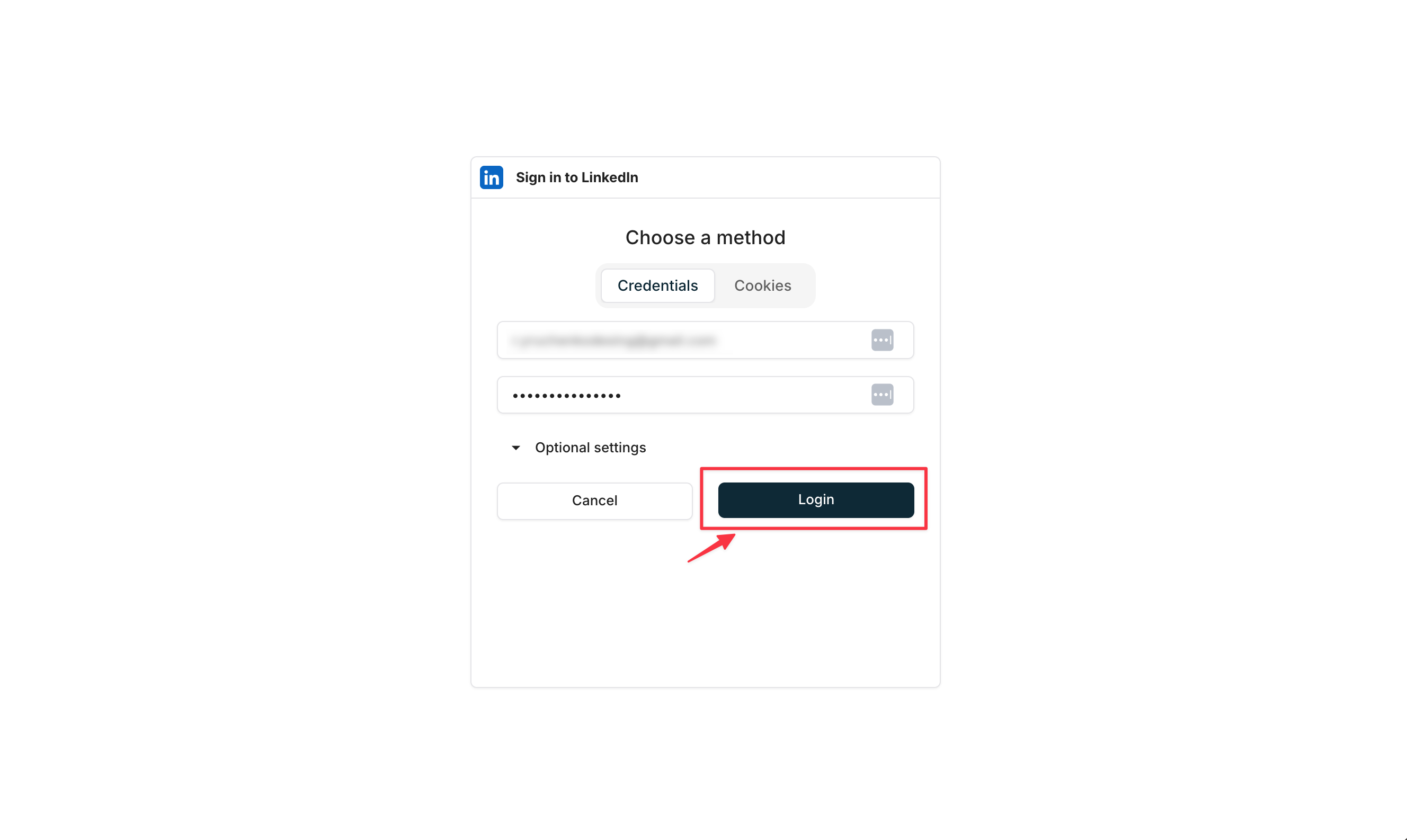
Sign in to LinkedIn when prompted and allow the connection.
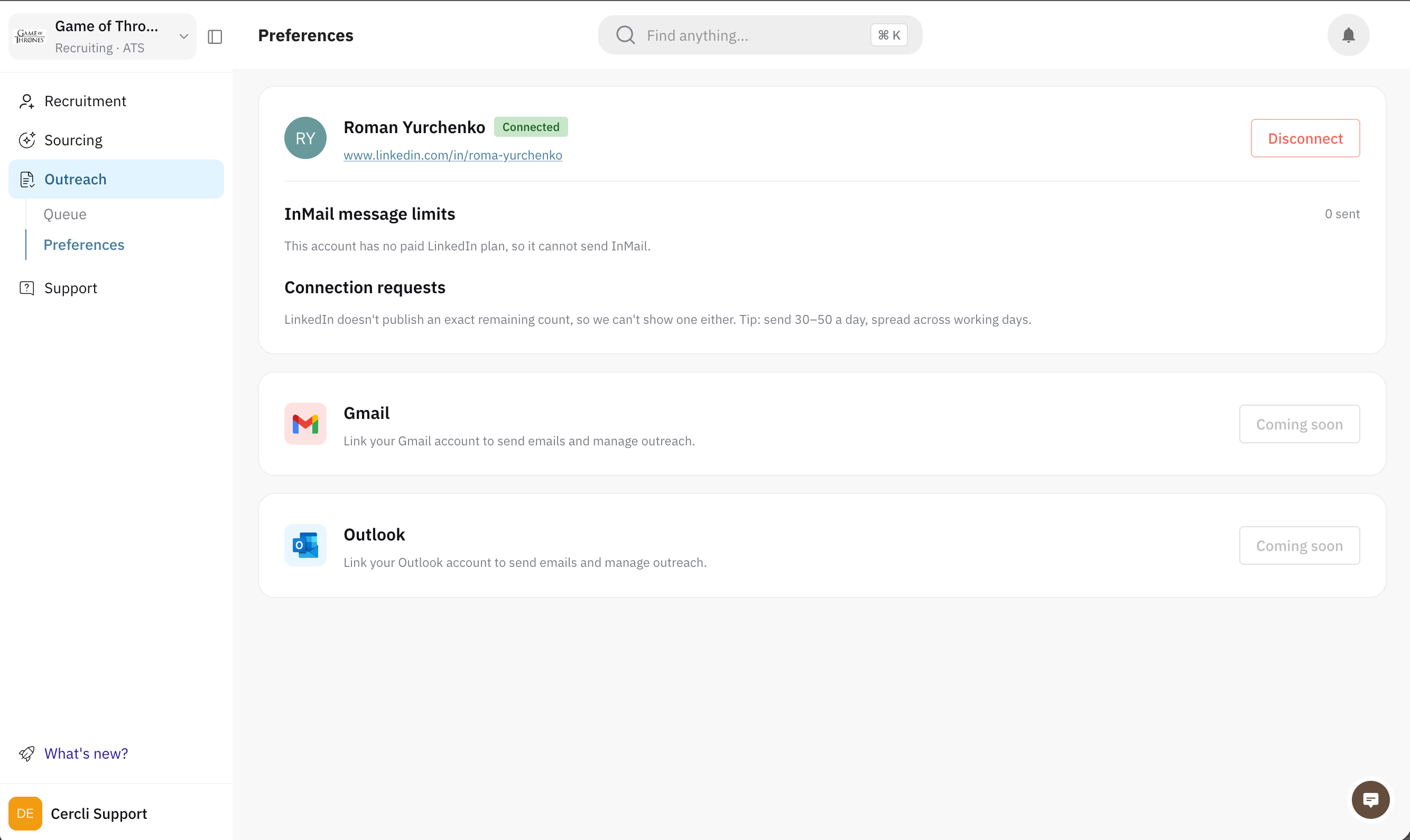
The card then shows your connected account. That's all that's needed — you can go straight to the queue and start writing.
What happens next
The LinkedIn account card shows your account as connected, and sending becomes available across Outreach.
Messages you send appear on LinkedIn as if you'd sent them there yourself, because you did — Cercli uses your account rather than a Cercli one.
Candidate replies flow back into the conversation in Cercli.
Tips & gotchas
One account, yours. This connects a personal LinkedIn account, not a company page, and it's per-recruiter — connecting yours doesn't connect your colleagues'.
Reconnect rather than wonder. If the card offers Reconnect, sending will keep failing until you do — LinkedIn periodically requires a fresh sign-in.
What you can send depends on your own LinkedIn plan. InMail in particular spends credits from your account, so a plan without them simply falls back to a connection request.
Troubleshooting
There's no Outreach section in the sidebar. Outreach is still rolling out. Ask your admin to switch it on for your workspace.
"We could not load your LinkedIn account. Refresh to try again." A loading problem rather than a broken connection — refresh before reconnecting.
The card shows Reconnect. Your LinkedIn session expired. Click Reconnect and sign in again.
Messages fail straight after connecting. Re-open Preferences and check the card still shows your account; if it offers Reconnect, the connection didn't complete.
You connected the wrong account. Disconnect it from the card, then connect the right one — everything you send is attributed to whichever account is linked.