Admin - How to View a Payroll Variance Report
Last updated: August 14, 2026
🍿 TLDR
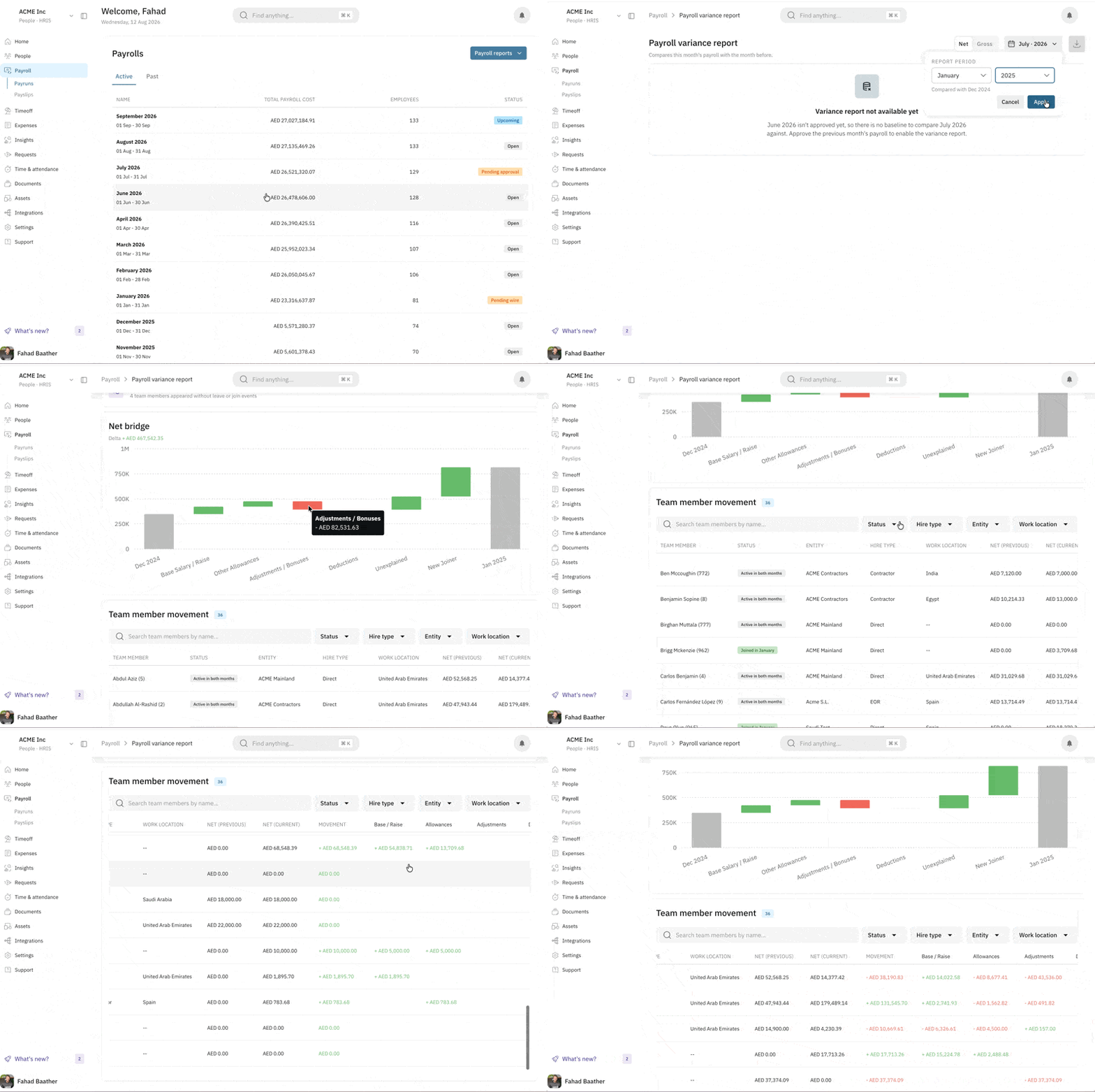
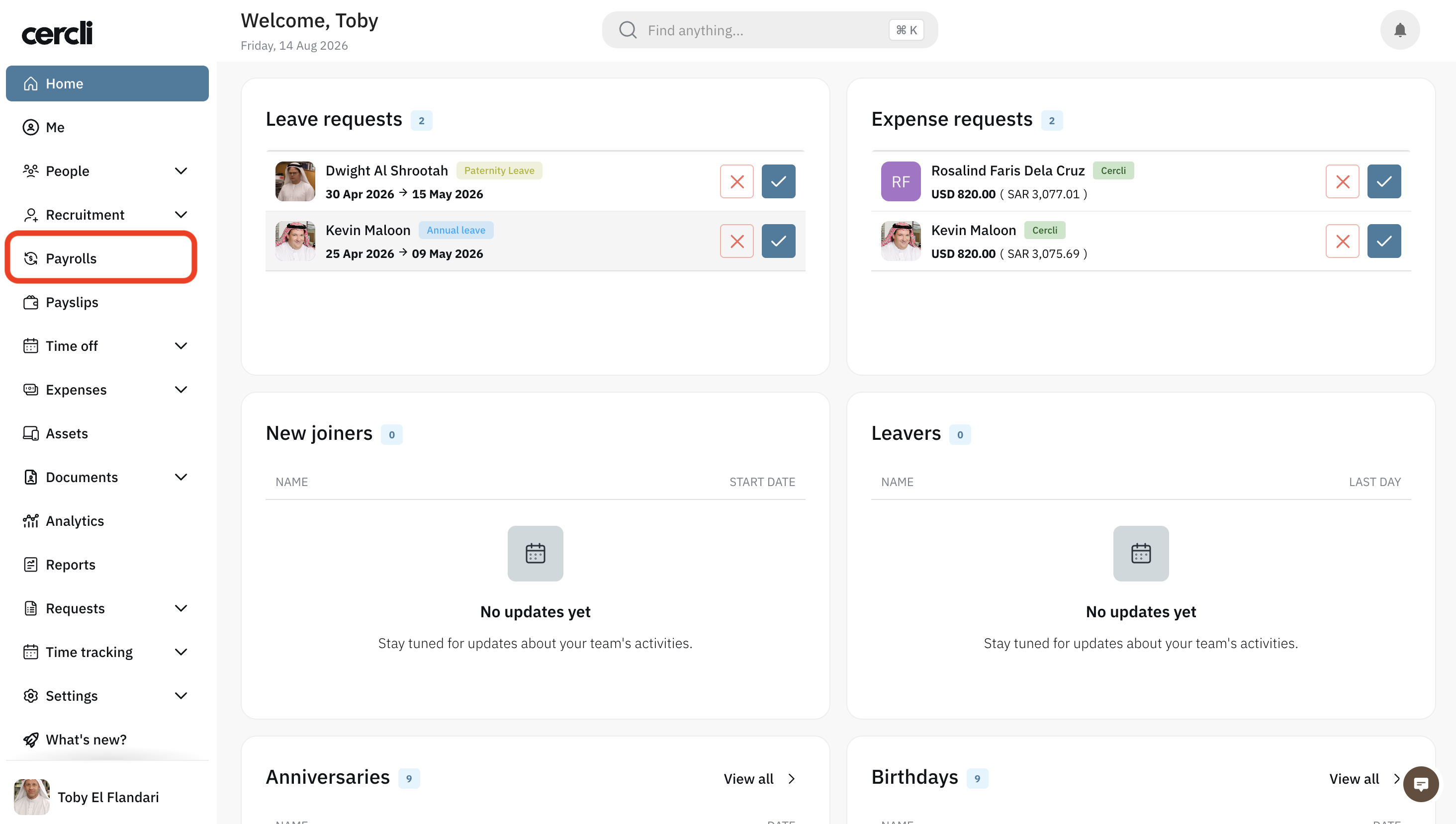
On you navigation bar go to Payrolls . You can also use Command + K (Mac) or Ctrl + K (Windows/Linux).
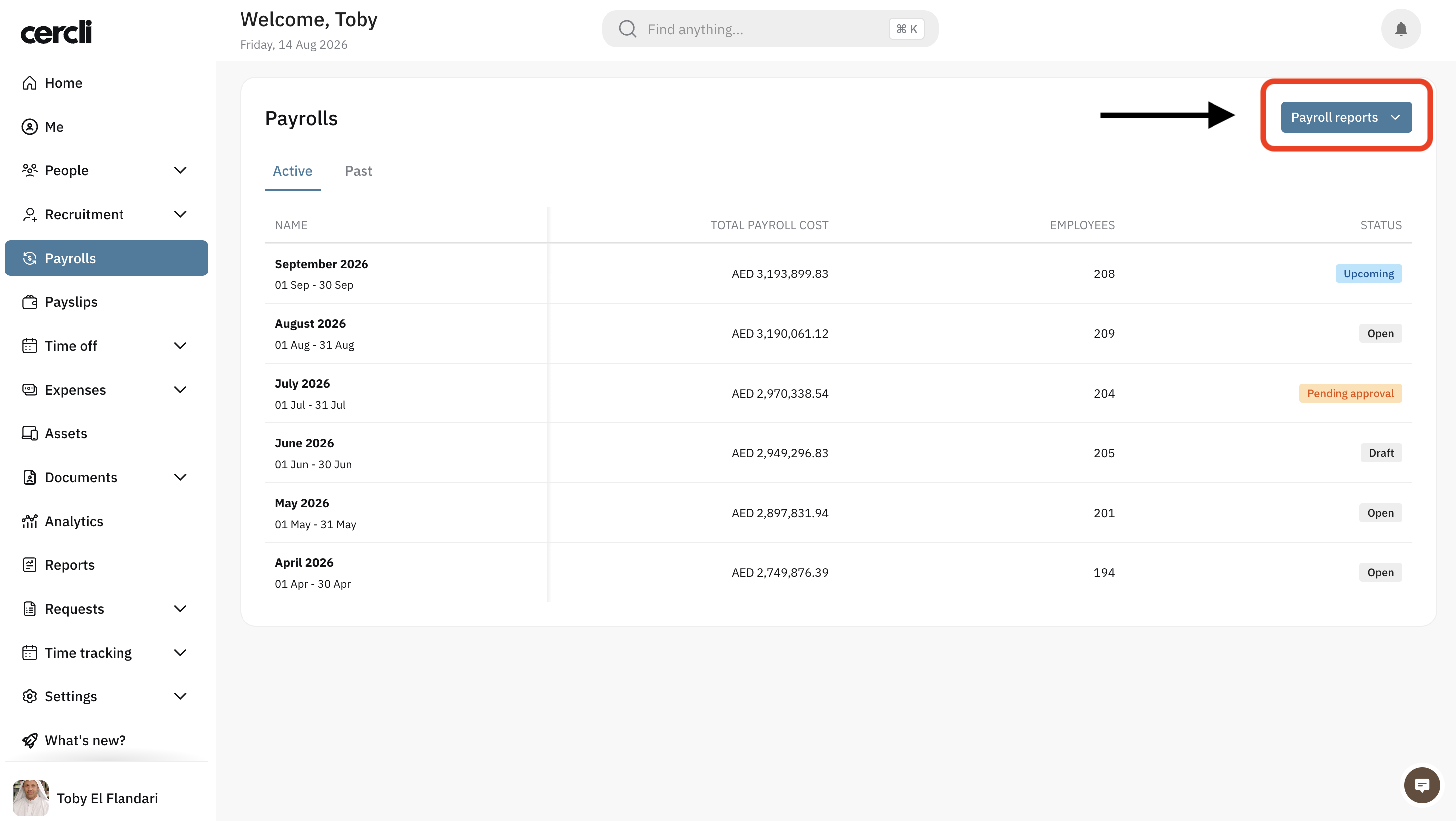
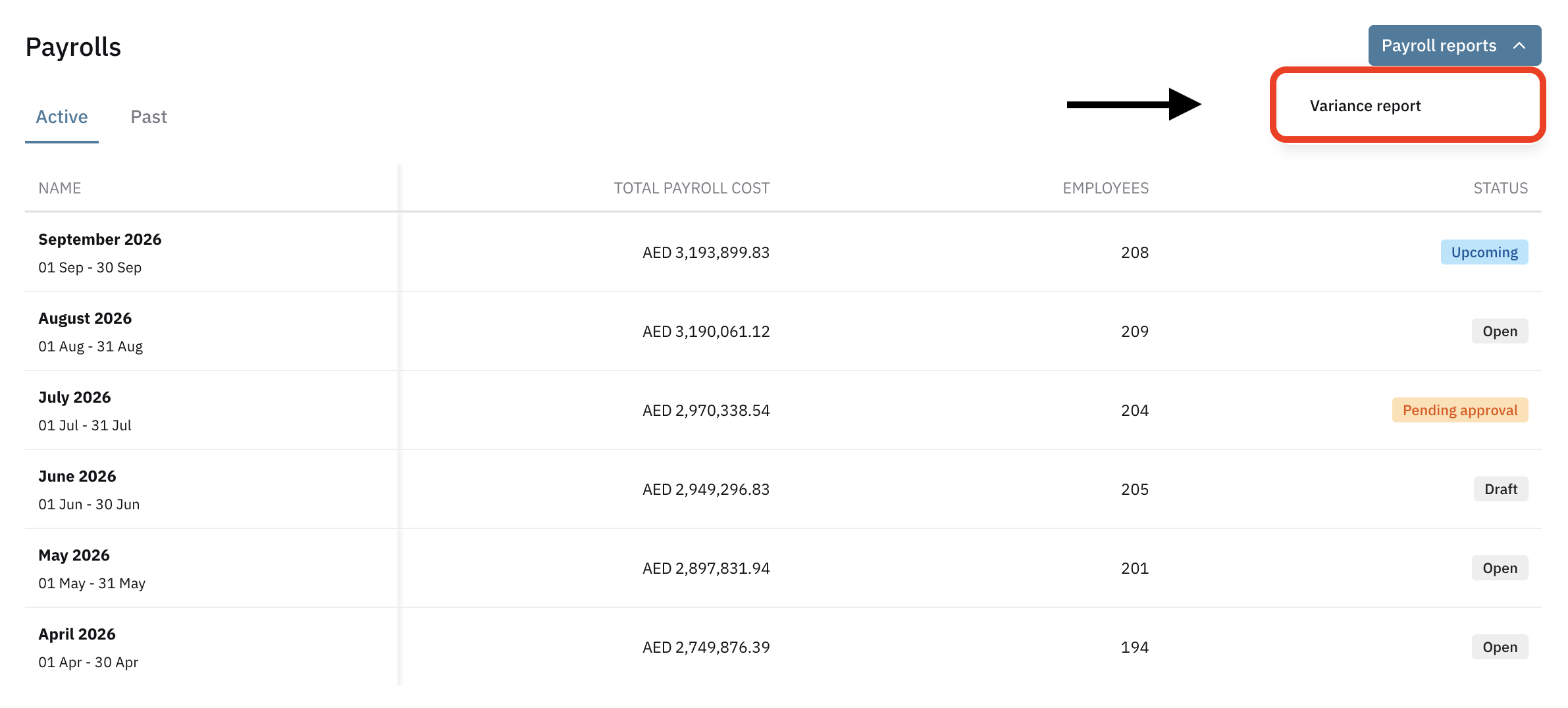
Click on Payroll reports
Select Variance report
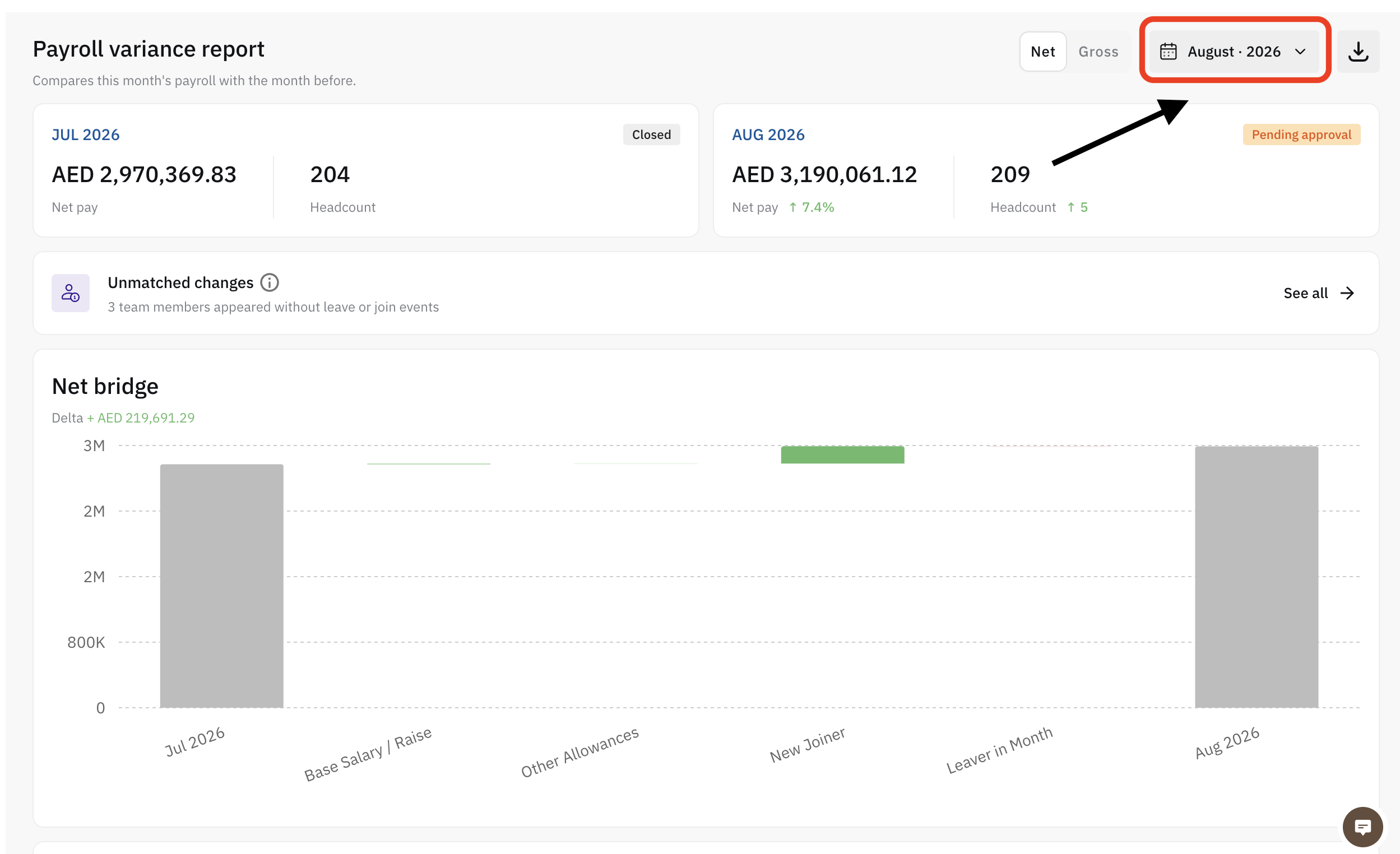
Select the month by clicking on the month range button
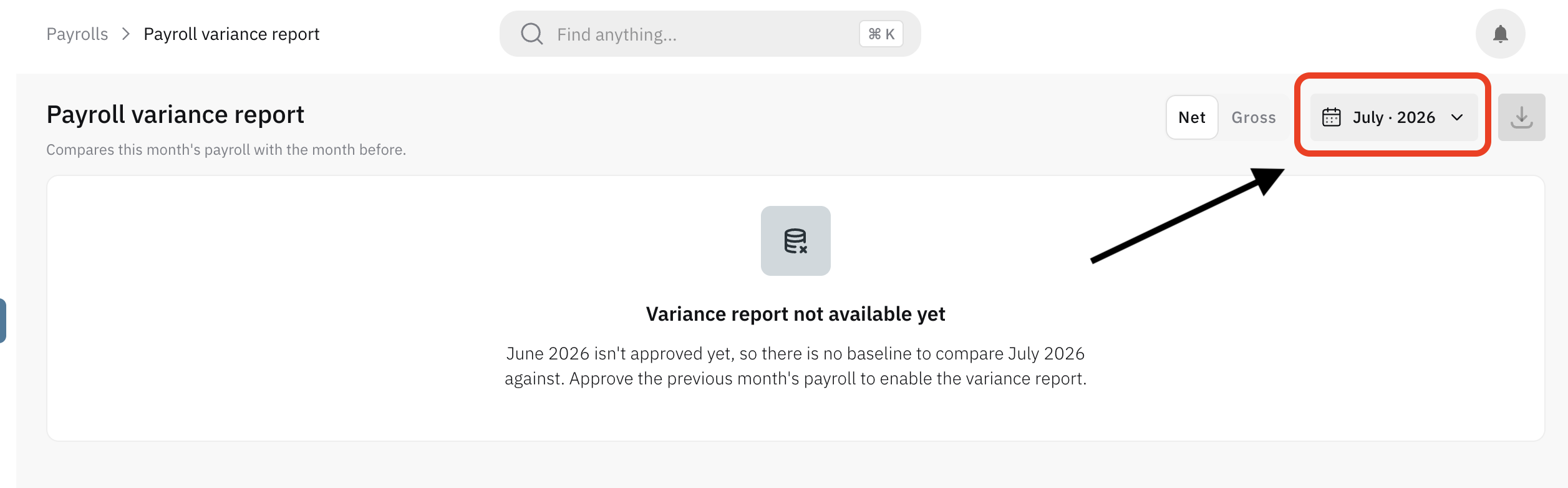
You can now view the variance report and download it as an XLSX file.