Admin - How to Change Time Off Balances for Team Members
Last updated: April 17, 2026
TLDR 🍿
Changing a Team Member's Time Off Balance by a Manager
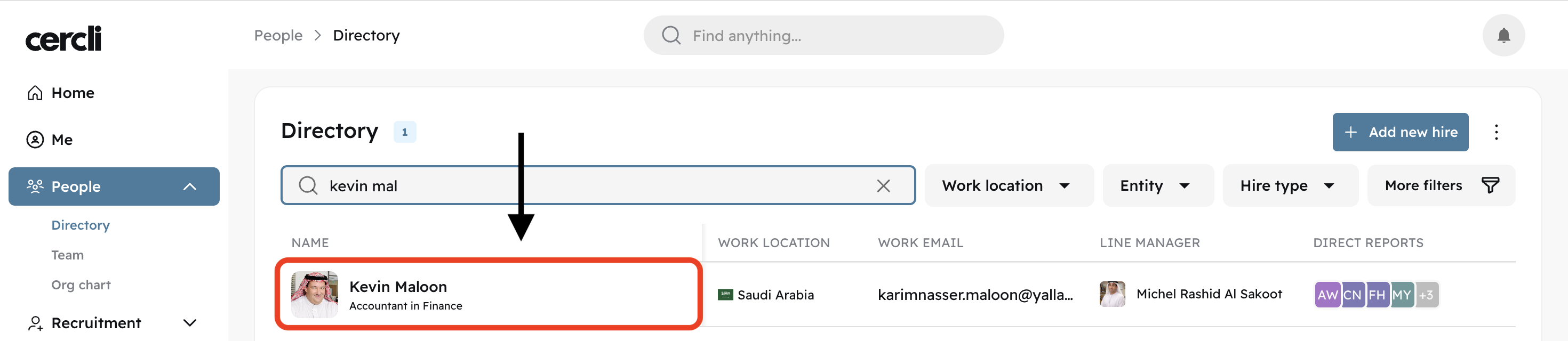
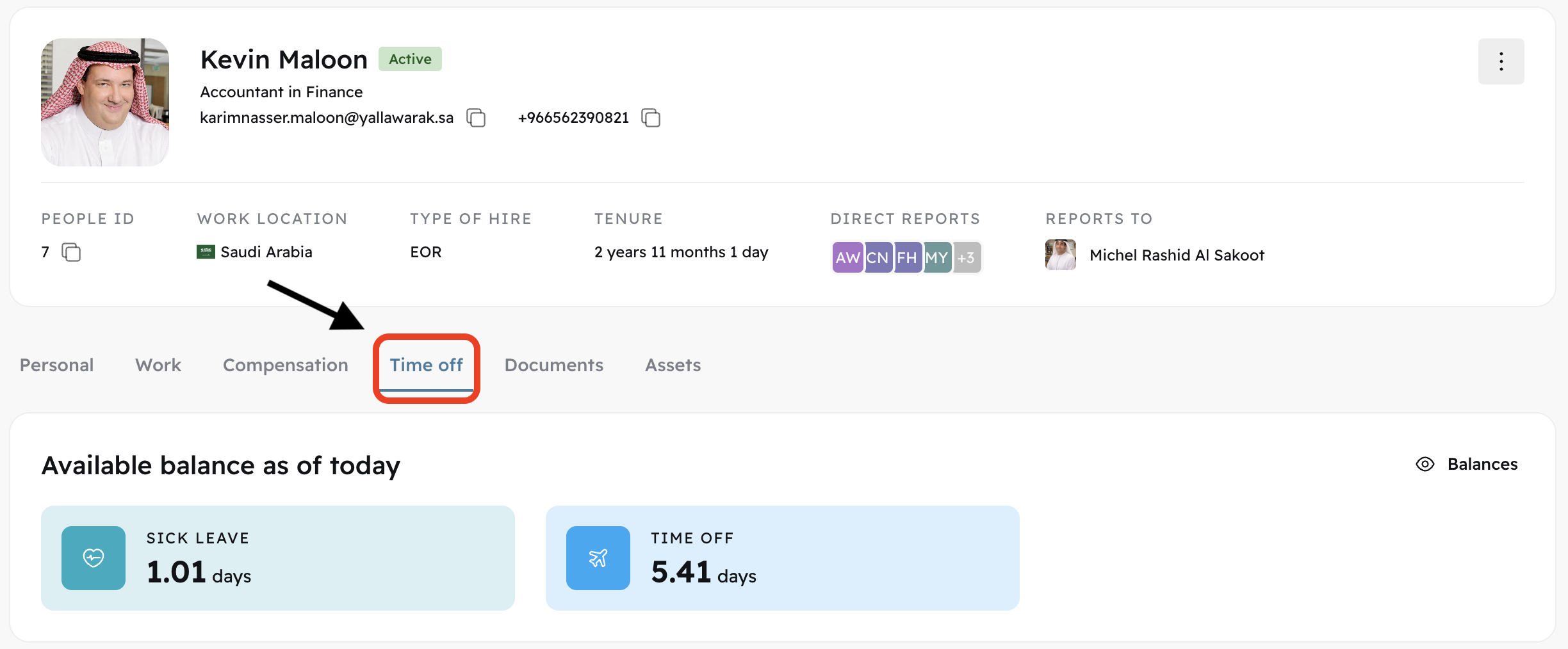
Find the Team Member by going on the "People" tab on the left side bar. Go to "Directory" and search for the team member. Click on the team member to open their profile.
Click on the category you would like to add balance to.
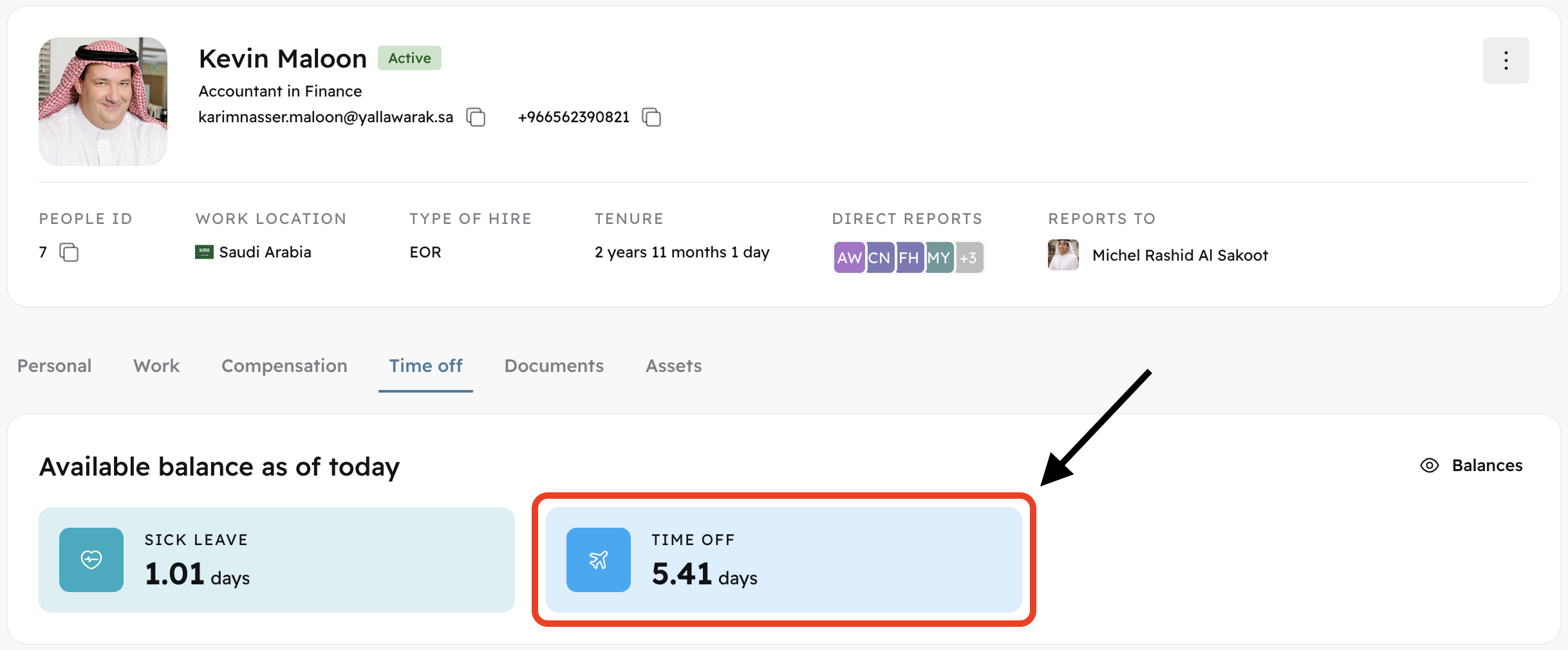
After clicking the category, the category's settings will appear on the right side. Locate the pencil edit button.
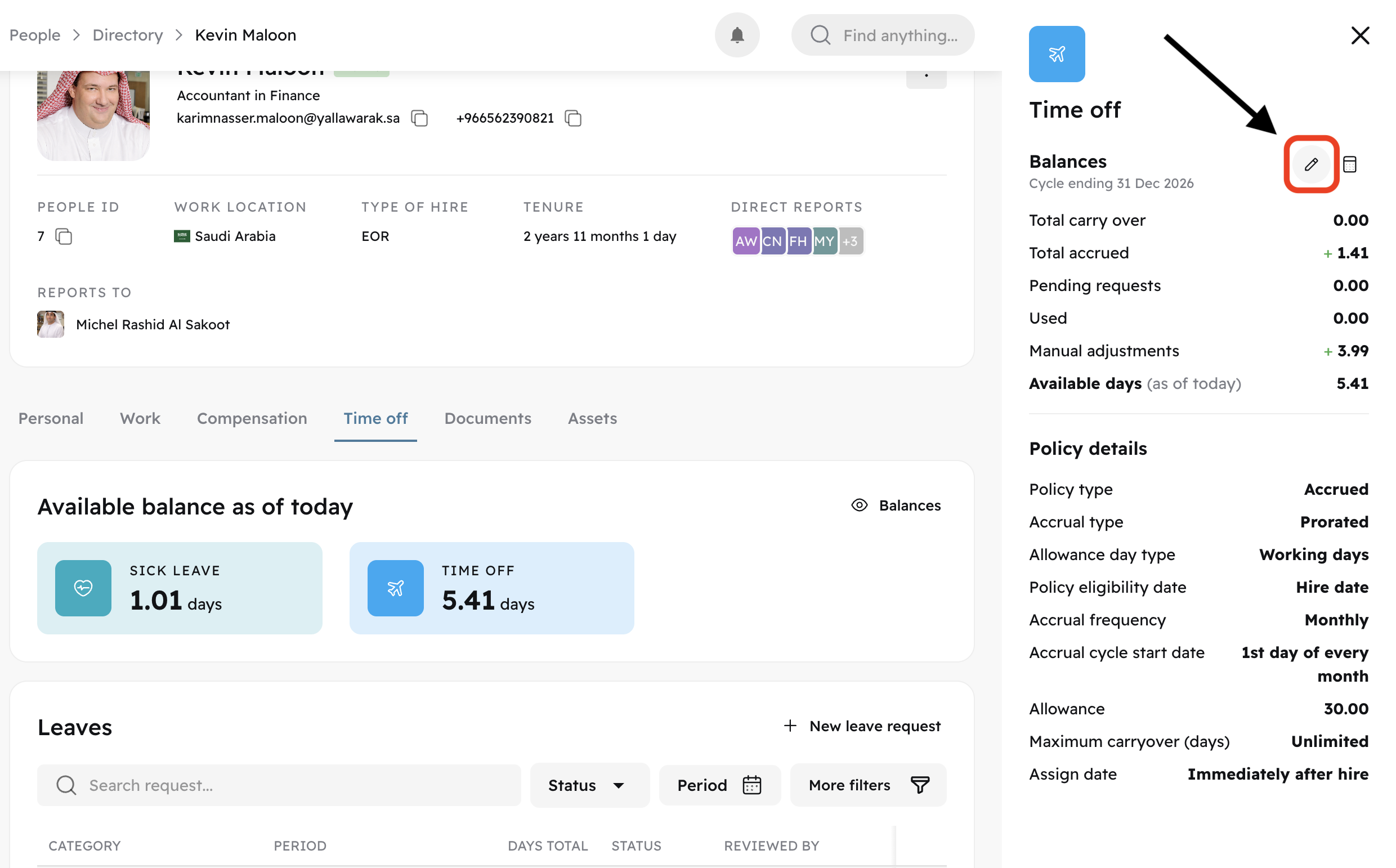
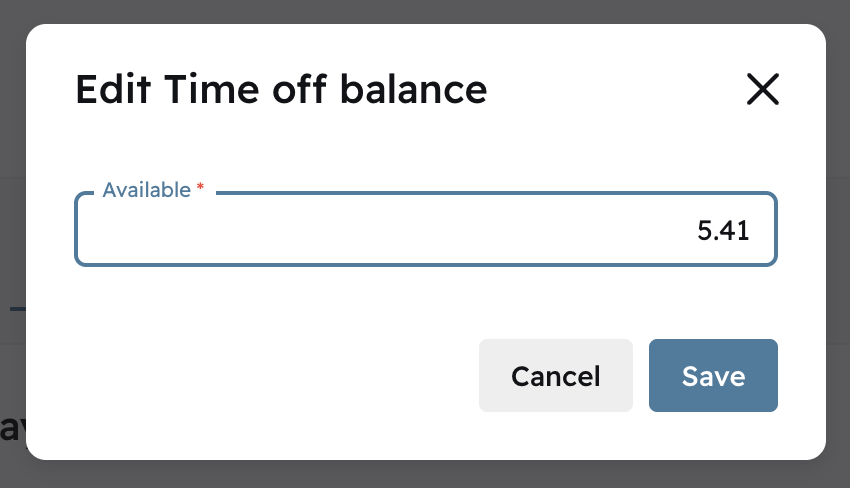
You can now type the balance number you would like the team member to have.