Admin - How to Prevent Negative Time Off Balance
Last updated: June 24, 2026
🍿 TLDR
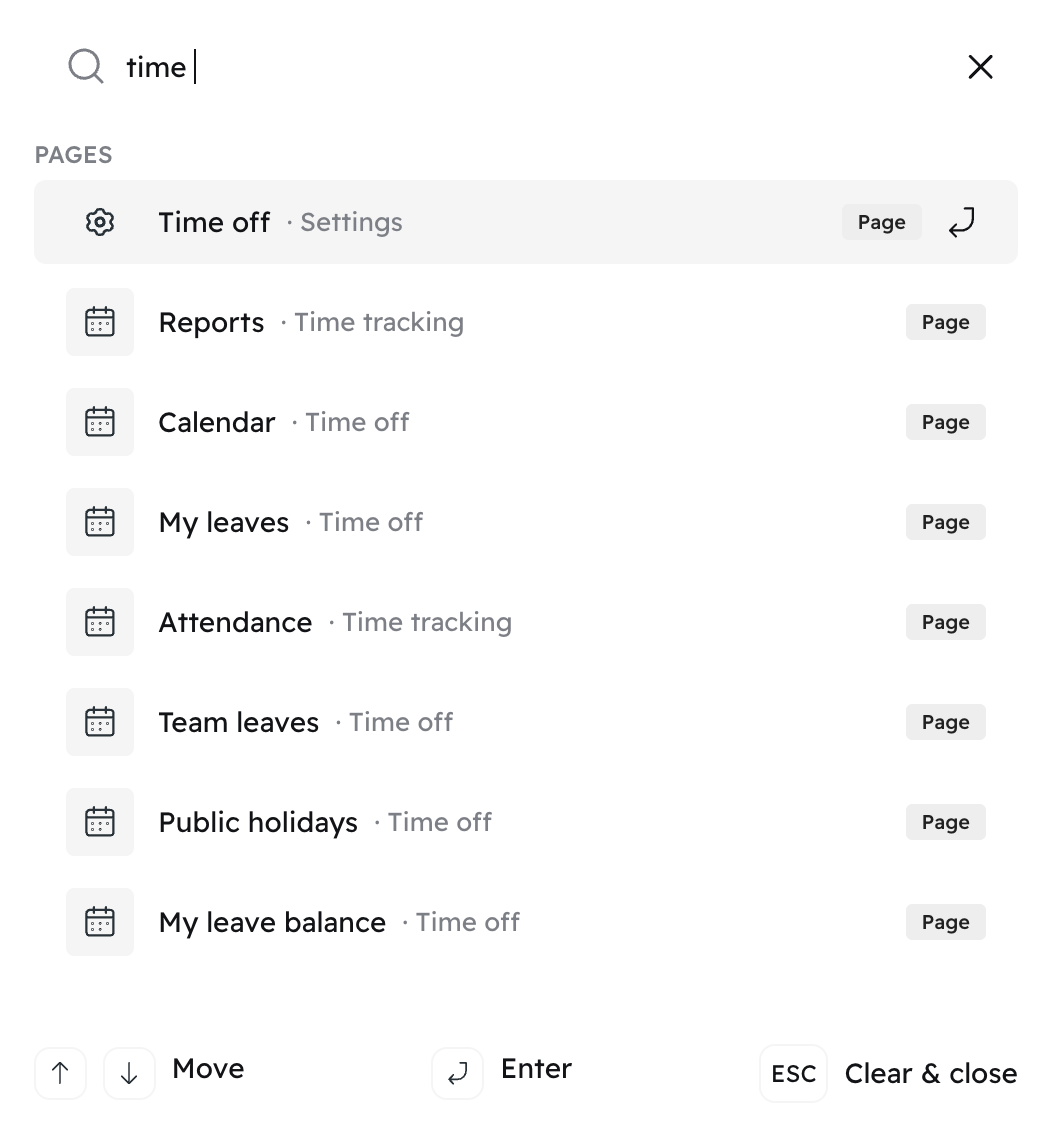
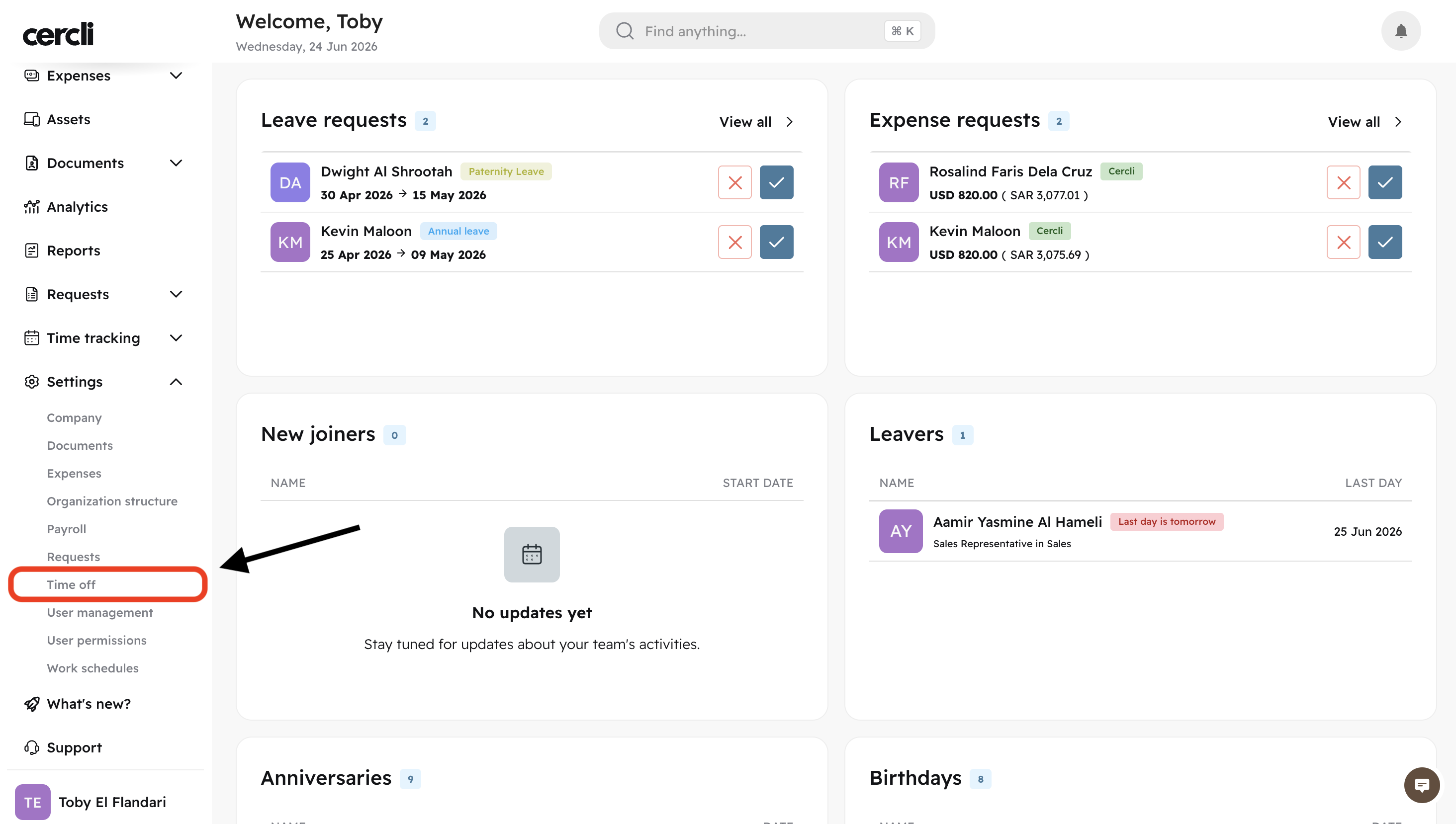
On your navigation bar go to Settings, Time off Or Press Control + K (Windows) Command + K (Mac) and search for settings time off.
OR
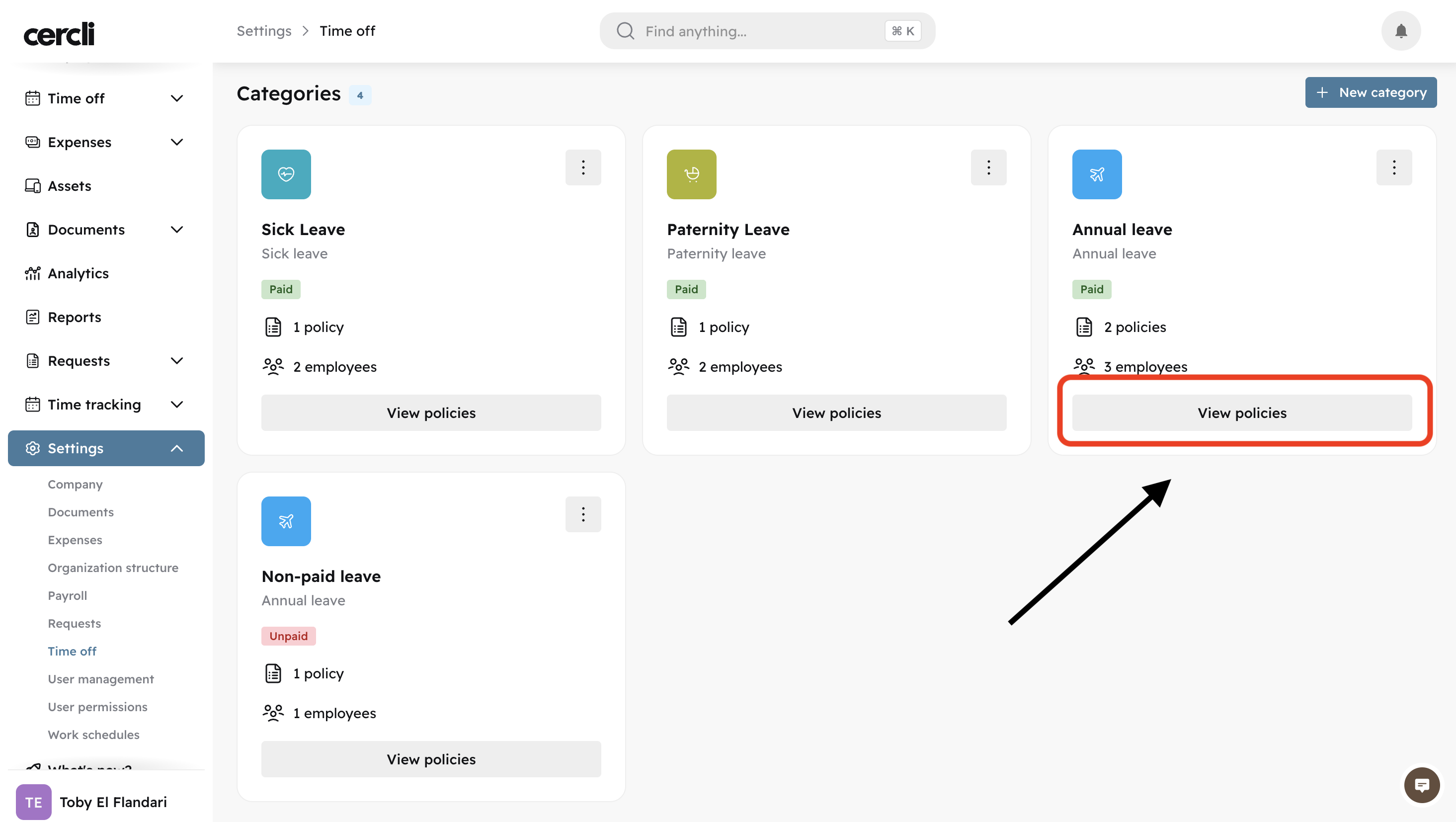
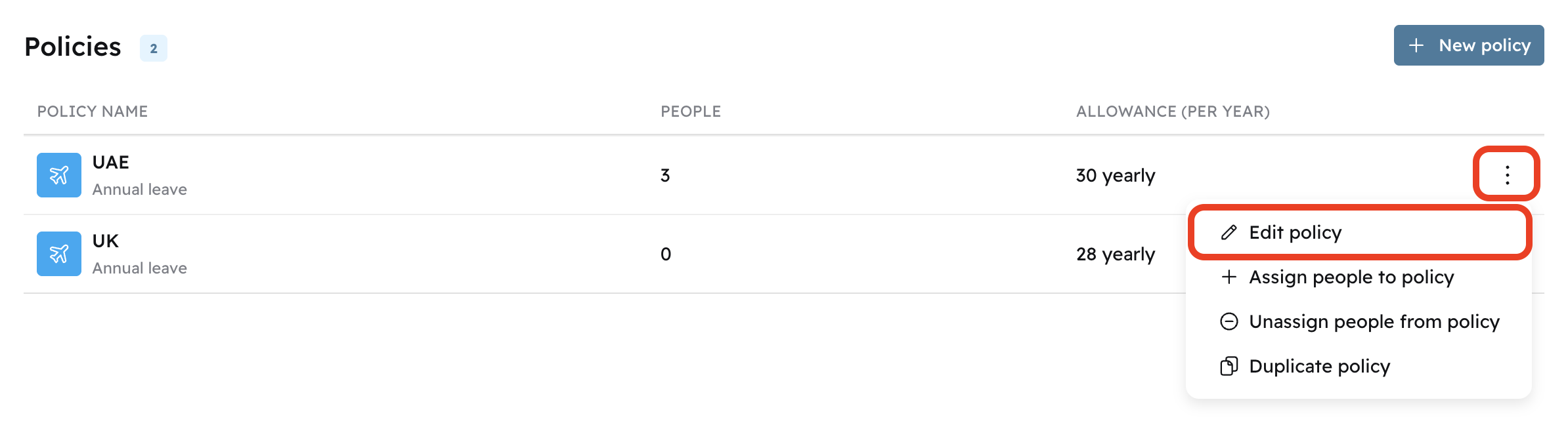
Click on View policies for any category
Click the three dots, and click on Edit policy
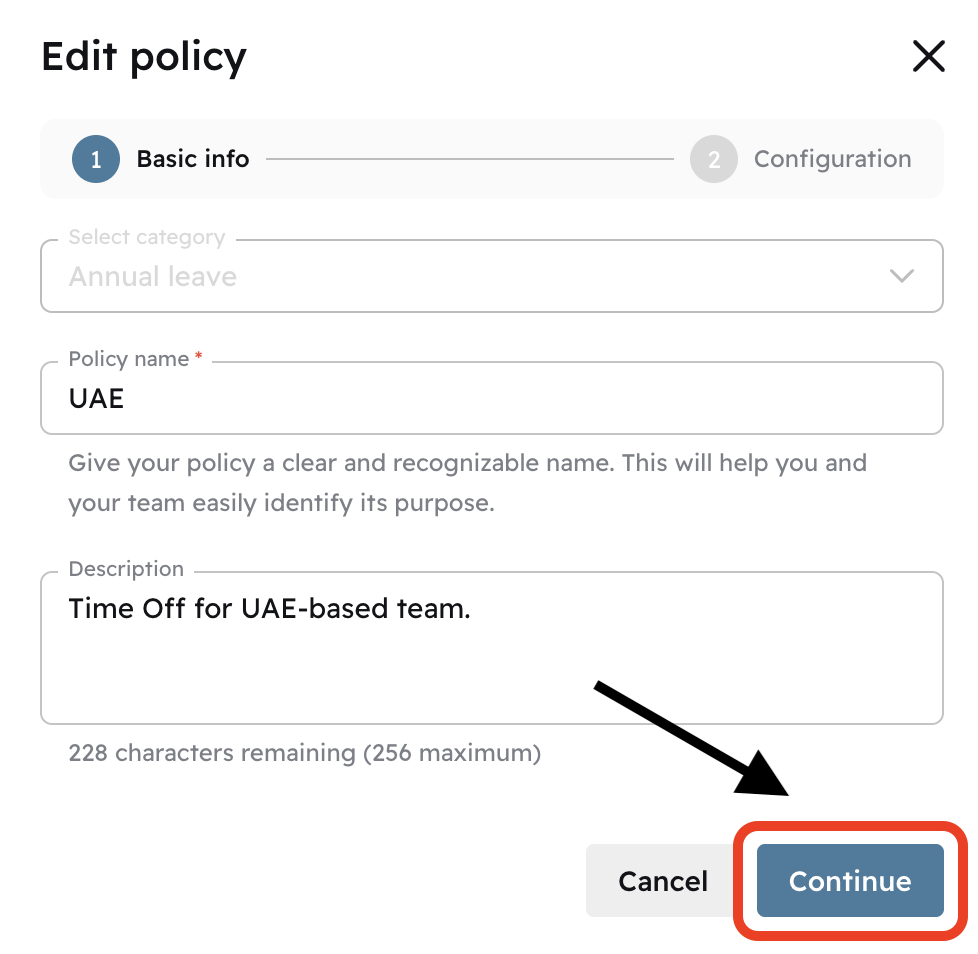
Press Continue
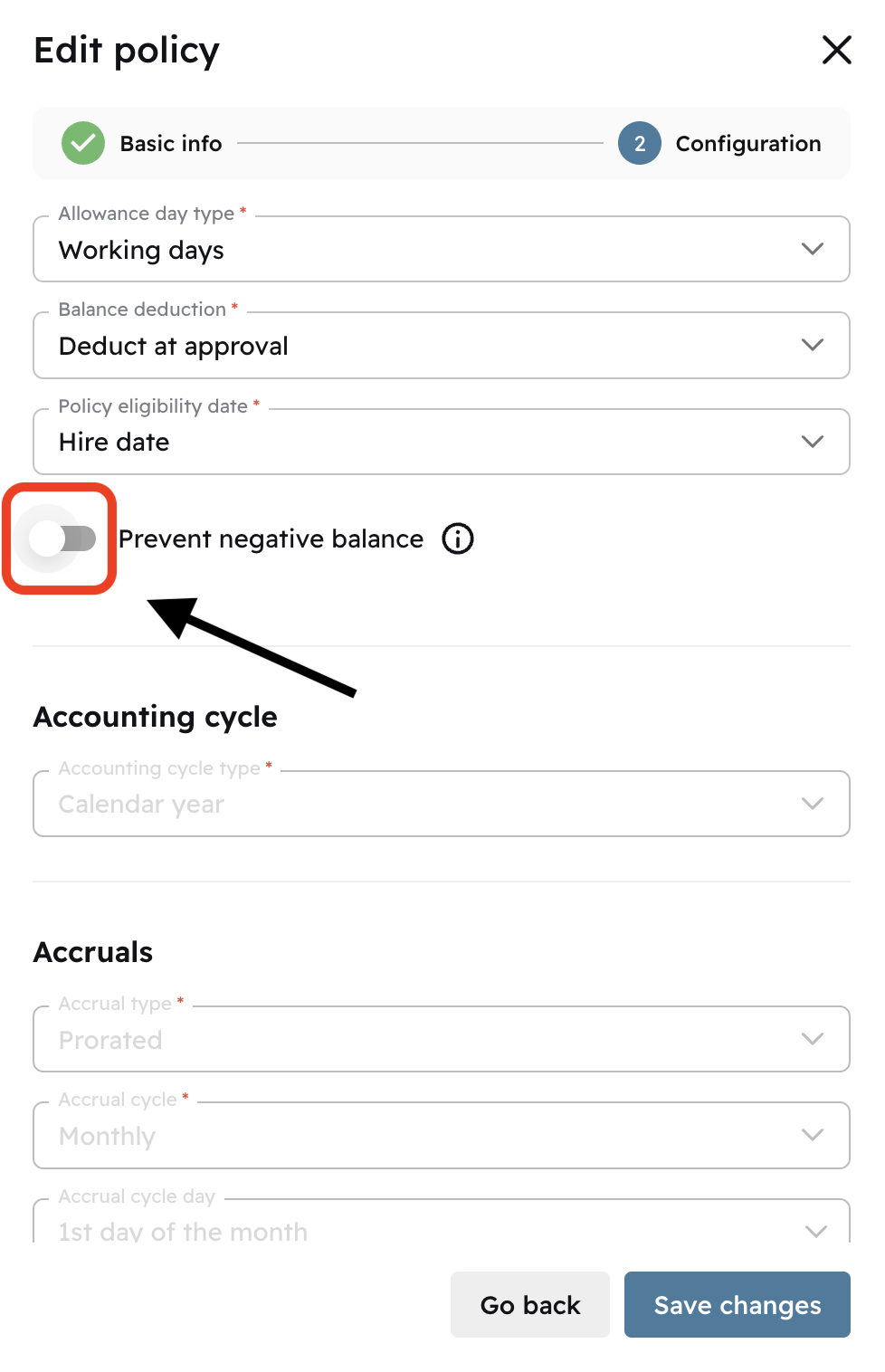
Select the toggle switch on Prevent negative balance
Once you do, you'll see that the toggle switch turns blue.
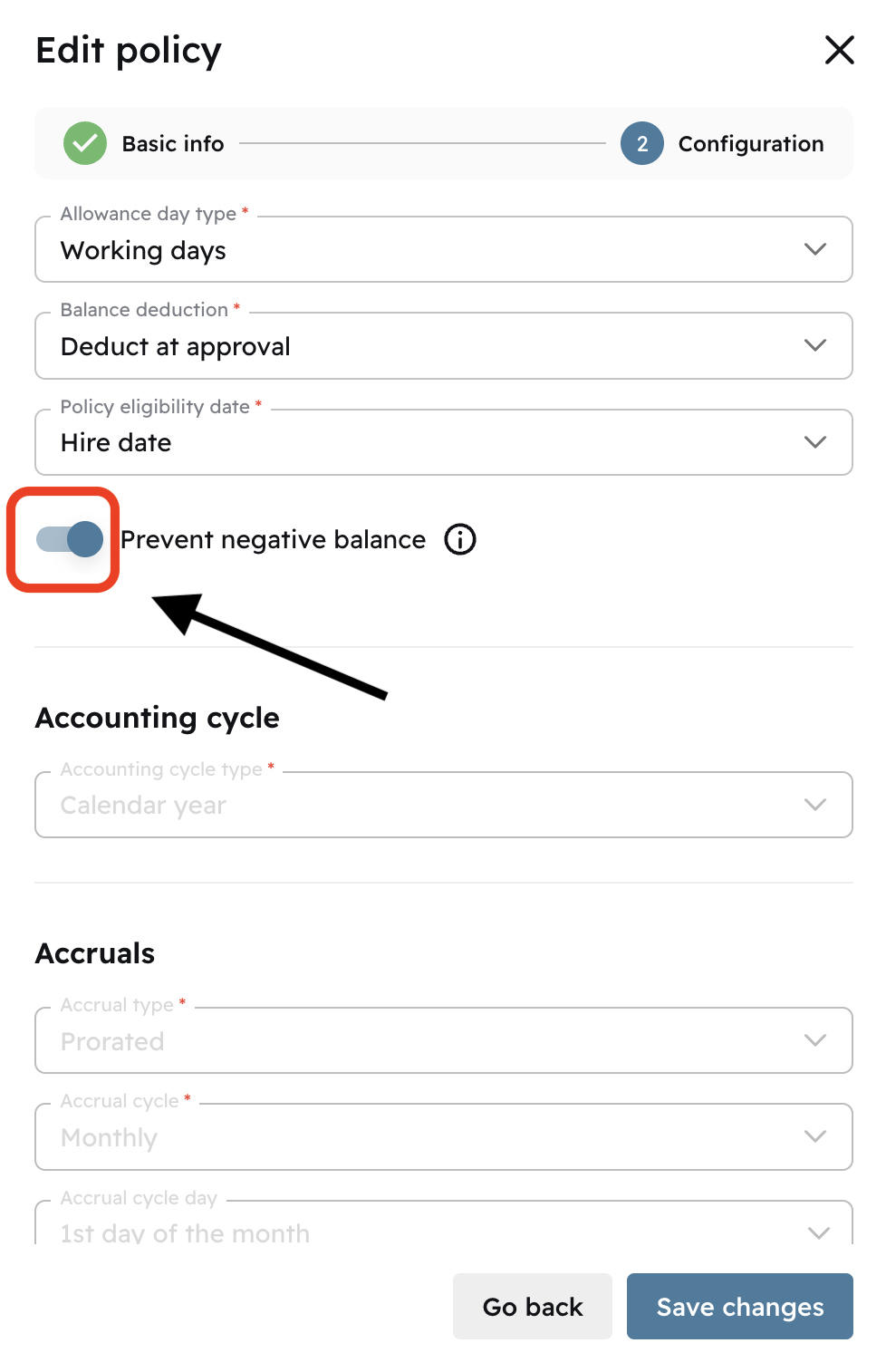
Click on Save changes
Refresh the page
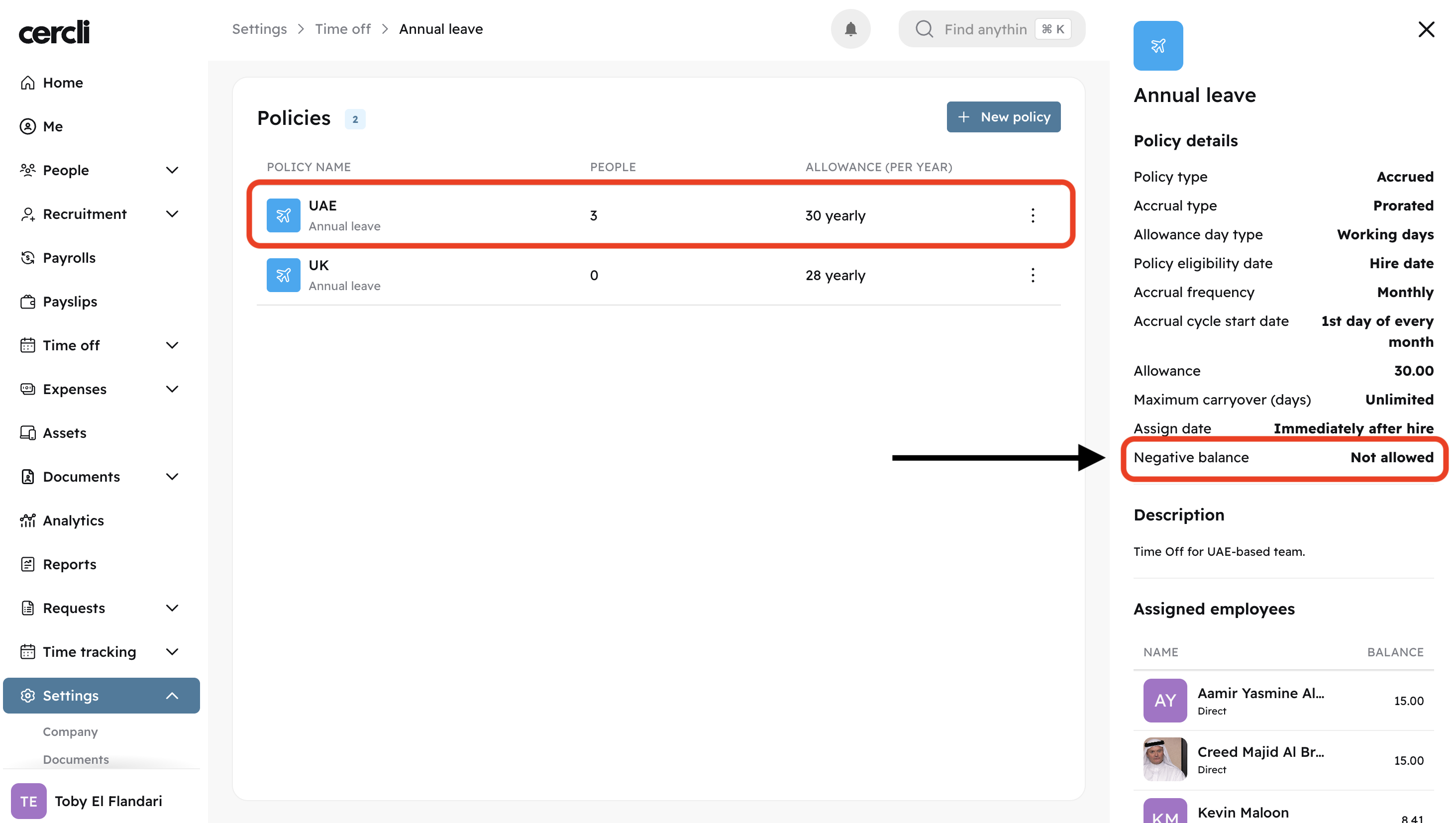
By clicking on the policy you just edited, you will se a right sidebar showing the status of negative balance.