Admin - Understanding Categories and Policies
Last updated: April 17, 2026
Overview
In Cercli, time off is organised in two levels: Categories and Policies. Understanding how these work together is essential before configuring leave for your organisation.
TLDR 🍿
Categories
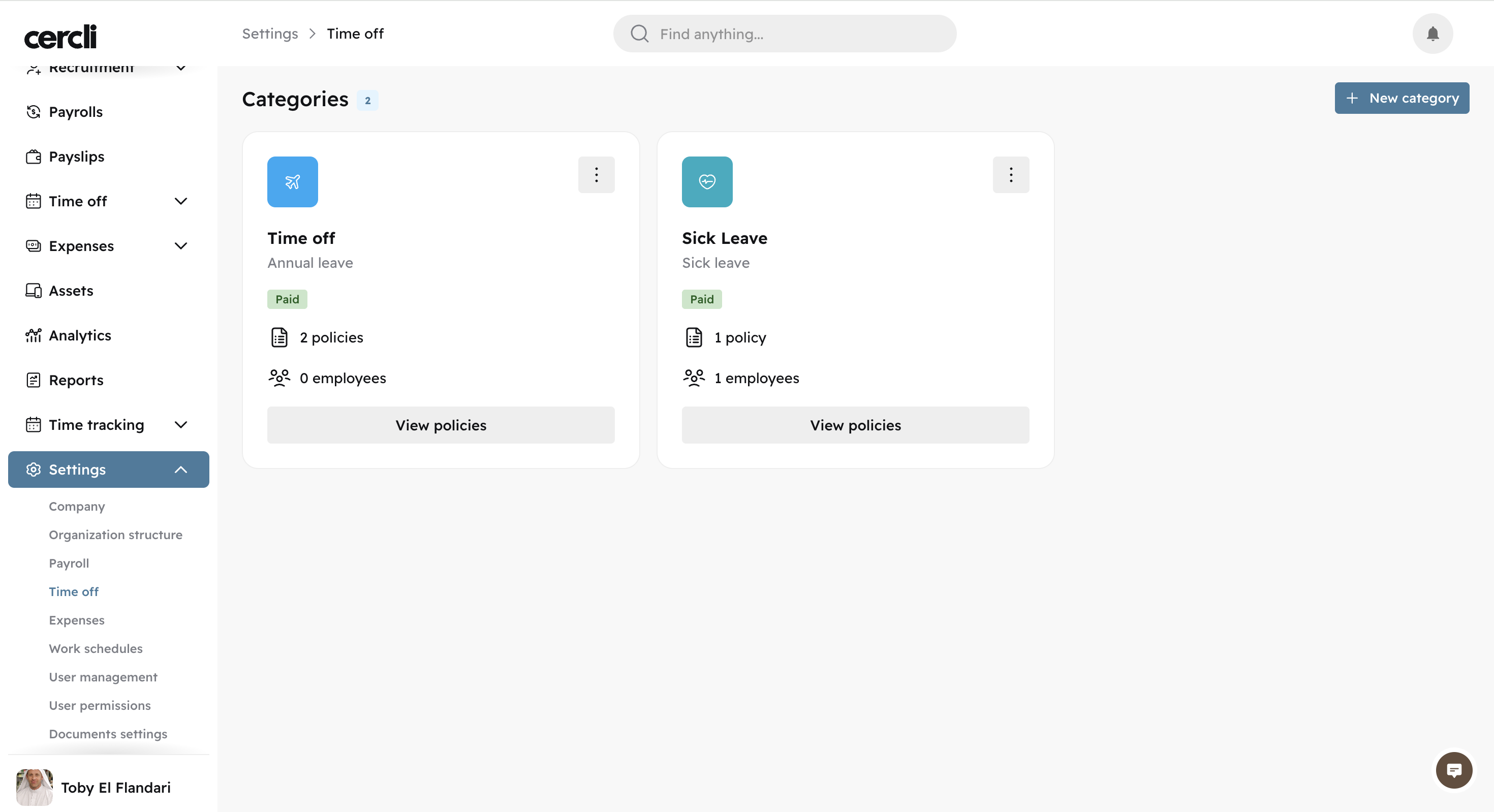
The category is the top-level grouping for a leave. It is the name team member's see when submitting a leave request. For example, Time off, Sick Leave, or Maternity Leave.
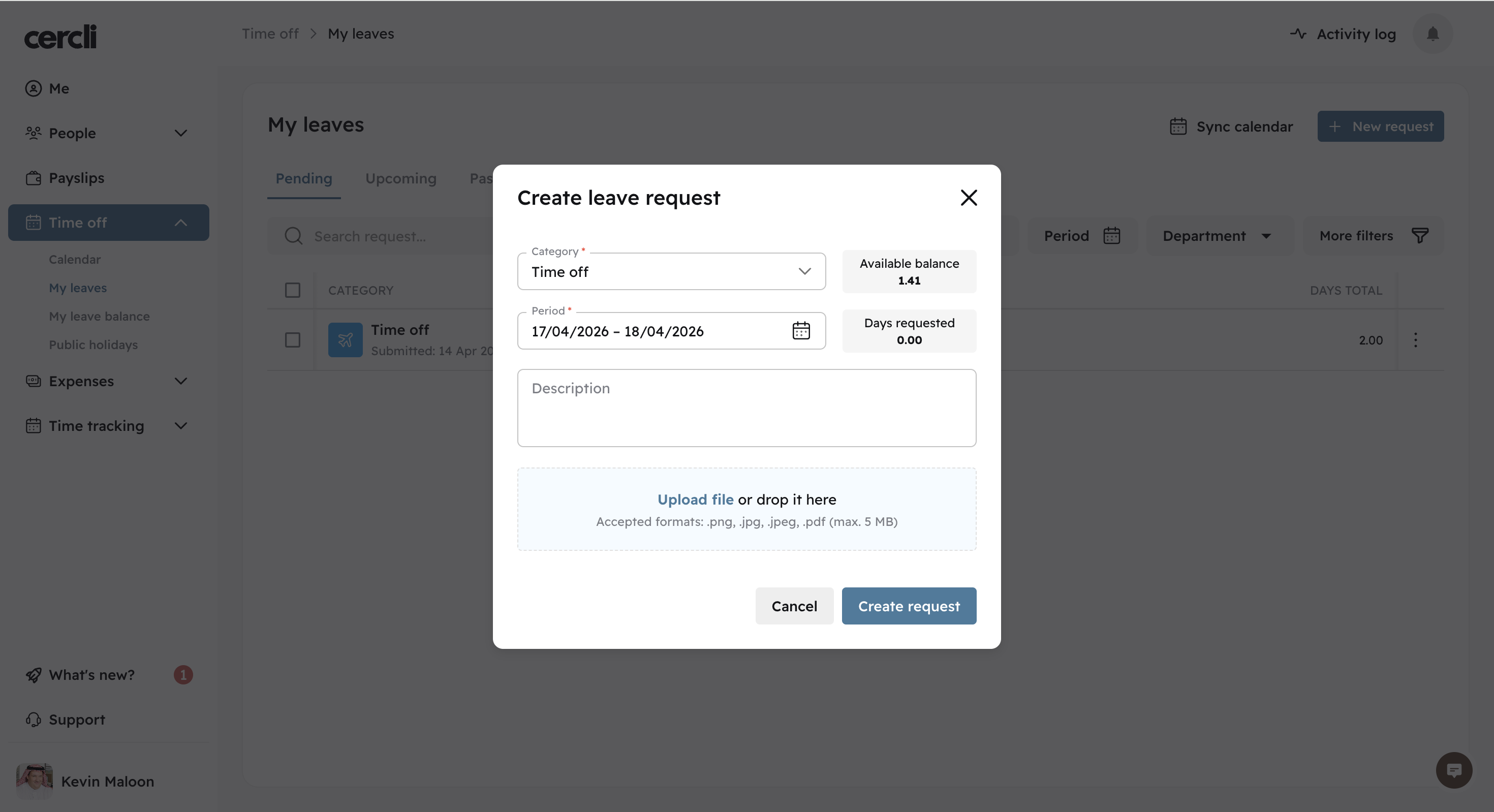
When a team member opens a new leave request, they see a dropdown list of all categories assigned to them and select the appropriate one.
Policies
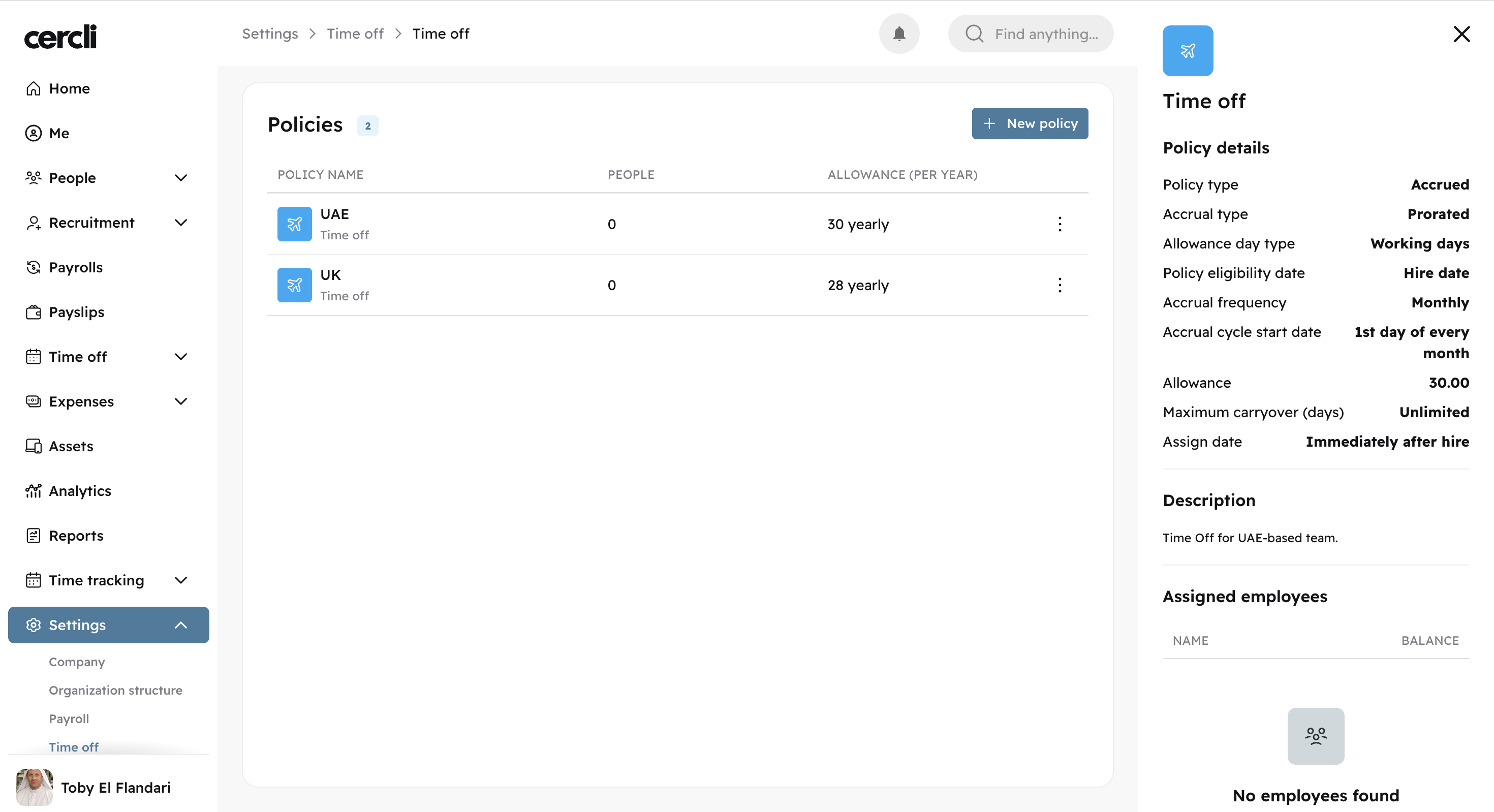
A Policy lives inside a category and defines the specific rules for a particular group of team members, such as how many days are granted per year, when the allowance resets, and who it applies to.
A single category can contain multiple policies. For example, the Time off category might contain two policies:
One for the UAE granting 30 days
One for the UK granting 28 days
Important: One Policy per Team Member per Category
A team member can only be enrolled in one policy per category.
If you want users to be able to choose between two variations of the same leave category (e.g., Paid Sick Leave and Unpaid Sick Leave), you must create two separate categories.
This is because users select categories, not policies, when submitting a request.
What Does a Team Member See?
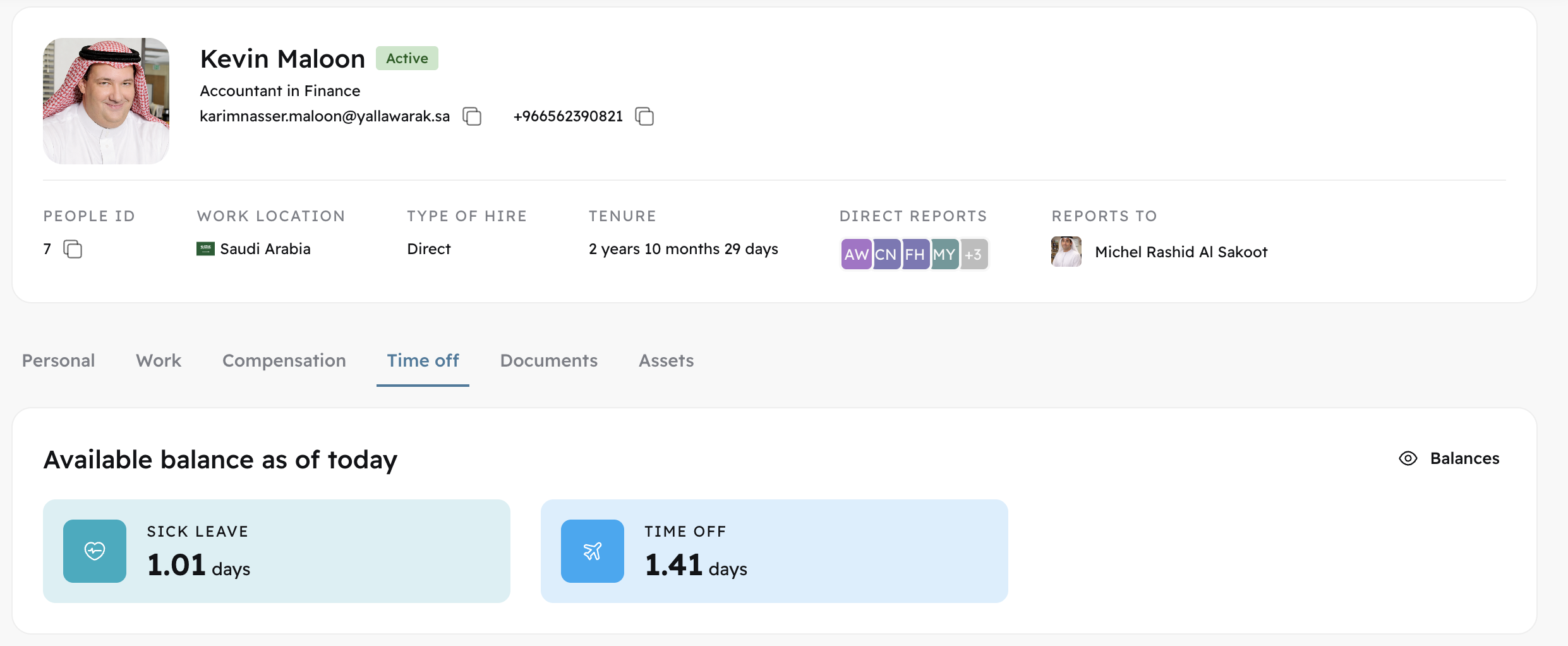
Team members can view the Time off tab on their profile. It shows all categories they have been assigned to, along with their current balance for each. The balance shown is determined by the policy they are enrolled in within that category.