Admin - How to Give Team Members User Permissions?
Last updated: April 17, 2026
User roles have default permissions. Make sure each team member has the right permissions to edit certain information such as contact details. Admins are the only ones who can edit permissions.
TLDR 🍿
A Team Member is Unable to Edit Contact Details, How Do I Give Permission?
First, no worries! This can happen, and it has to do with user permissions.
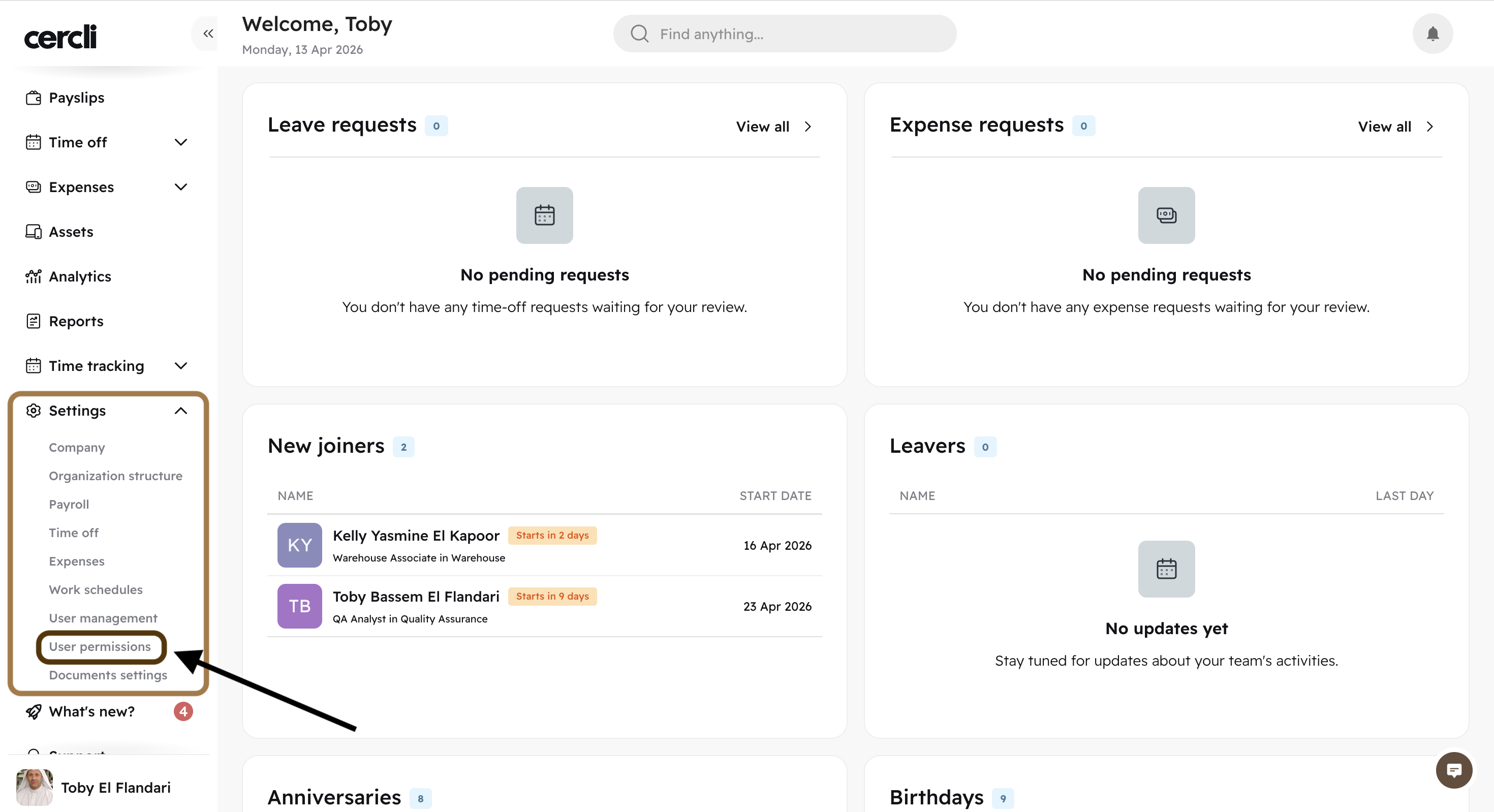
Go to Settings, and find "User permissions"
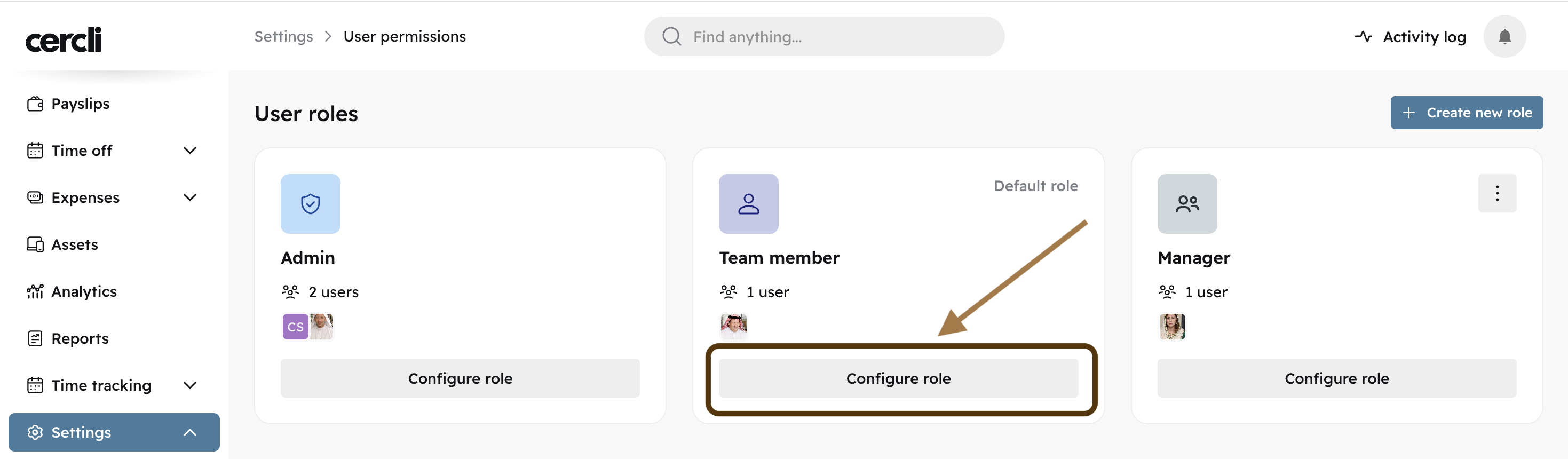
Find the role you would like to edit and click "Configure role"
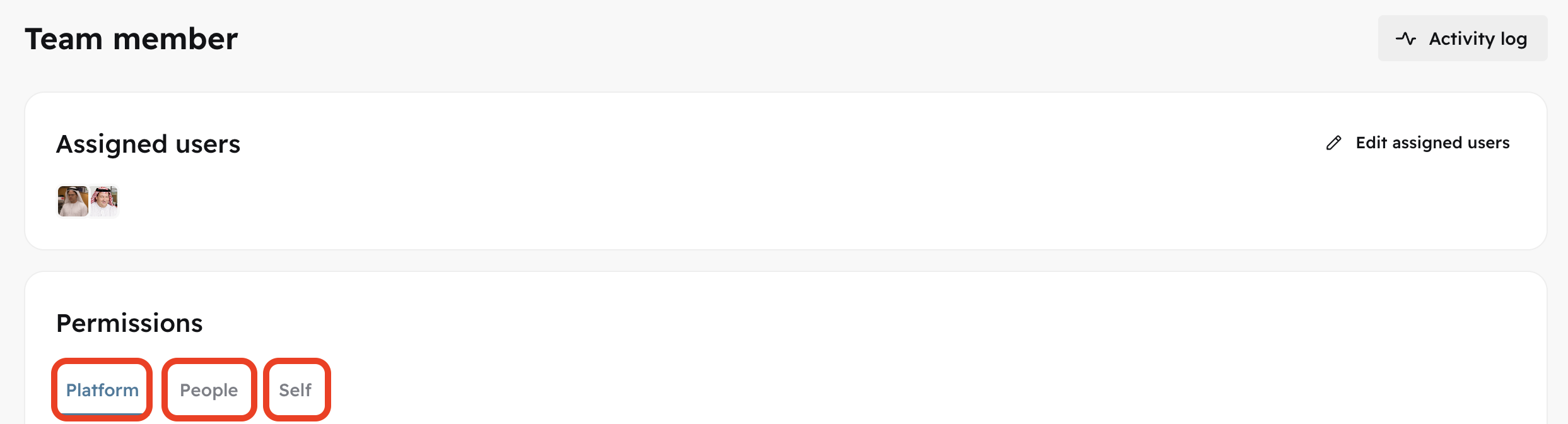
Locate and click on "Self"
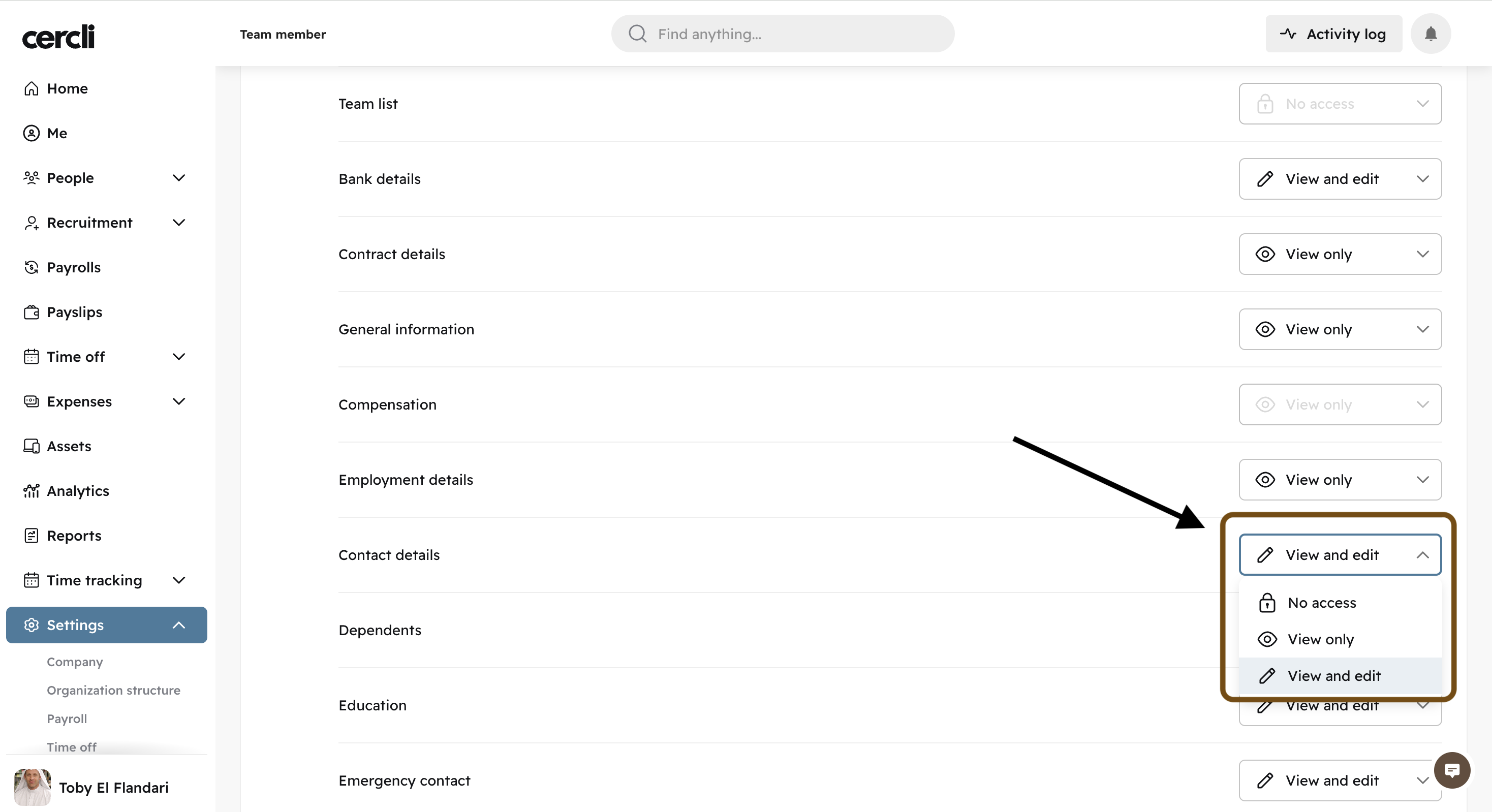
Scroll down to "Contact details". Click on the dropdown arrow on the right side, and select "View and edit".
You may find this similar article relevant:
📄 Understanding User Permissions: Platform, People, and Self