Admin - How to Create a New Category
Last updated: April 17, 2026
TLDR 🍿
New Category
How do I create a new Category?
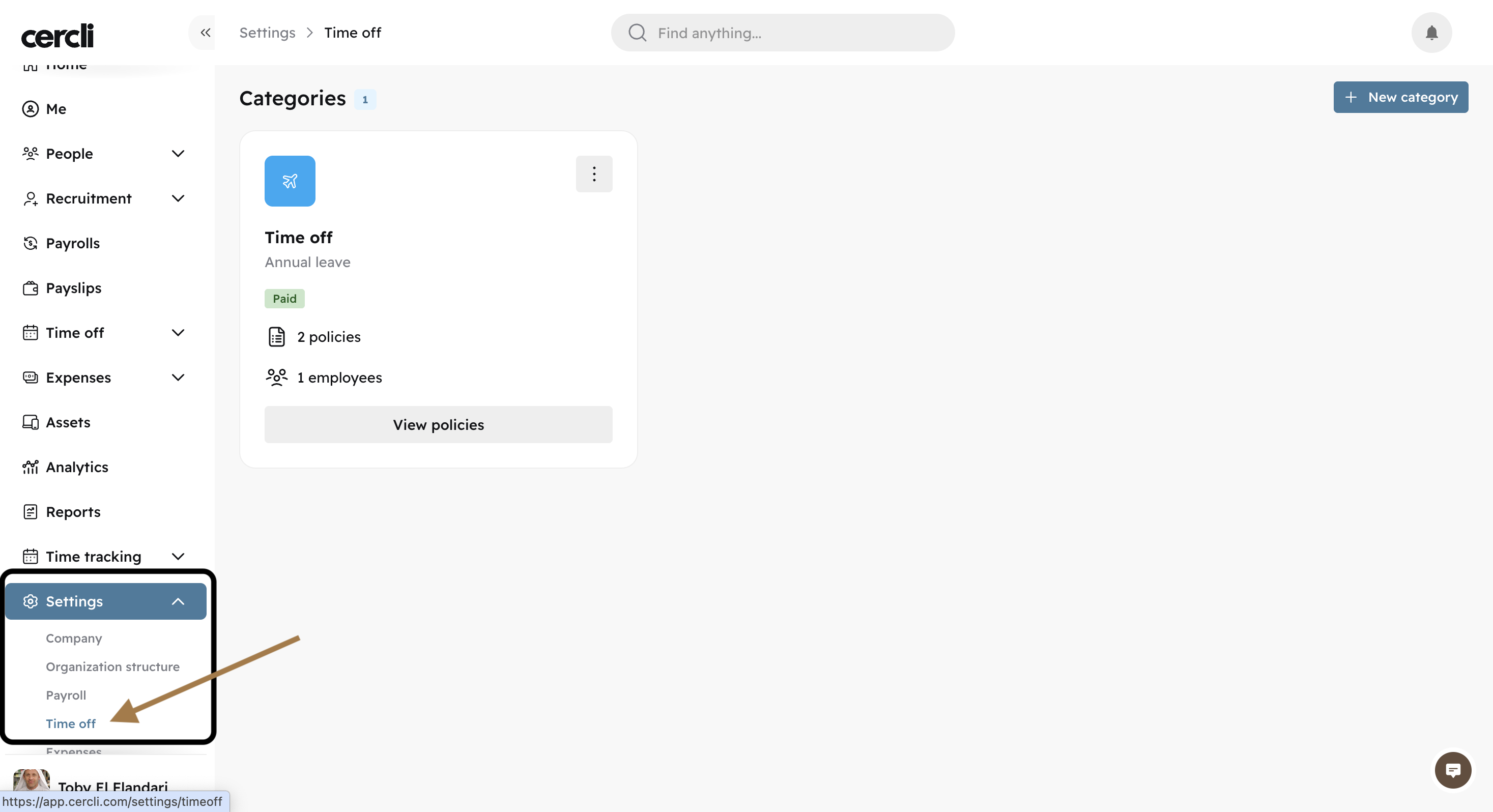
Go to Settings, find Time off.
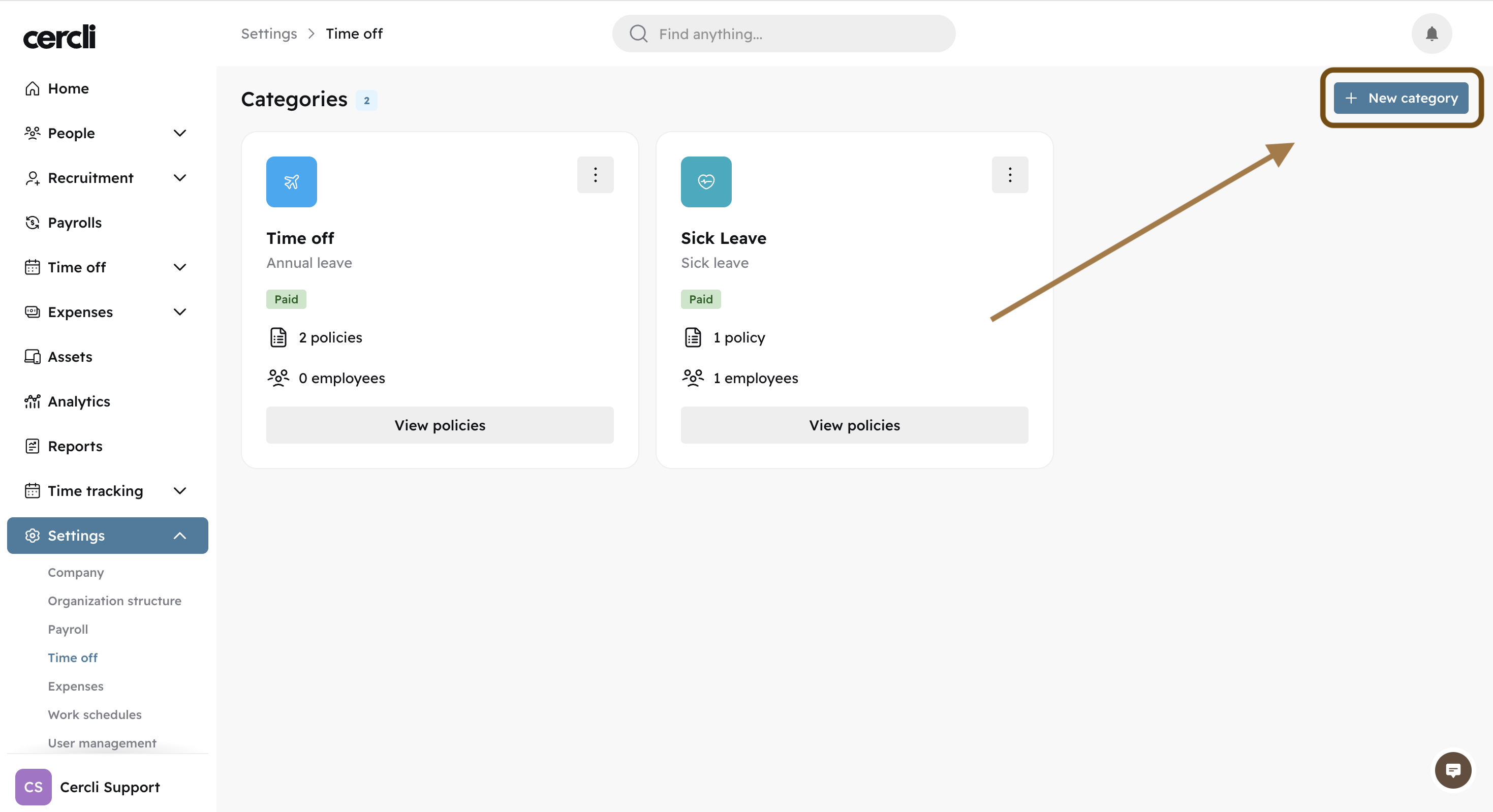
Click on the top right button "New category".
Give it a name, description, payment type, unit (days, weeks, months, years), select a color, and an icon.
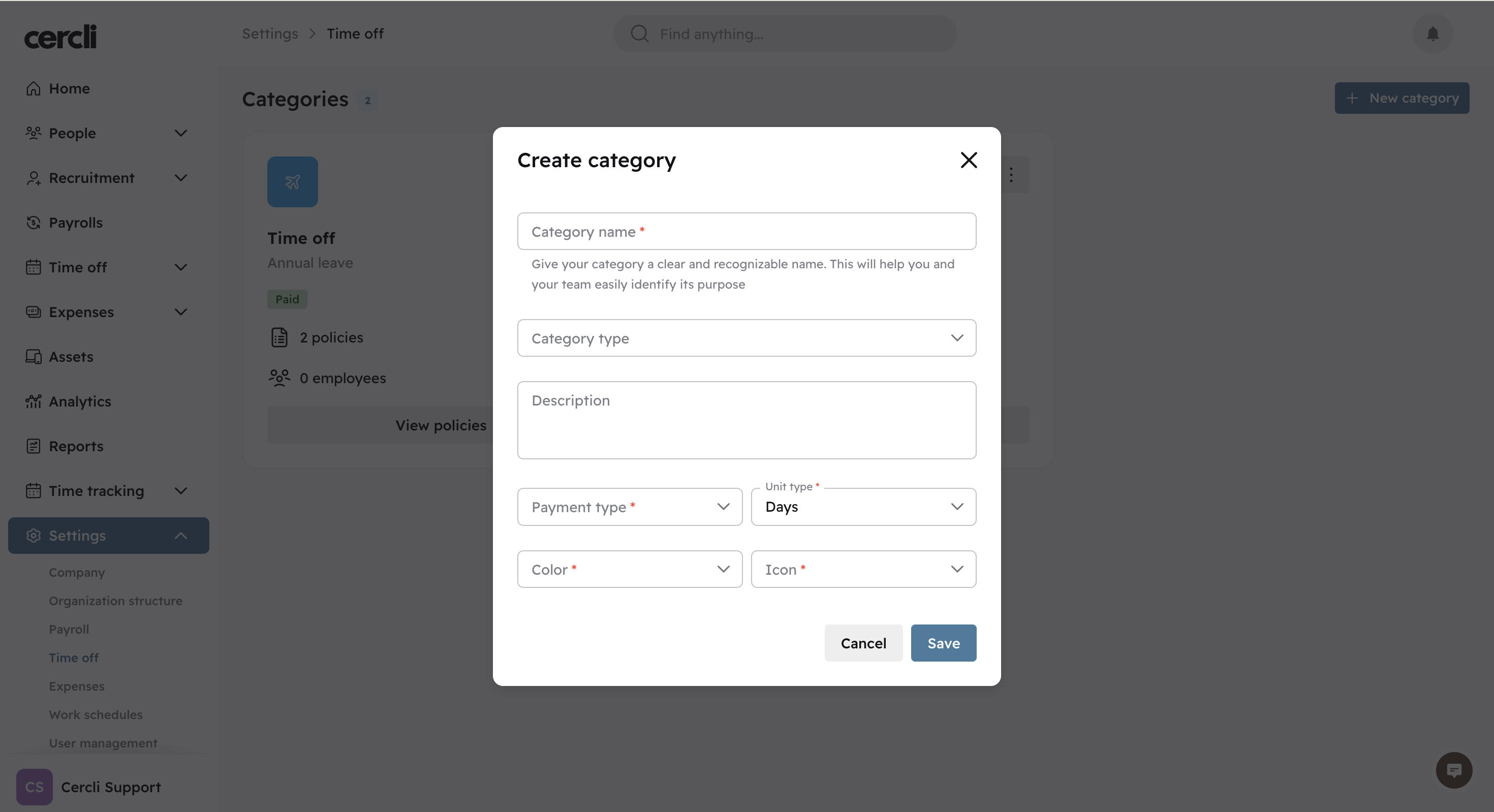
Category type helps label the category. If the Category is about Sick Leave, the the Category type would be Sick Leave.
For similar content take a look at: