Admin - How to Assign or Unassign Team Members to a Policy
Last updated: April 30, 2026
TLDR 🍿
Step by step walkthrough with images below.
I want to Assign a Team Member from a Policy
A team member who is not assigned to a policy will not be able to request time off for that specific category.
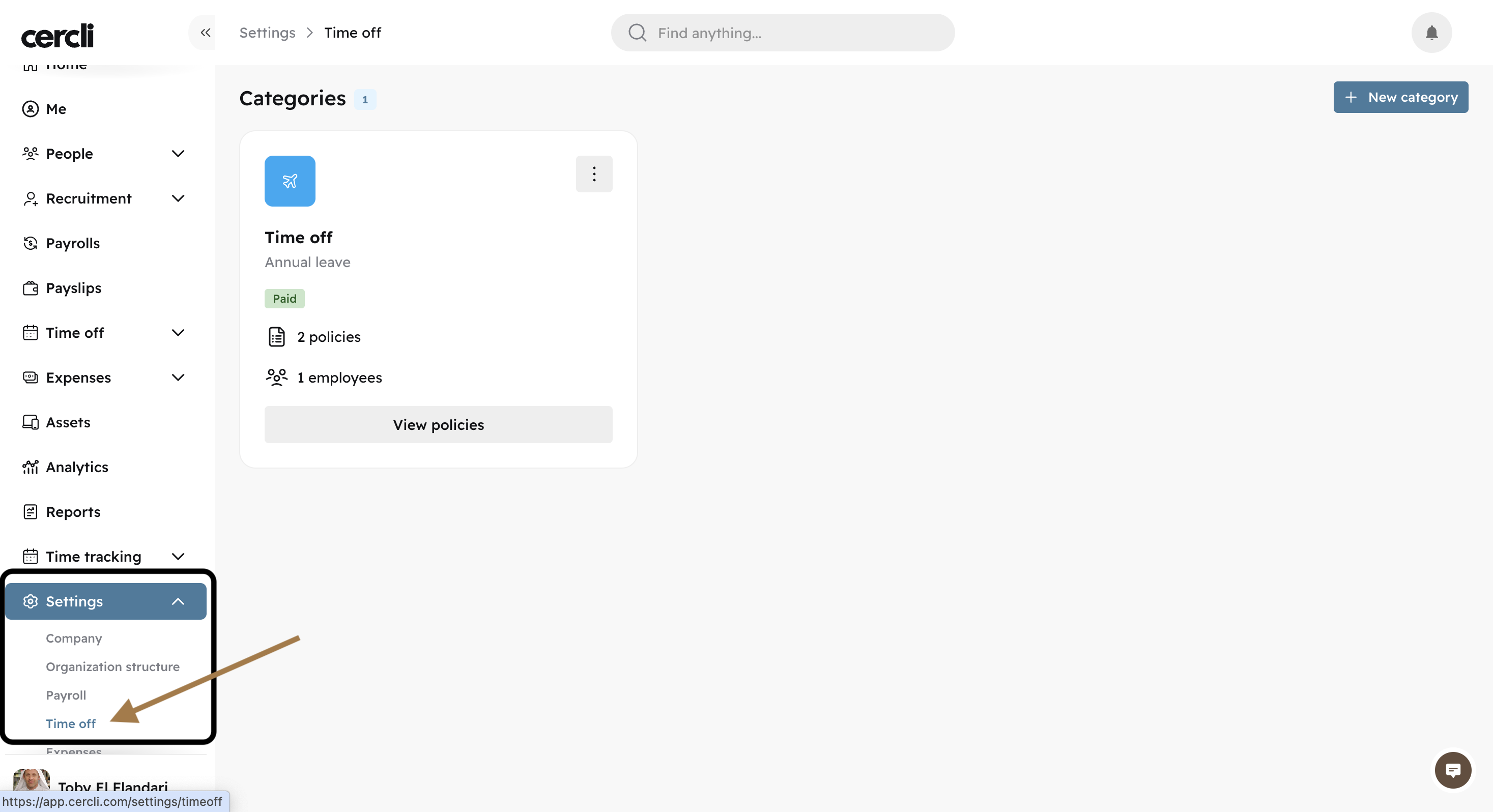
On the left side bar, go to settings and find Time off. You will see a Category listed.
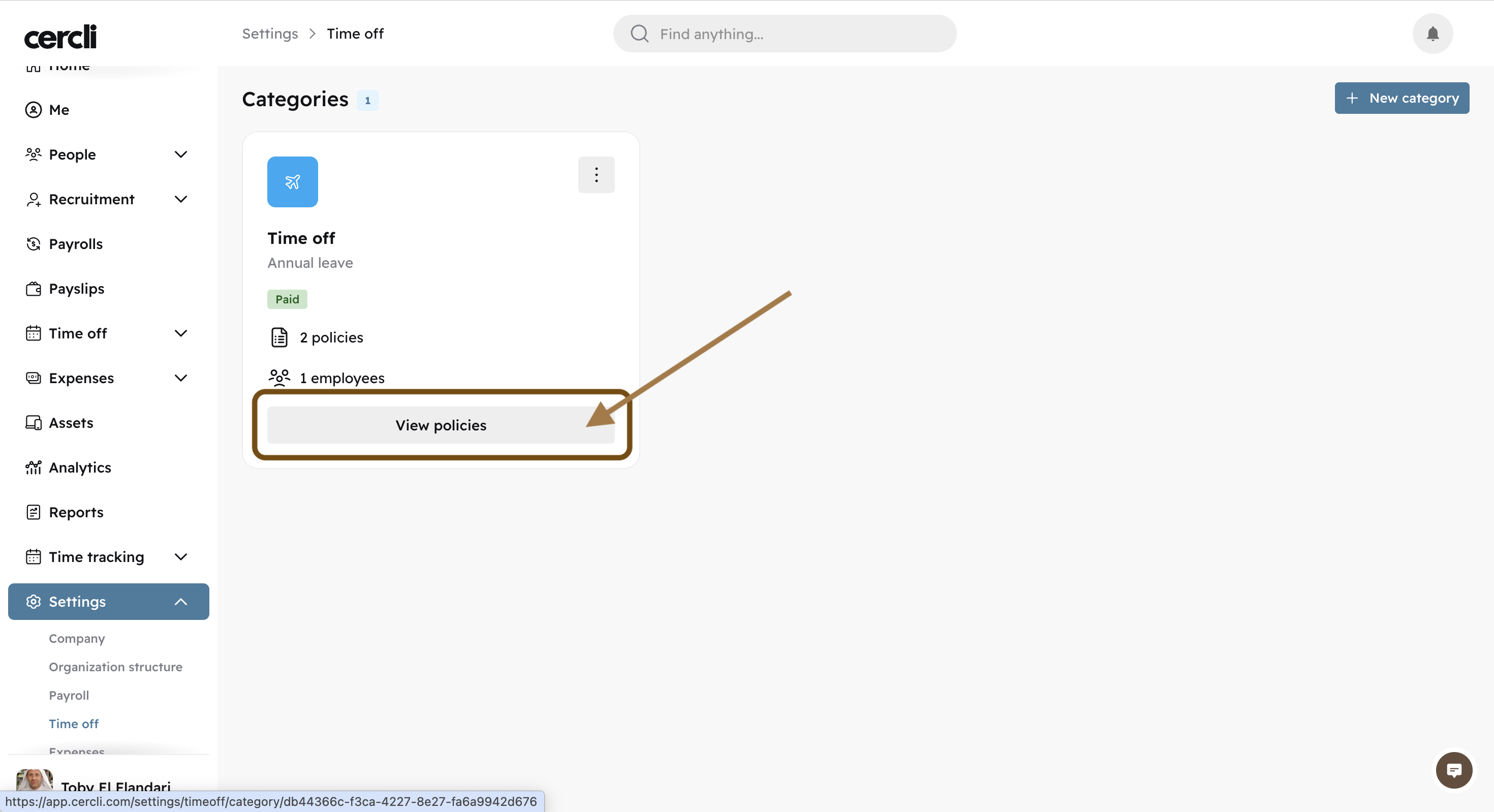
Click on "View policies".
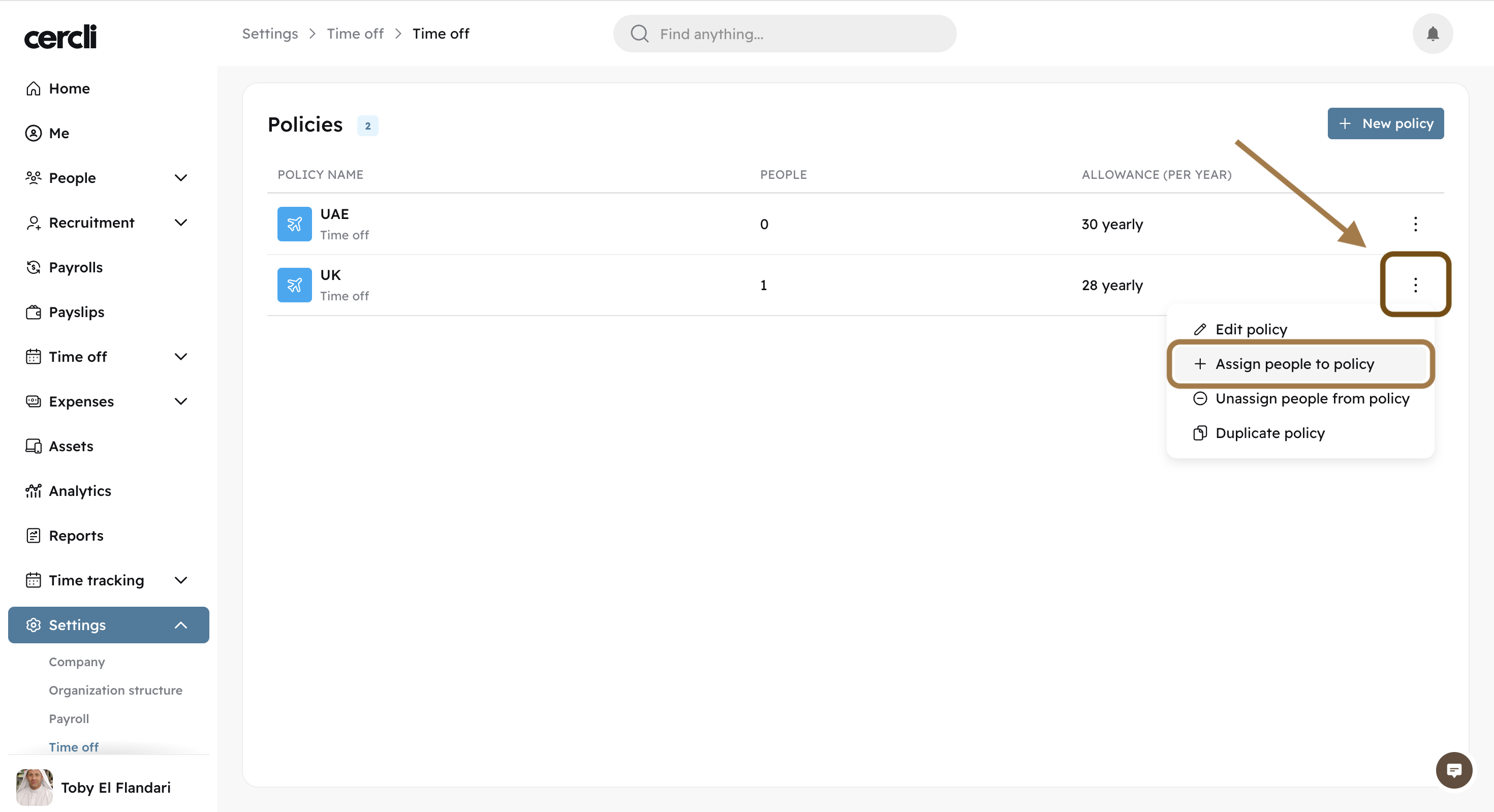
Find the 3 vertical dots on the right of the policy, and click "Assign people to policy"
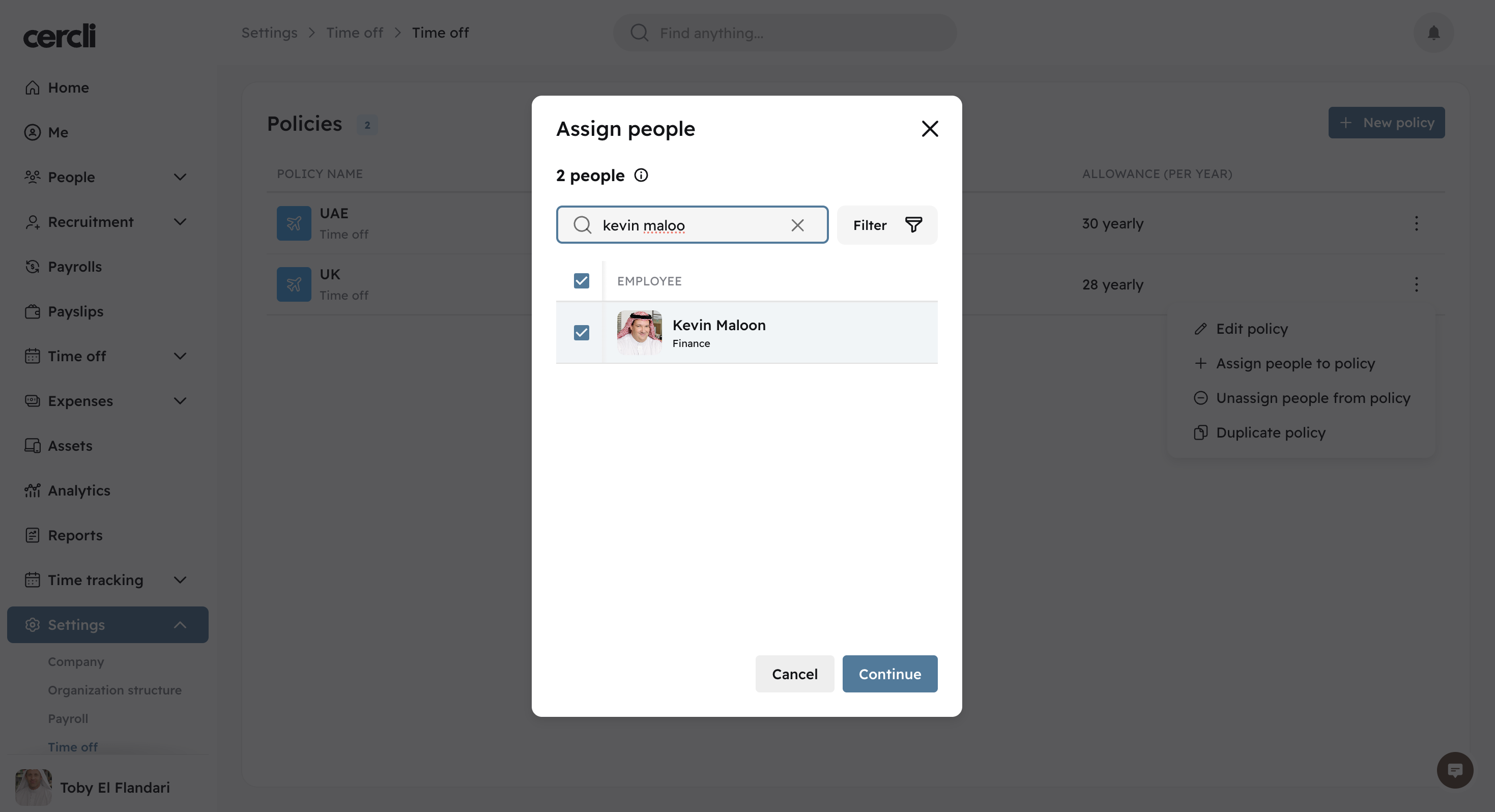
Select the team members you would like to assign to the policy, and press "Continue".
I Want to Unassign a Team Members from a Policy
On the left side bar, go to settings and find Time off. You will see a Category listed.
Click on "View policies".
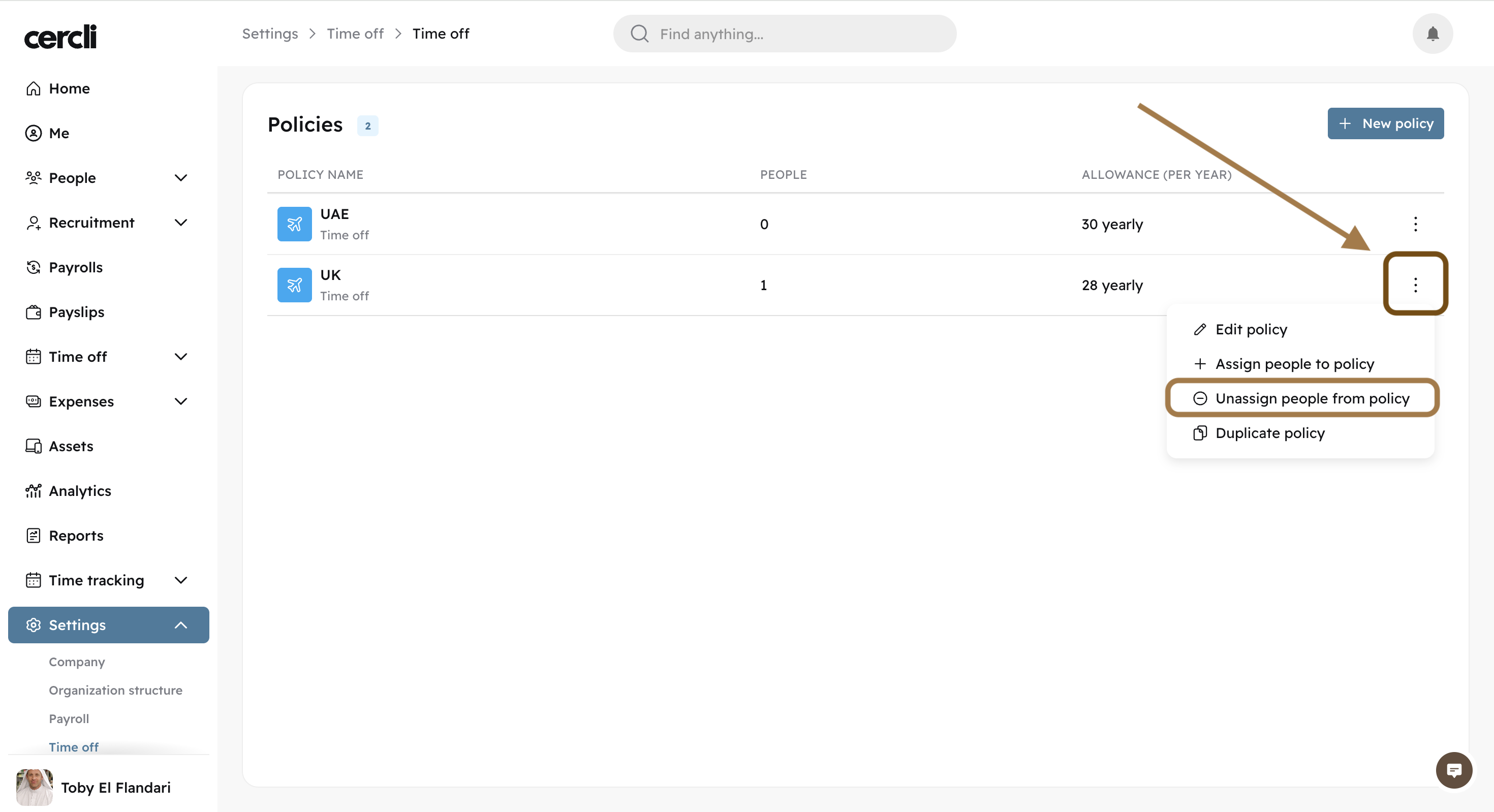
Find the 3 vertical dots on the right of the policy, and click "unassign people from policy"
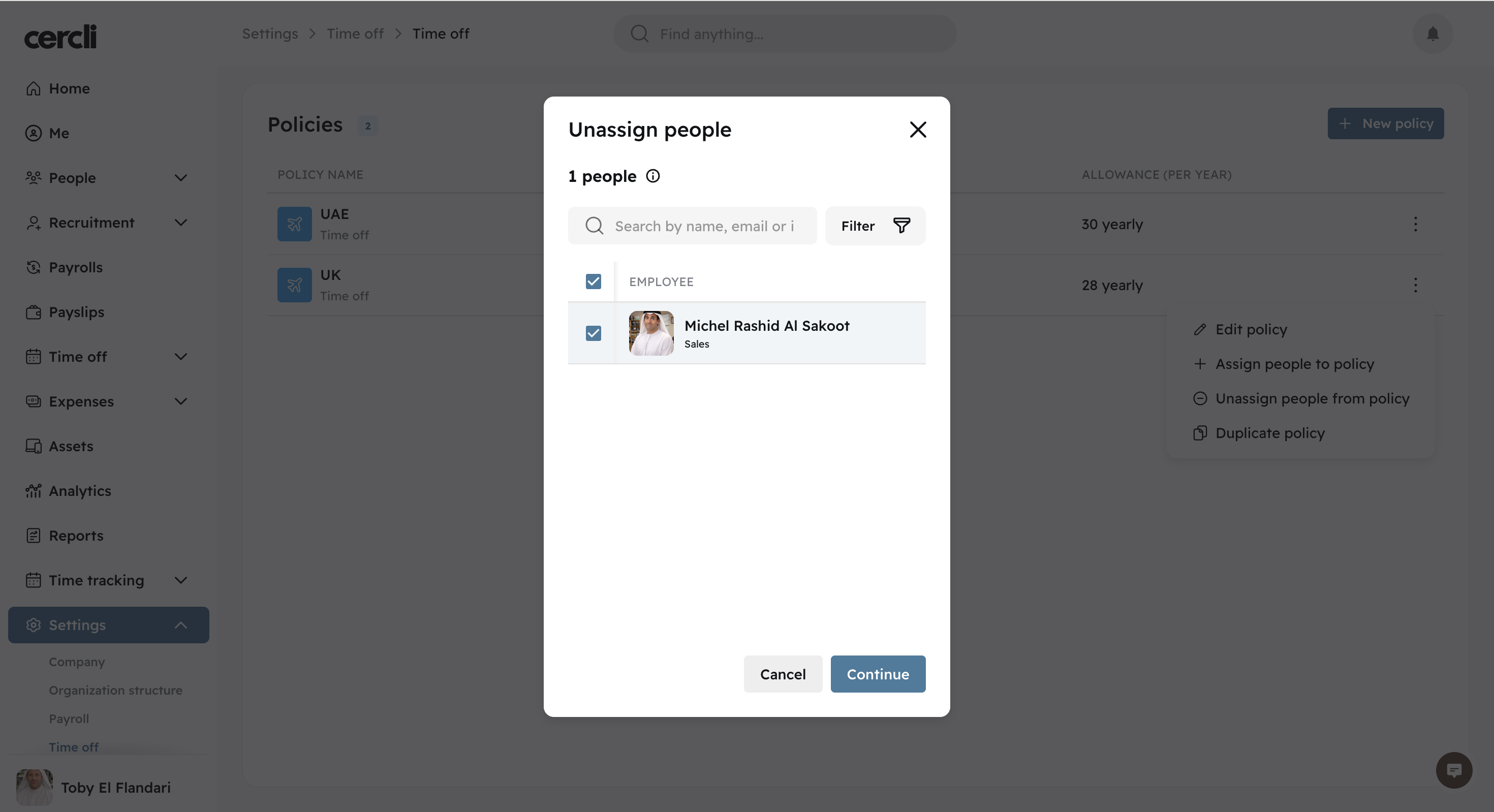
Select the team members you would like to unassign from the policy, and press "Continue".