Recruiter - How to Manage Interviews
Last updated: May 14, 2026
Related articles
📄 Recruiter - How to Connect Your Calendar for an Interview
📄 Recruiter - How to Schedule an Interview
After an interview is scheduled, the interview record appears in two places:
Under the candidate profile (Interviews & Feedback tab) — accessible to recruiters and hiring managers responsible for the role.
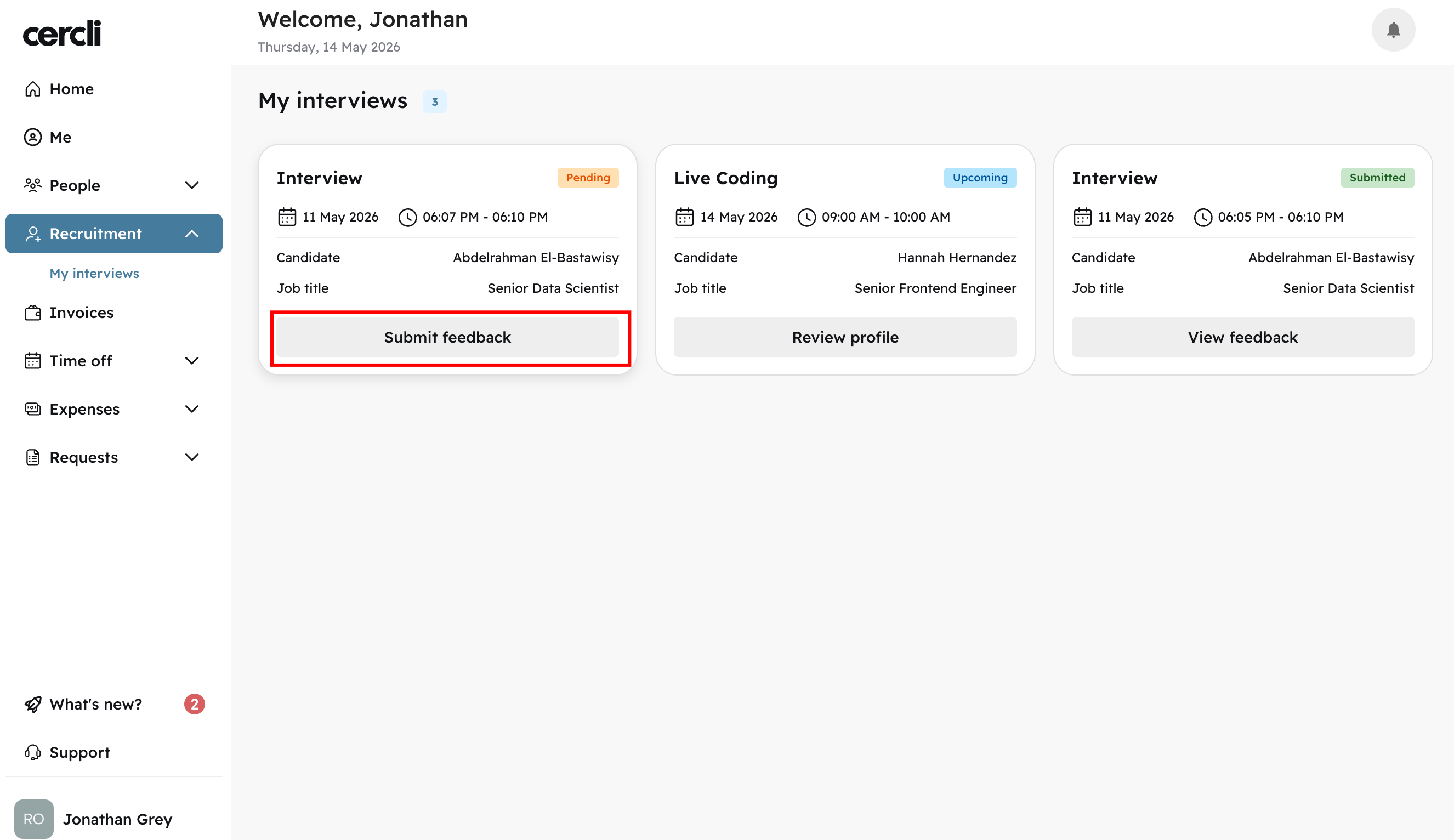
Under My Interviews in the left navigation — accessible to assigned interviewers.
Recruiter & Hiring Manager Experience
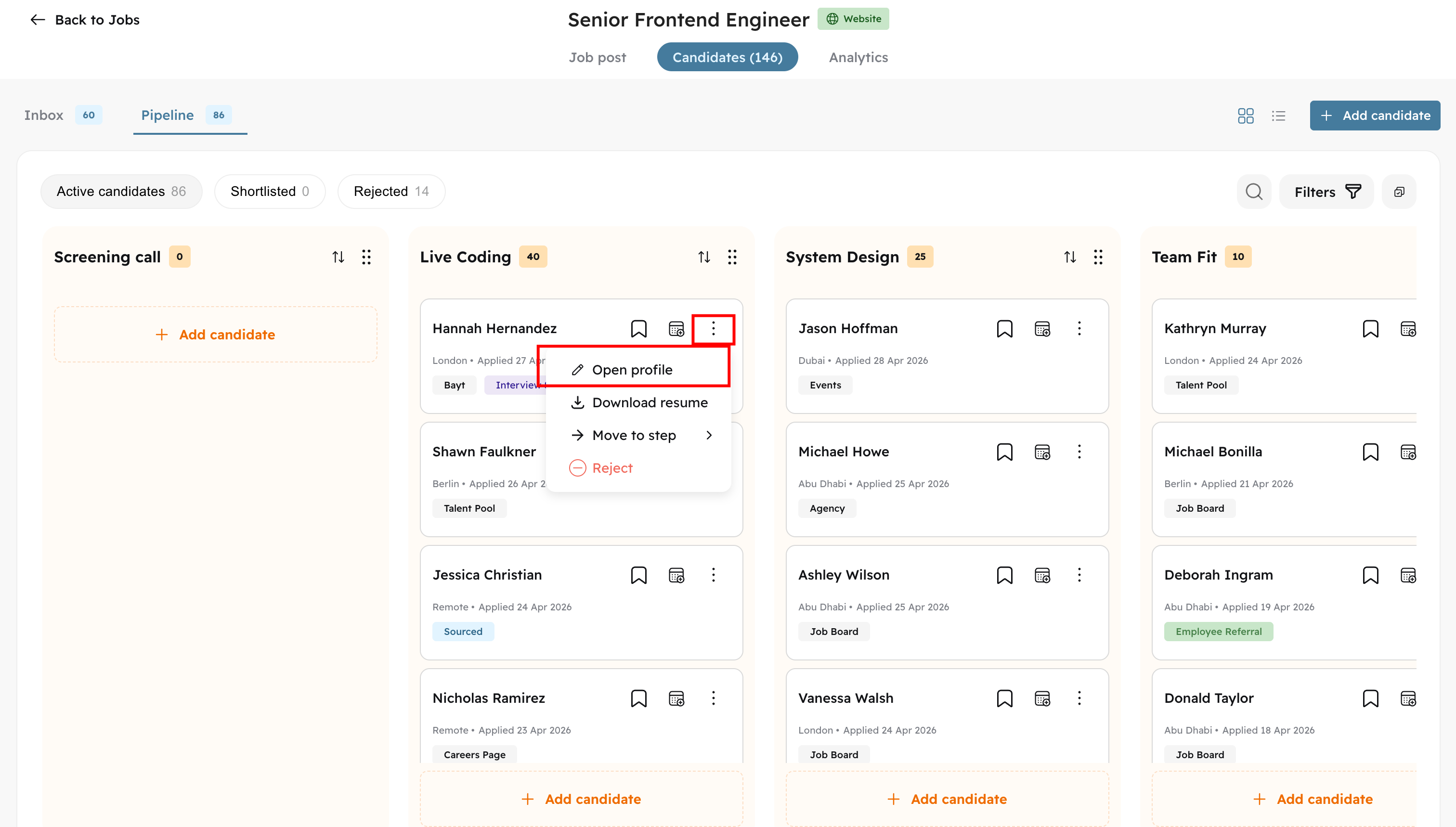
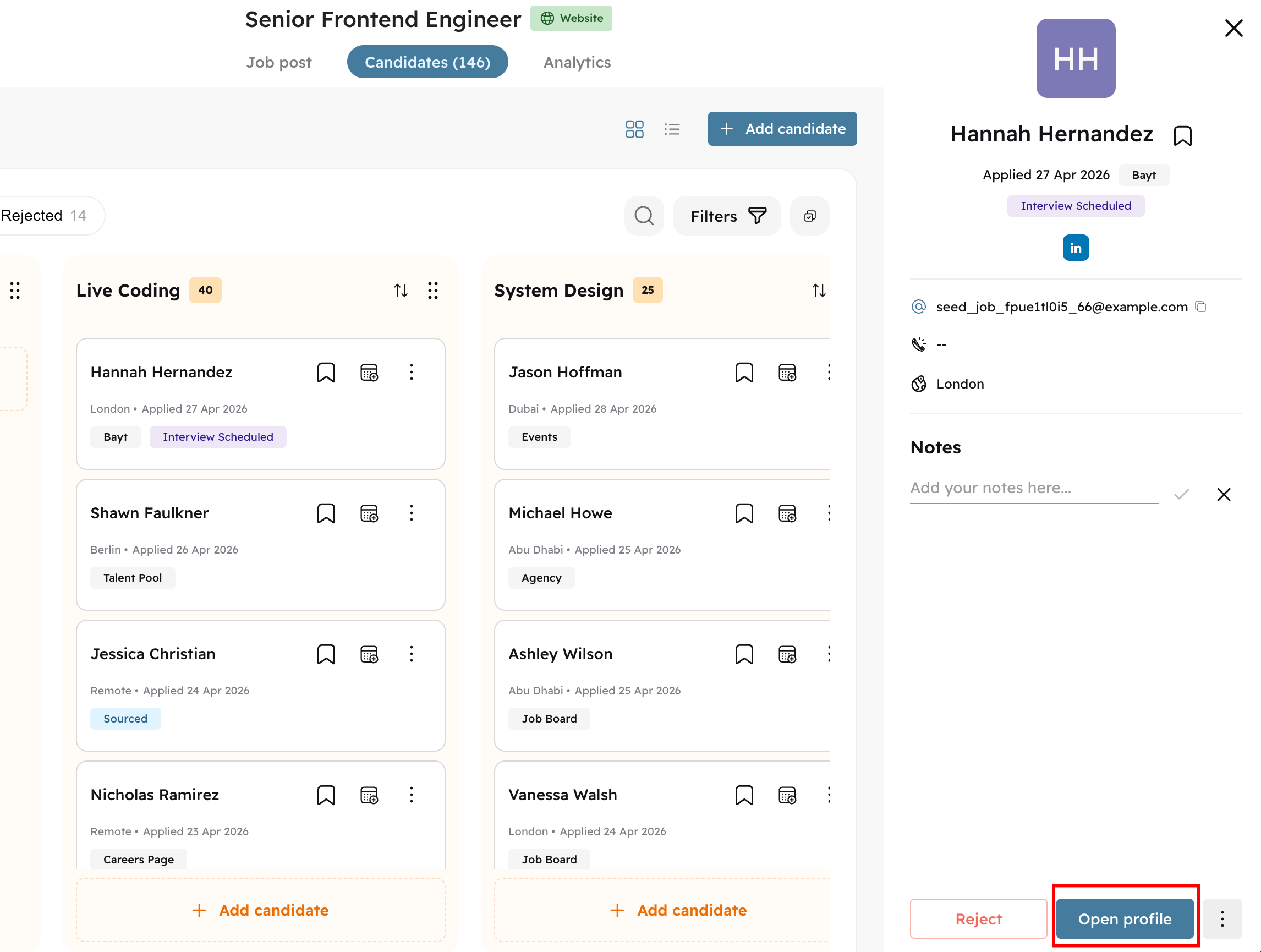
Open the candidate profile. There are three ways to do this:
Click the three-dot action menu
Click Open Profile in the sidebar
Double-click the candidate card or row
Click on the Interviews & Feedback tab.
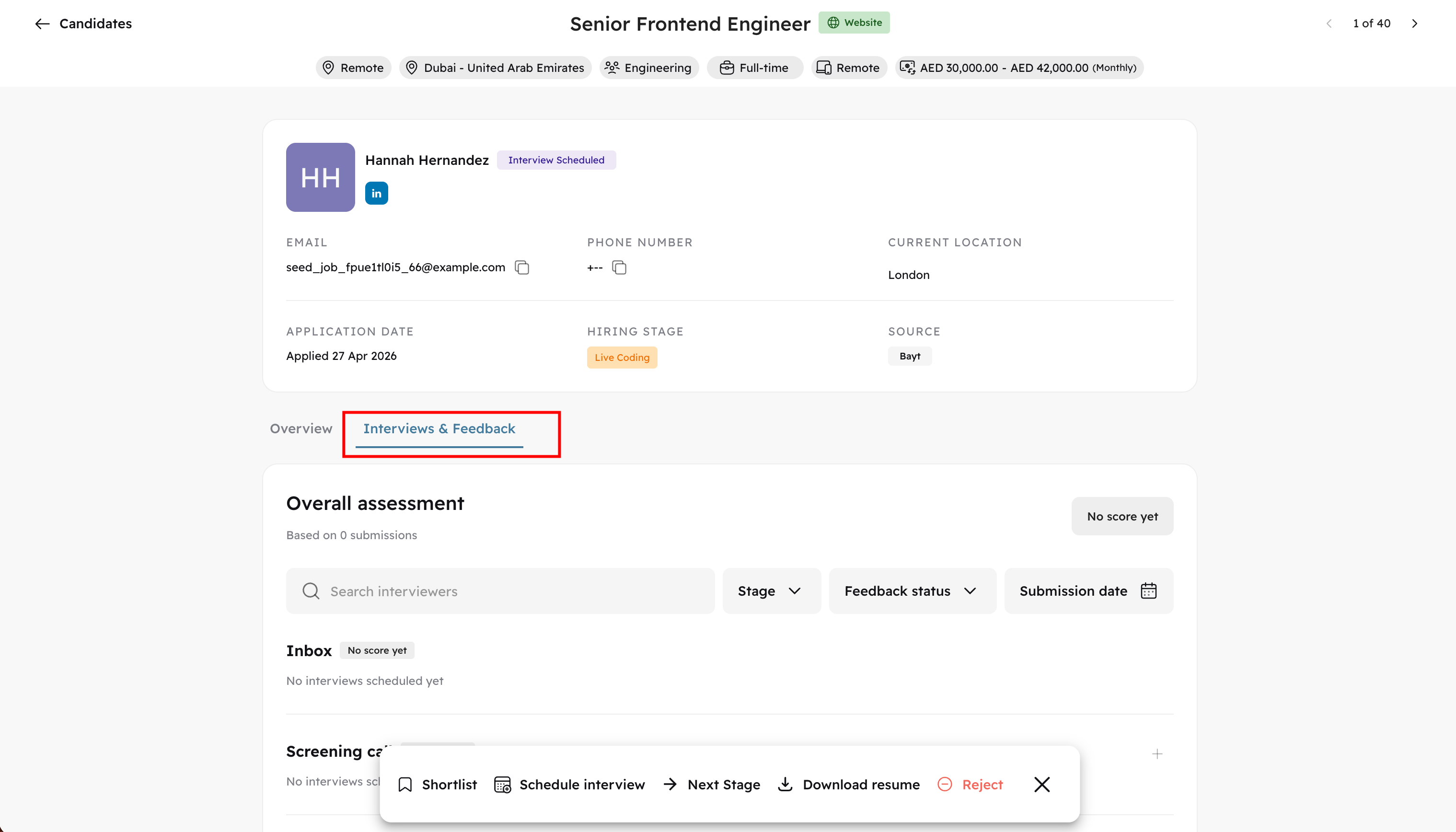
Locate the relevant interview record.
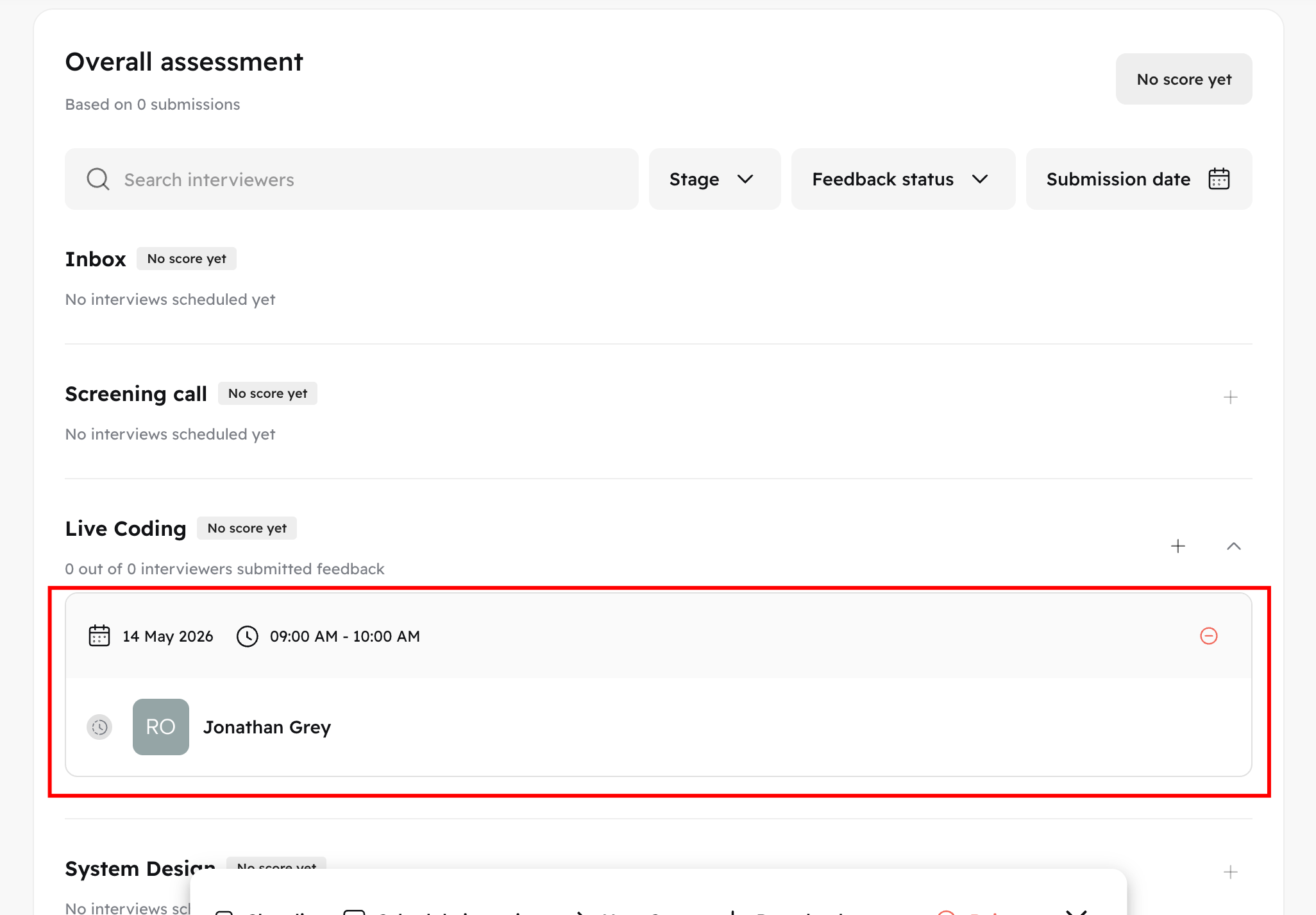
Before the interview, you can view the assigned interviewers, interview status, date and time, and cancel the interview if needed.
Once the interview time has passed, interviewers will automatically receive an email notification to submit their feedback. The interview will show a Pending status until feedback is submitted. After 24 hours, you'll have the option to send a reminder.
Once feedback is submitted, you'll see each interviewer's score and can review the full scorecard. An aggregated score is shown for each interview stage.
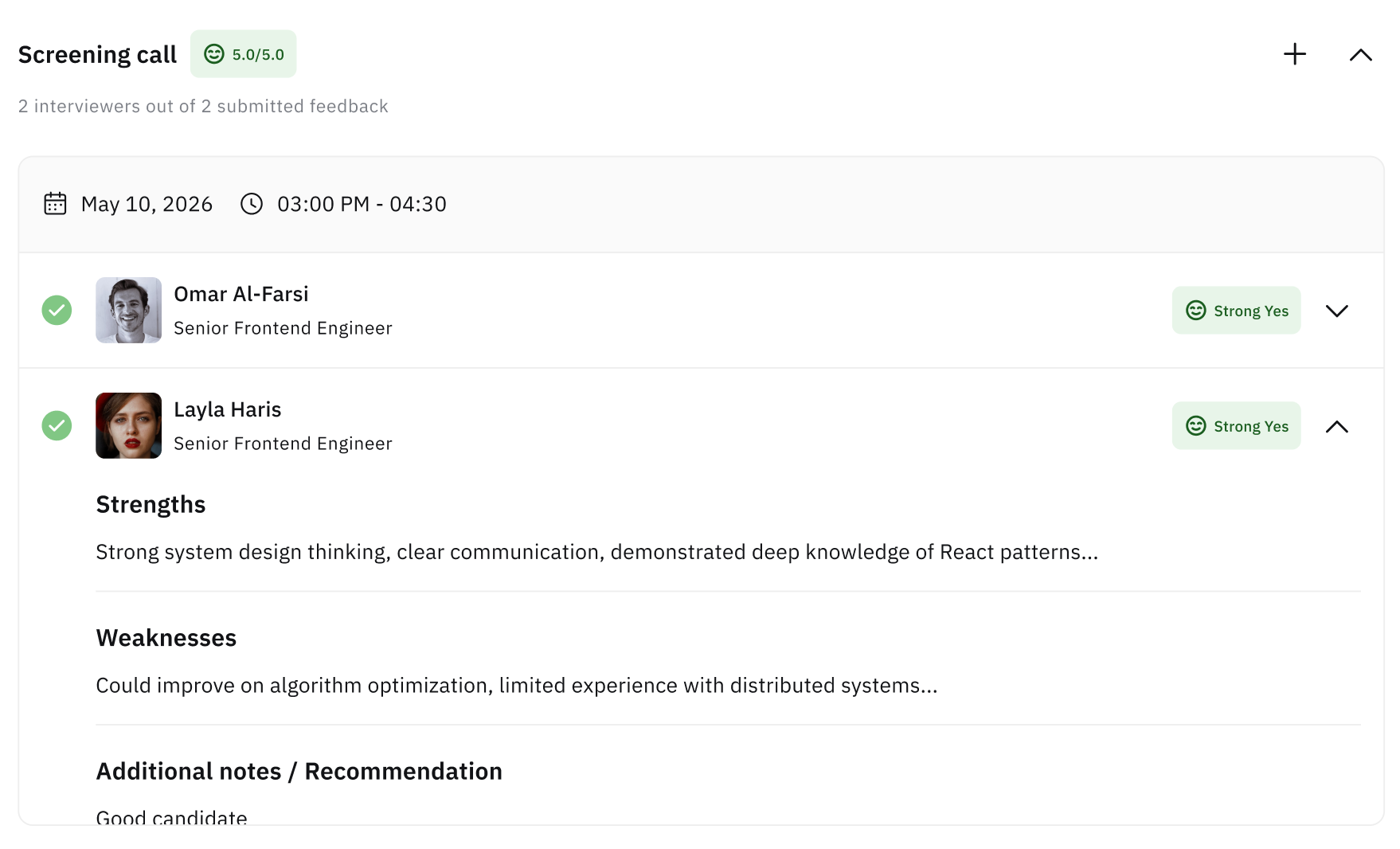
A cumulative score across all completed interviews is also available, giving you a full picture of the candidate by the end of the process.

Interviewer Experience
Once an interview is scheduled, you'll immediately receive an email notification with the interview details and a link to the candidate profile.
Clicking the link opens the candidate profile, where you can view basic information about the candidate, their resume, and the scorecard.
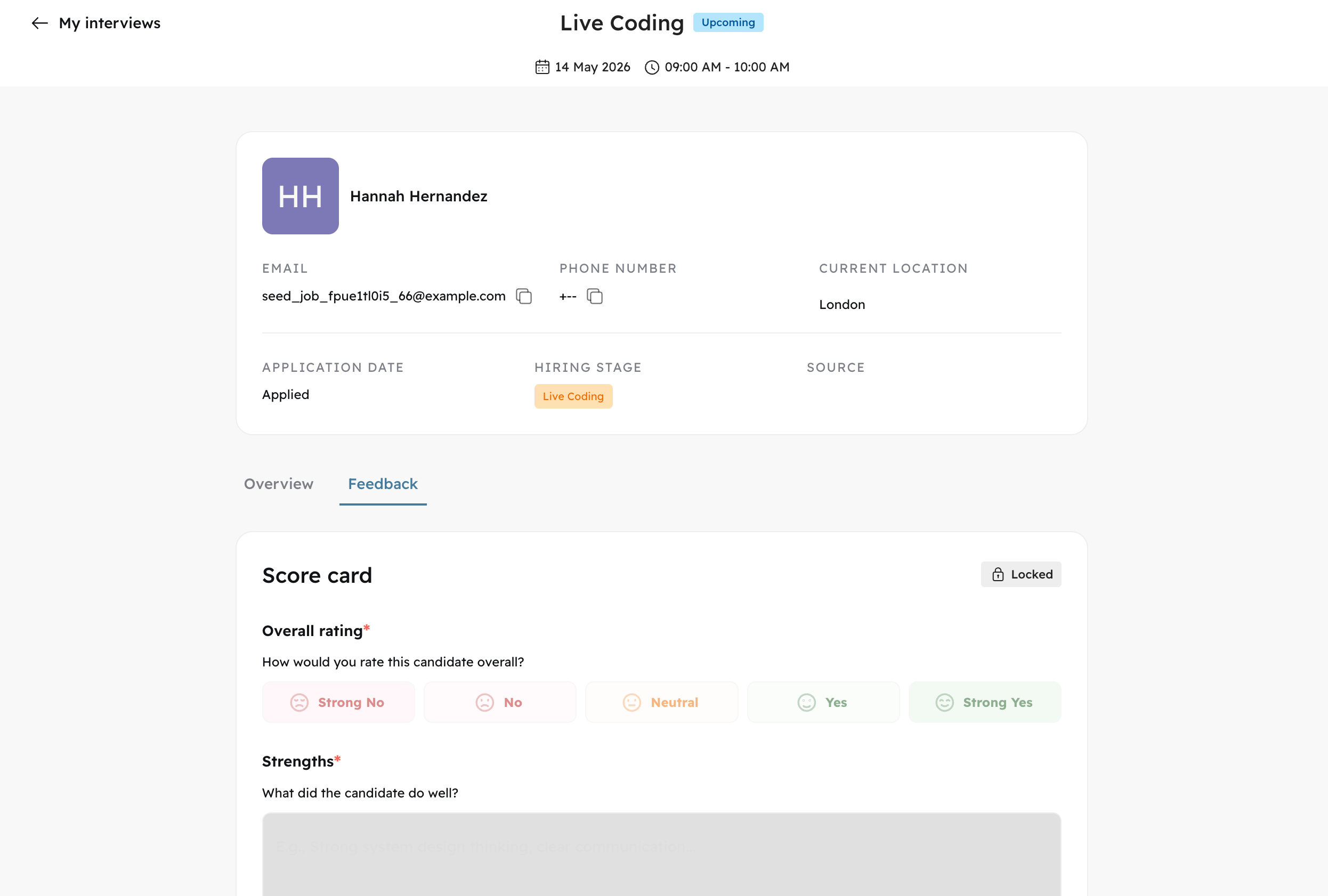
The scorecard is locked until the interview begins.
To view all your interviews, open the Recruitment menu in the left navigation and click My Interviews. This list includes both upcoming interviews and ones where you've already submitted feedback.
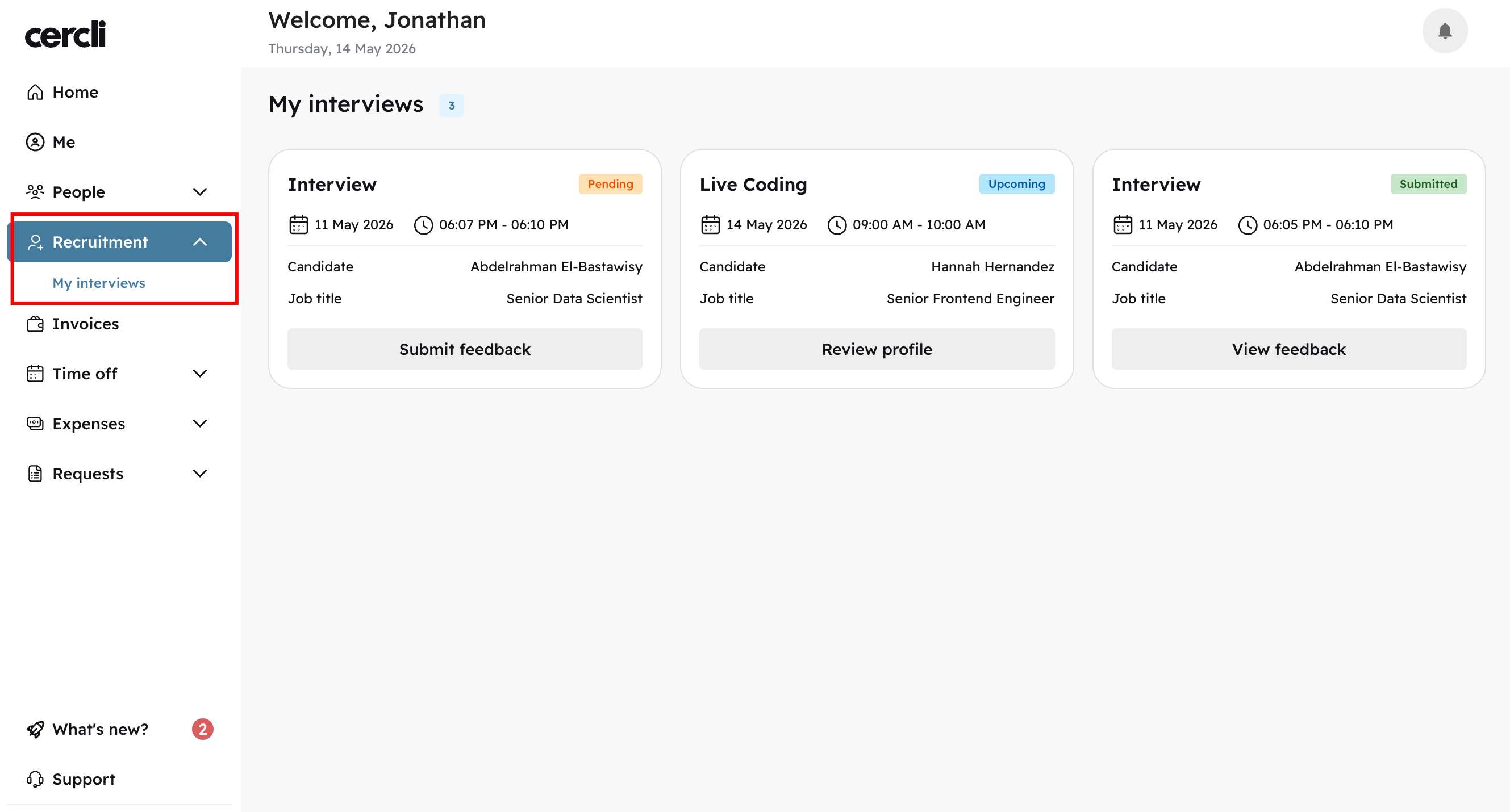
Click the button on any interview card to open the corresponding candidate profile.