How to Submit Feedback Without Interview Scheduling
Last updated: August 24, 2026
If an interview was conducted outside the Cercli platform, you can still submit feedback — either for yourself or on someone else's behalf.
Entry Point
Go to the Pipeline tab, find the candidate you want to submit feedback for, and hover over the Submit Feedback icon. You'll see two options.
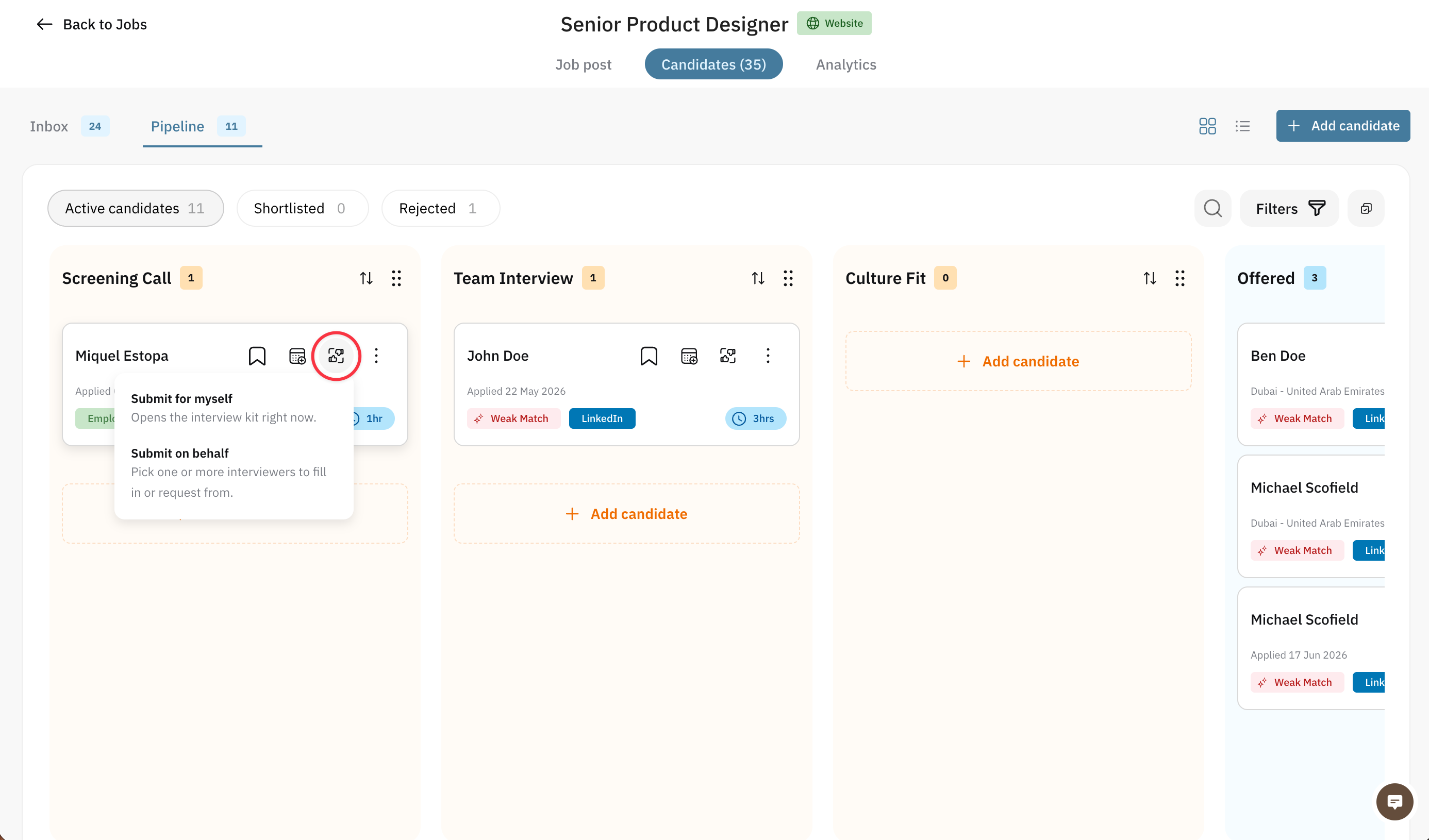
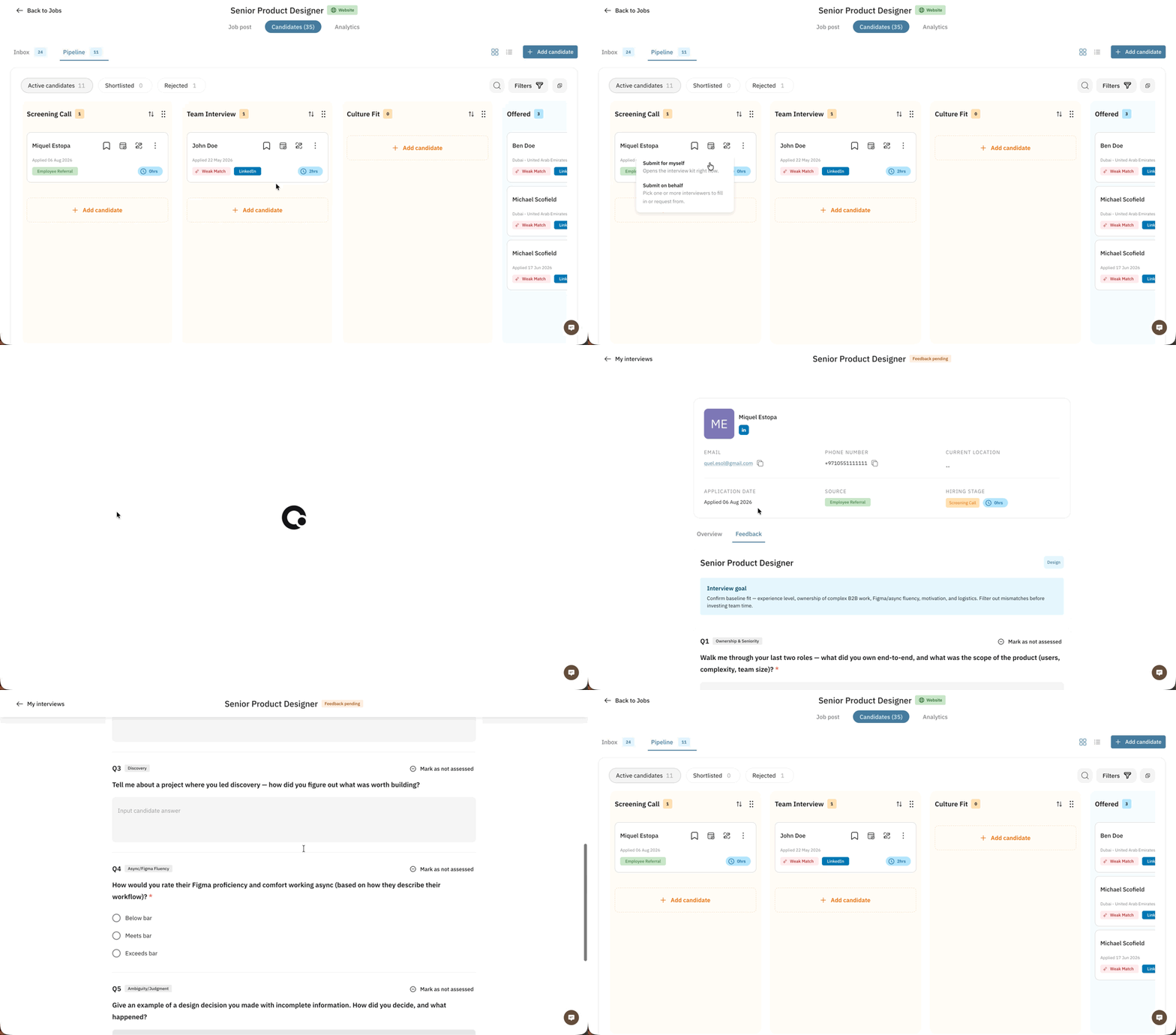
Submit for Myself
Select this option if you conducted the interview yourself. Clicking it opens the interview kit and scorecard immediately.
Submit on Behalf
Select this option if the interview happened outside the platform and the interviewer shared their feedback with you via email or another channel.
Click this option, then select the interviewer(s) you're submitting feedback on behalf of in the modal that appears, and click Continue.
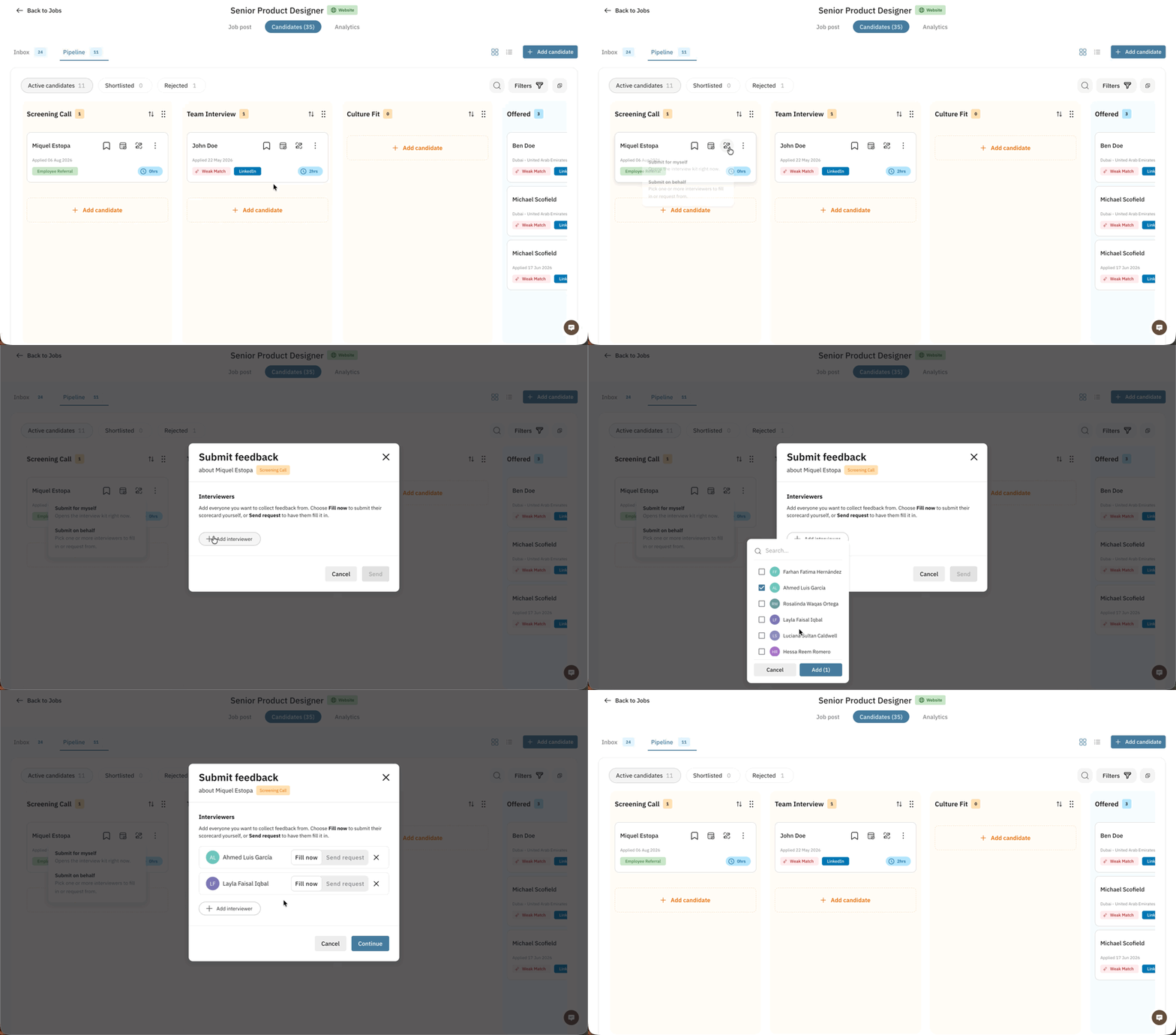
Fill out the feedback form for each interviewer, then submit.
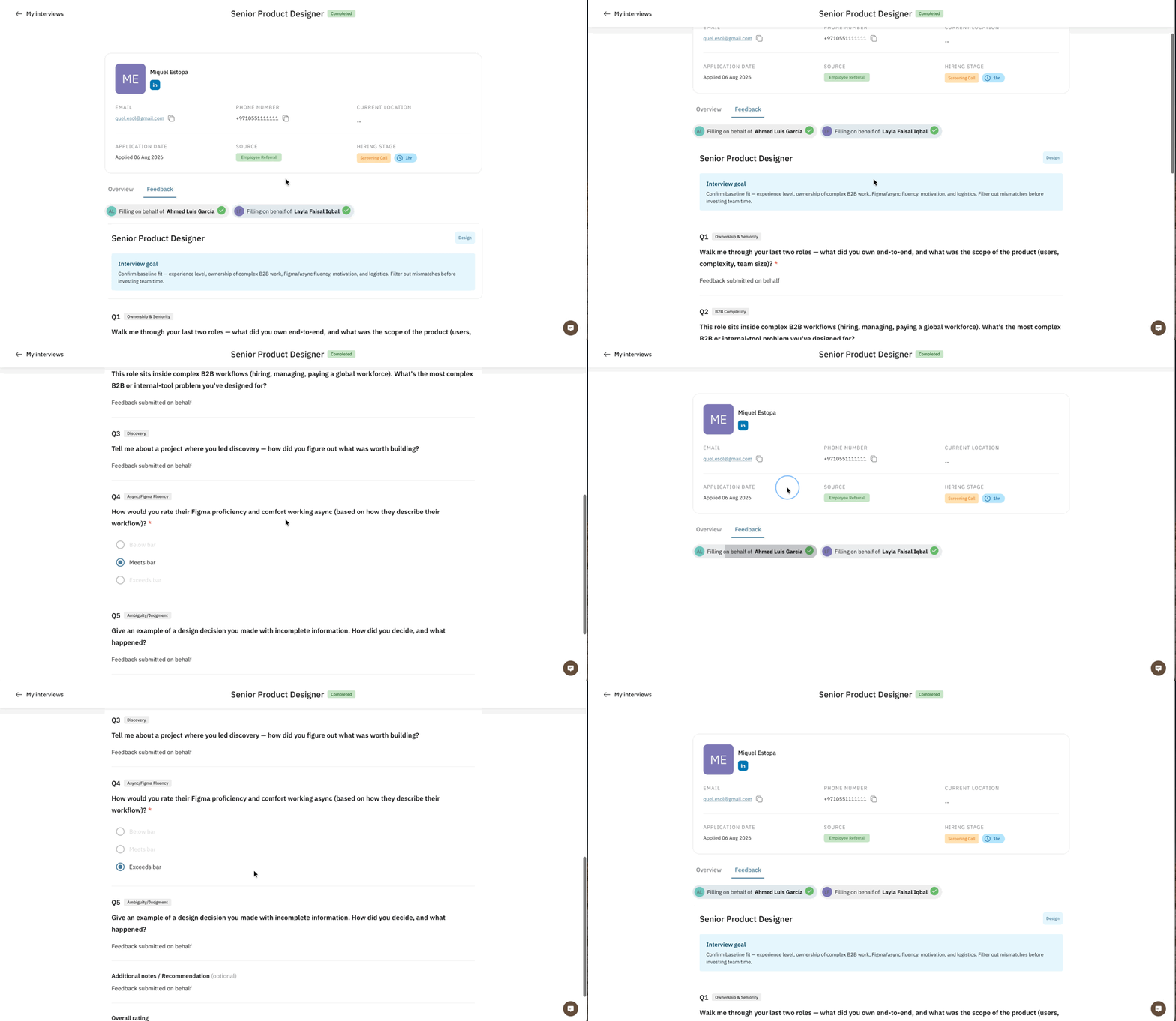
Once submitted, the feedback will appear on the candidate's profile.
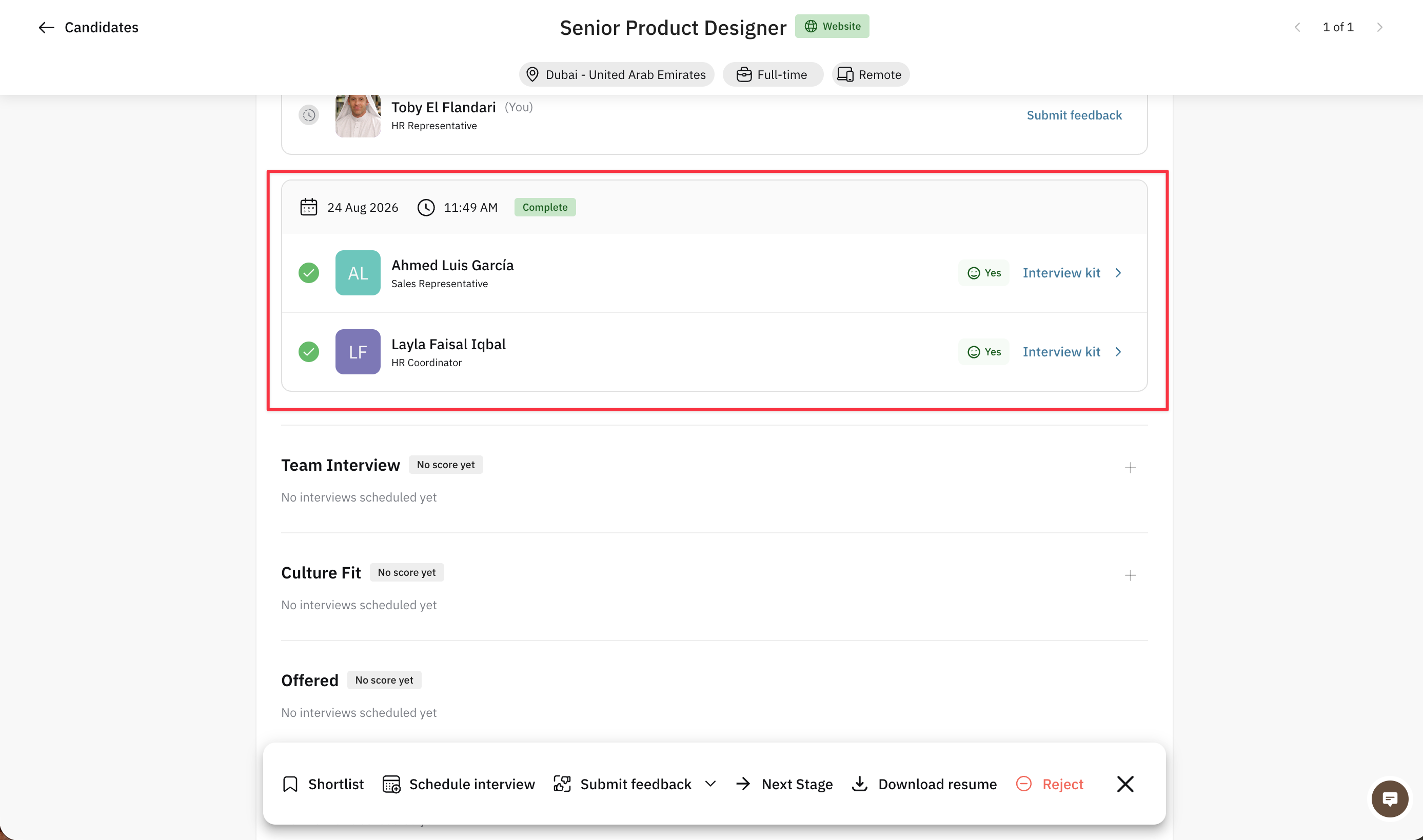
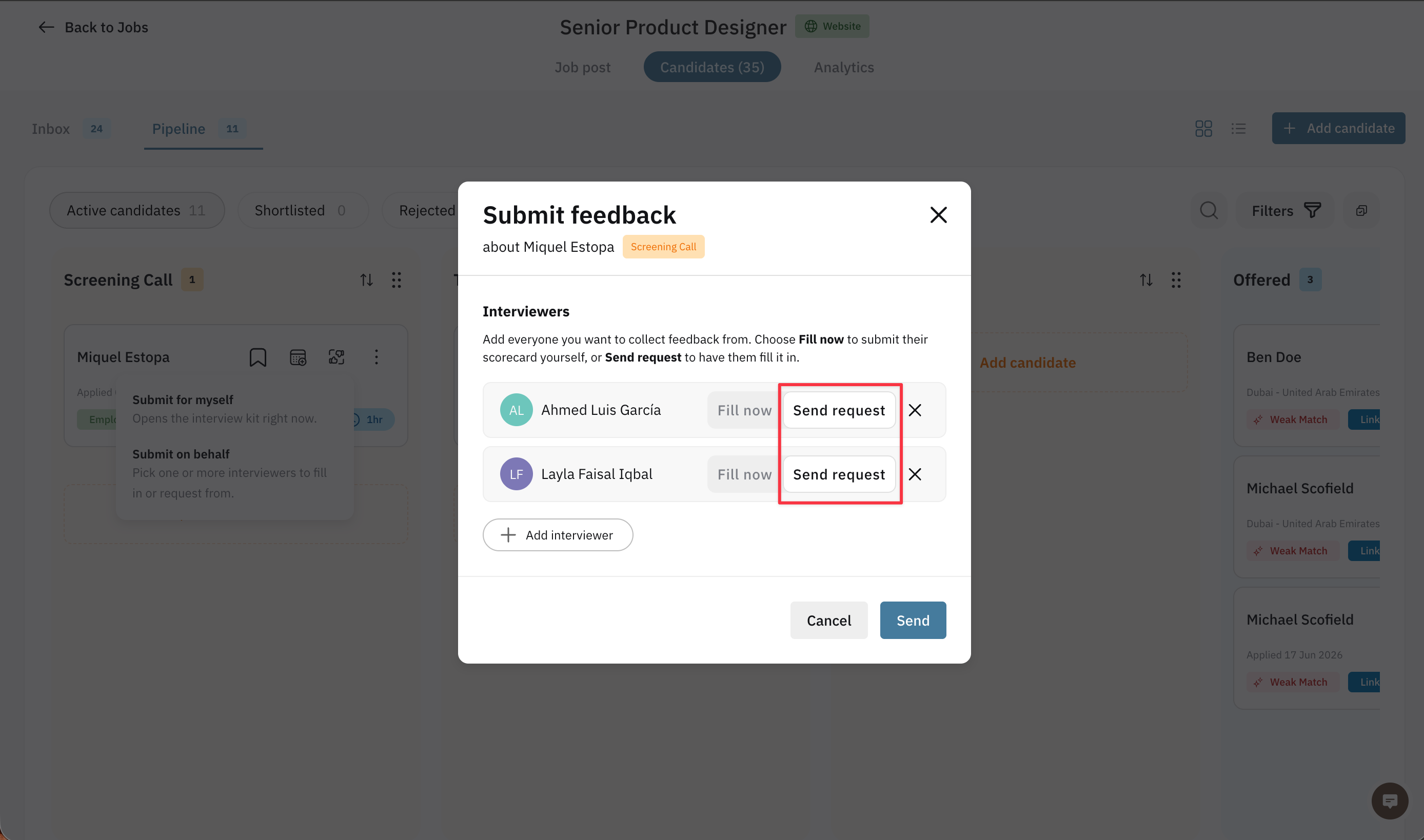
If you'd rather interviewers submit their own feedback, select Request instead of Fill Now. Interviewers will then receive an email notification with a link to the candidate's profile and feedback form.